www.mobotix.com • sales@mobotix.com
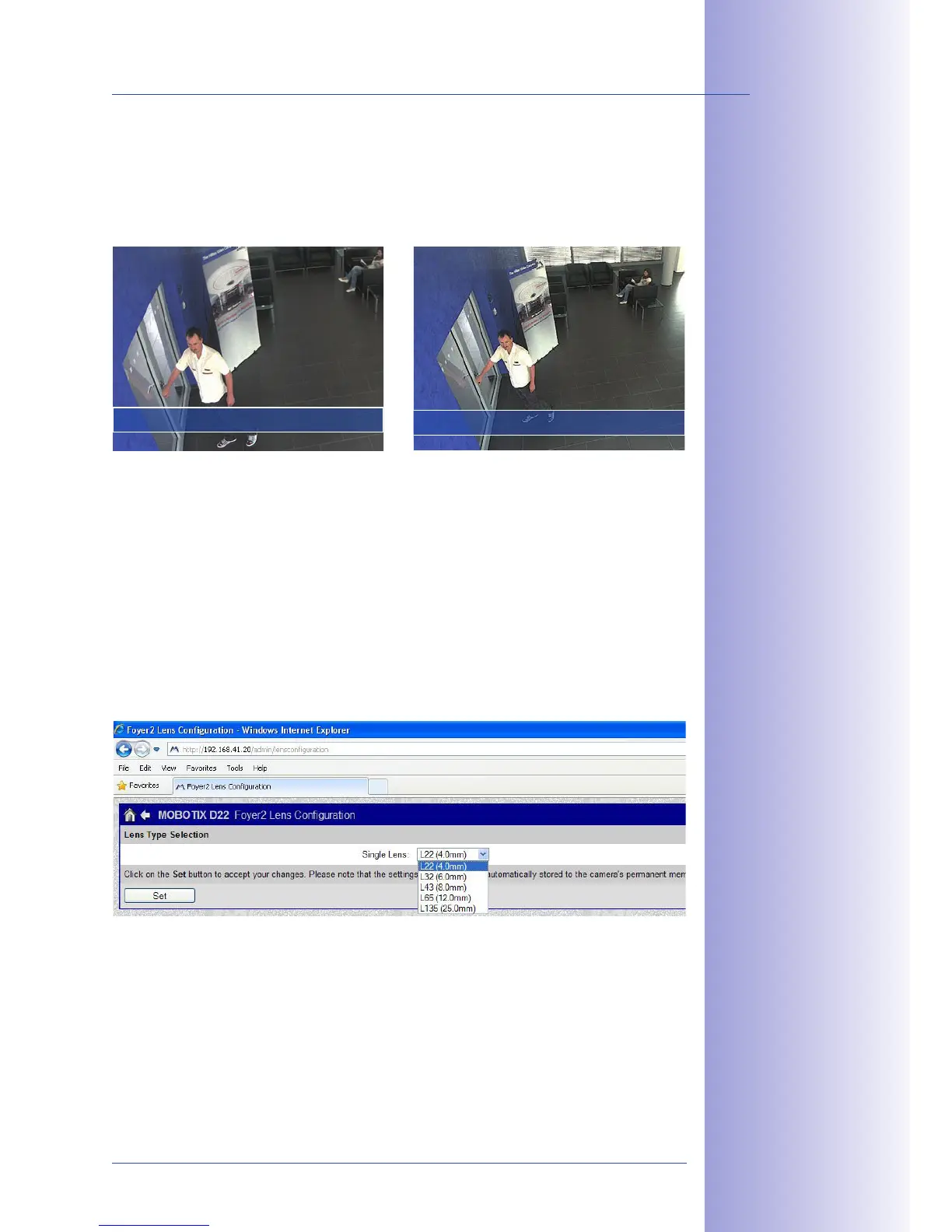
Since activated lens distortion correction requires additional processing power, you should
consider disabling it in situations where it is not really necessary. You will only notice a
minimal distortion of the image, especially if you use the zoom. However, the maximum
frames rate for high resolution may be reduced, which means you have to choose between
maximum distortion correction or maximum frame rate.
We recommend activating lens distortion correction, especially for applications with a low
frame rate and non-zoomed images (for example, when using the M24M as a webcam).
However, images can usually be corrected at a later point in time when searching recorded
images. This saves on processing power during recording and increases the frame rate.
The more you zoom in on the image, the less distorted the image should appear.
To activate this option, first specify the lens you are using in the
dialog (this setting is saved until the camera is reset
to its default configuration). Select the "" option from the ""
field and then click "" followed by "Restart."
Now select the "" option in the "" Quick Control
panel. An automatically corrected (live) image is displayed that can be panned, tilted,
or zoomed. Switching to the "" option will deactivate the automatic distortion
correction function.



 To Next Page