www.mobotix.com • sales@mobotix.com
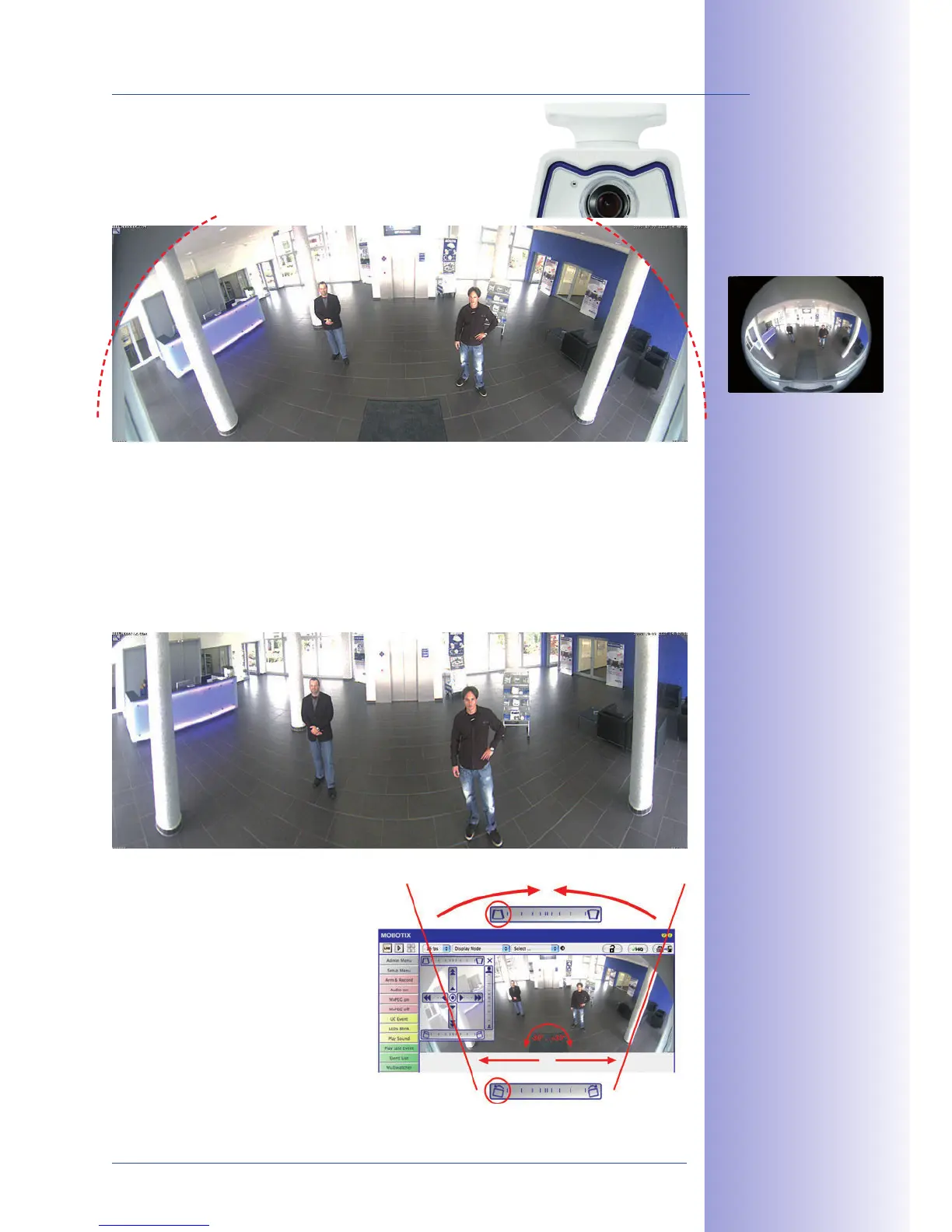
The factory default setting of an M24M with an L11 lens
is a , in which
parts of the protective cover are still visible in the upper
right and left corners of the image.
In order to hide the protective cover in the panorama image, all that is often required is
the "panorama correction" function, which has already been integrated into the camera
software (controlling the camera via a web browser). Tilted vertical lines (if the camera is
mounted at an angle) may be optically straightened to the image edges using this func-
tion (see Section 3.5). A welcome side eect of this is that the protective cover disappears
from the image.
If this measure does not work in some
special cases (camera tilt of approxi-
mately 0°), the protective cover can be
removed from the image by zooming
and, if necessary, by using the purely
software-based downward panning
function. The displayed image section
or the panorama, as the case may be,
is reduced slightly but the image details
are enlarged as a result of zooming.
Original full image
180° panorama image
after the panorama
correction function
has been applied
Section 3.5 provides
more details and informa-
tion on how the panorama
and horizon correction
works (correct distor-
tion in the image and
position horizontally)



 To Next Page