www.mobotix.com • sales@mobotix.com
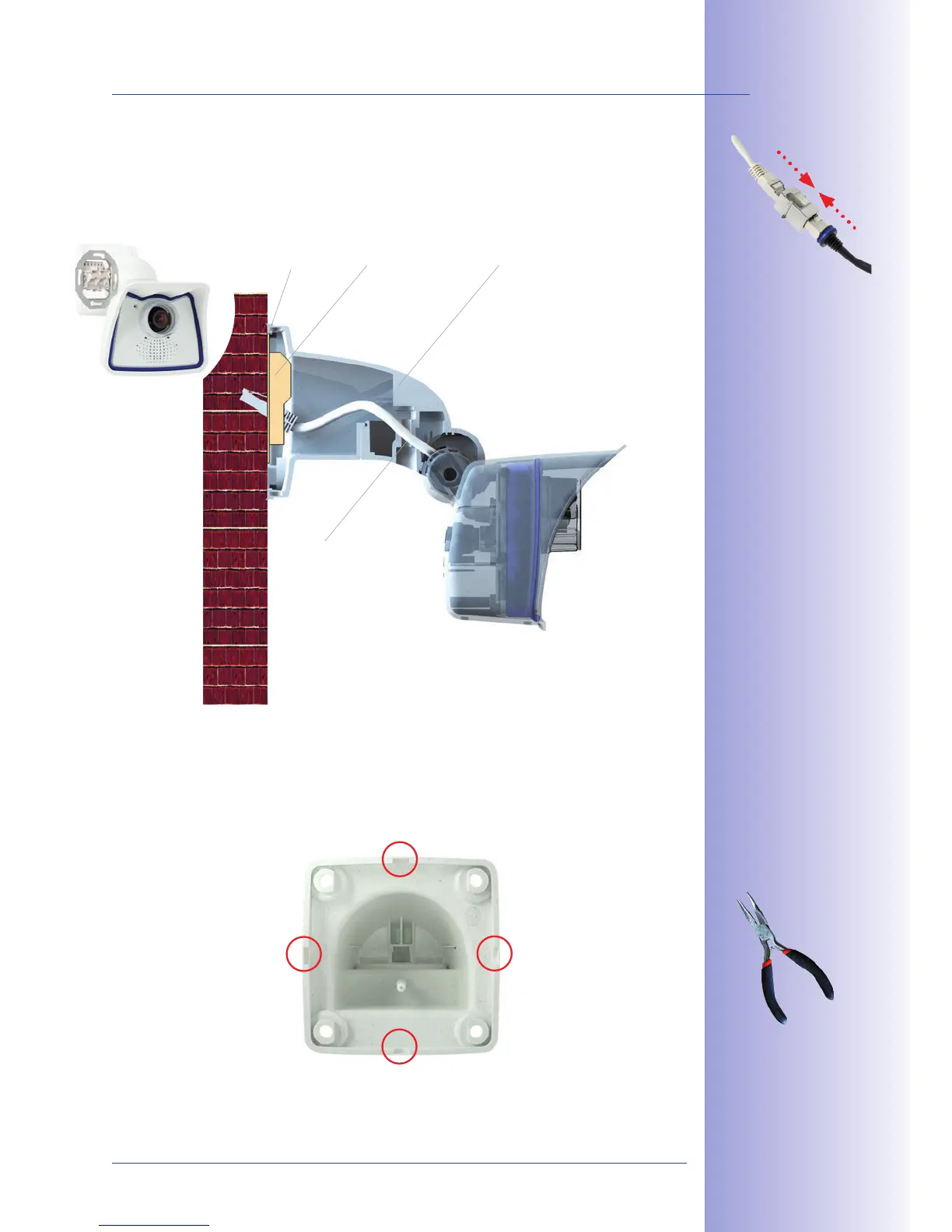
In order to ensure a flush finish with the surface, connect the camera patch cable to the
that is protected in the wall mount or install a
. When doing so, make sure that the flush-
mounted socket is placed as high up in the wall mount housing as possible.
When installing , breaking out one of the four possible openings in the
base of the wall mount will ensure that the cables can be fed neatly into the camera.
The connection to the camera patch cable can
be established using a suitable adapter within the wall mount.
Mount
Standard adapter for
cable connection
Additional sealing of
the wall mount with
silicone (on the washer)
is recommended for use
with uneven surfaces
Pliers to
break through a
cable guide



 To Next Page