www.mobotix.com • sales@mobotix.com
Launch MxControlCenter after successful installation (see section
Installation
) by double-
clicking the shortcut that was created by the Installer or the executable file in
the installation directory on your computer.
When MxControlCenter is launched for the first time, the
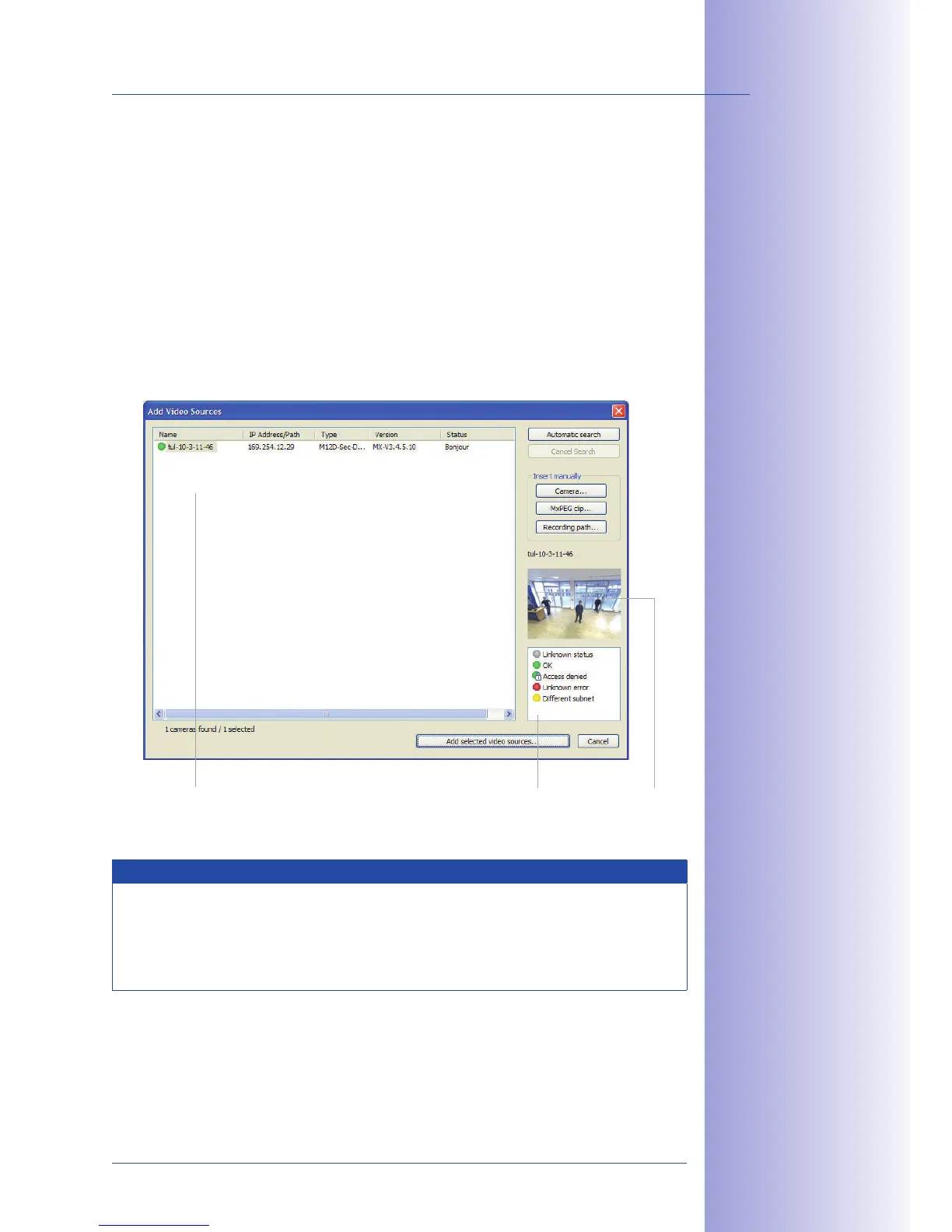
Select dialog opens and the application automatically searches for MOBOTIX cameras
in the local network. To perform a camera search at a later time, select
Add
from the menu.
If your MOBOTIX camera is properly connected, it should appear together with the
existing video sources in the following list:
Note
Video sources in this context not only refer to MOBOTIX cameras, but also to third-
party IP cameras, file server paths, MxPEG clips and analog cameras connected via
MxServer (e.g. analog dome cameras). These video sources are not found automati-
cally and need to be added manually.
Automatic search for
MOBOTIX cameras!



 To Next Page