M62 Professional IP Deskphone Administrator’s Manual
- 10 -
The LCD Indication
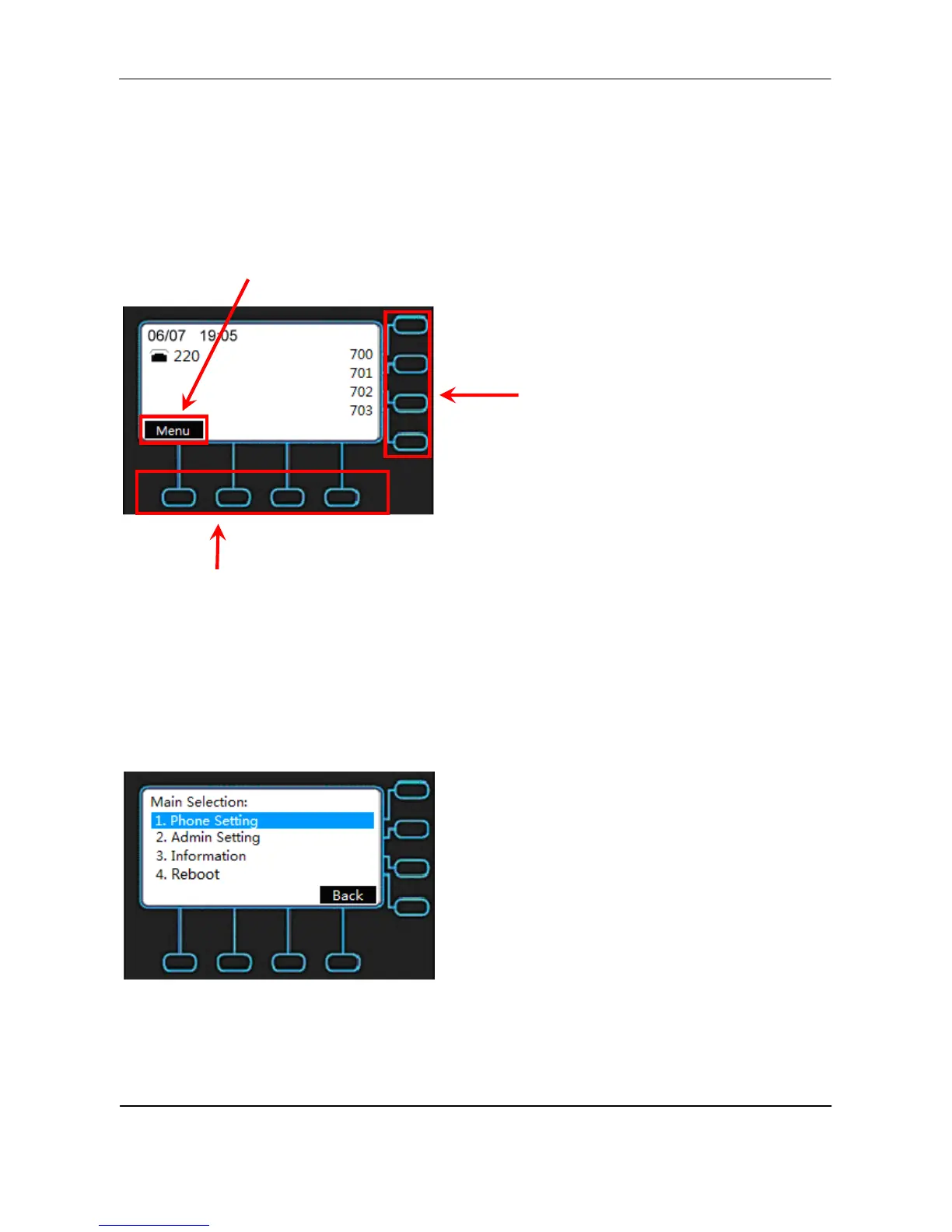
The following figure shows a standard format of LCD screen. There are 4 soft keys
associated with the operation of LCD display. For different menu or status, the display
format will be changed accordingly.
Soft key menu
Soft key buttons
Menu: The M62 supports 4 functions for selection.
Phone Setting
Admin Setting
Information
Reboot
Date and Time: If M62 is registered to the IG7600 successfully, the M62 will sync the
correct time to server according to user’s time zone setting. If not, it shows the elapsed time
since last boot.
Line keys



 To Next Page