- 69 -
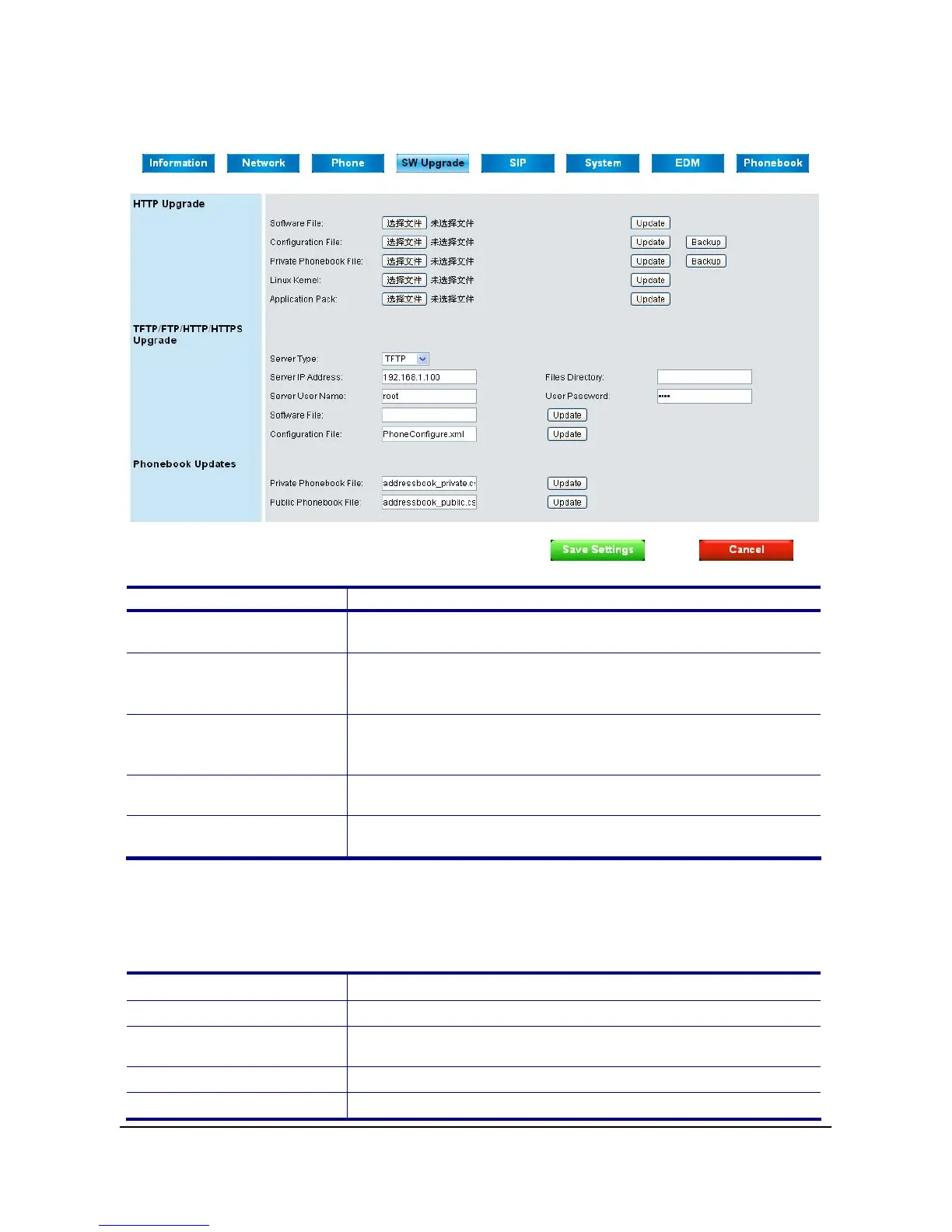
SW Upgrade Page
HTTP Upgrade:
Field Name Function
Software File
Select software firmware and press Update button to
upgrade software.
Configuration File
Select the desired configuration file and press Update button
to restore the settings. Press Backup button to save the
configuration file on your PC.
Private Phonebook File
Select desired private phonebook file and press Update
button to update. Press Backup button to save the
phonebook file on your PC.
Linux Kernel
Select Linux kernel and press Update Button to upgrade
kernel.
Application Pack
Select application and press Update button to upgrade
application.
The software upgrade process needs 2 minutes to finish, please do not turn off the power at
this time. After updating successfully, the phone will reboot automatically.
TFTP/FTP/HTTP/HTTPs Upgrade:
Server Type
Select the Server Type (TFTP, FTP, HTTP or HTTPs).
Server IP Address
IP address of TFTP, FTP, HTTP or HTTPs Server.
Files Directory
Files directory where the software, configuration file, or
phonebook file located.
Server User Name
Username of the account on the server.
User Password
Password of the account on the server.



 To Next Page