M62 Professional IP Deskphone Administrator’s Manual
- 25 -
Basic Call Features
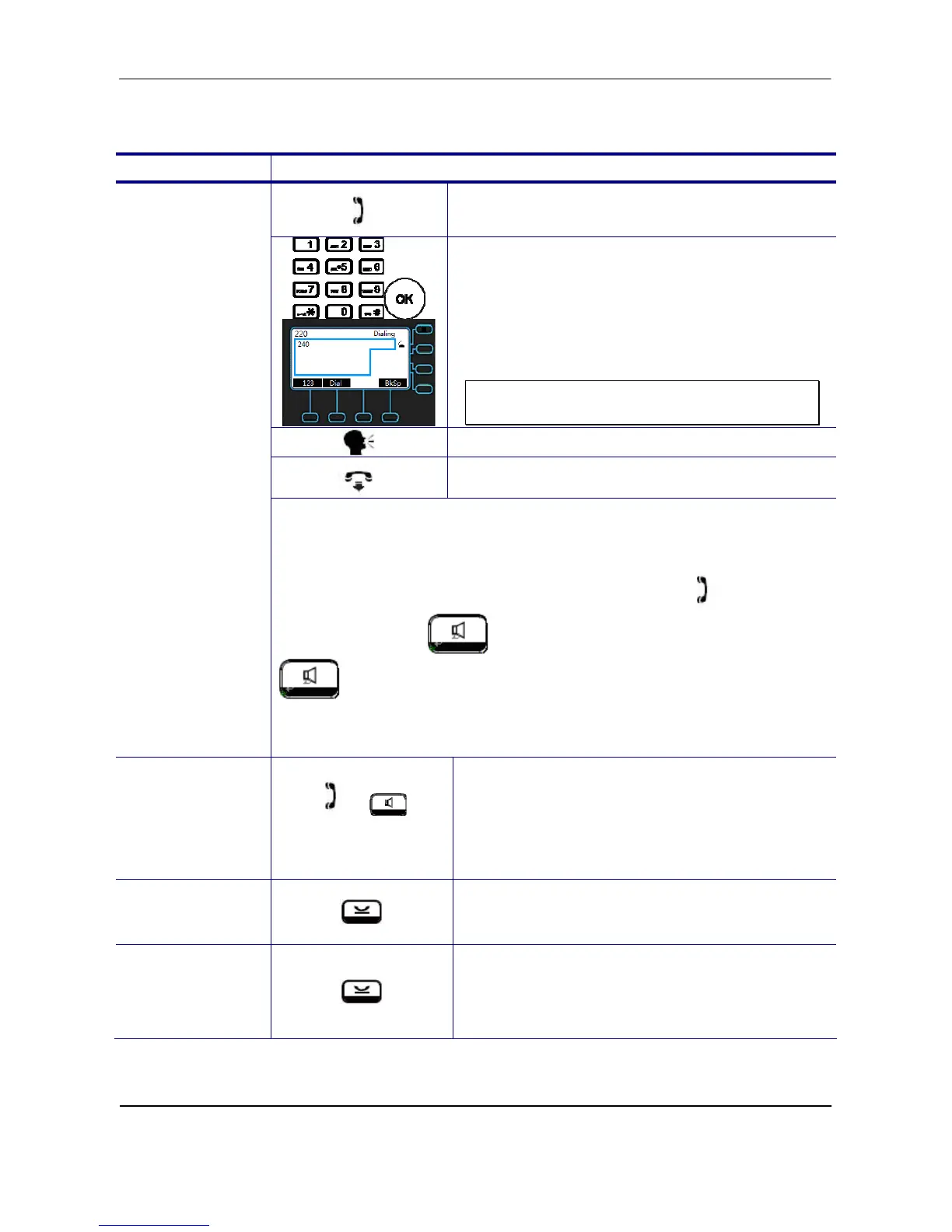
Operation Description
1. Pick-up the handset. You will hear dial
tone played.
2. Use the keypad to dial the phone
number. Press OK key or “Dial” soft key
to dial out immediately, or wait for a while
(Dial Timeout setting) for auto-ending the
dial.
The LCD window displays the number you
enter.
Note: You could use the “BkSp” soft key to
delete the last digit.
Start talking to called party.
On-hook the handset when your
conversation is over.
Making a Call
There are two mode to establish a call for this IP phone, handset mode
and hands-free mode. In this manual, only handset mode is used for
example. In the following features, you can replace to hands-free
mode by pressing key. When the conversation is over, press
key again to release call. For headset mode, please prepare a
headset first.
Ending a call
or
or End
If there is only one call, just place the
handset back into the cradle, press
speakerphone or press “End” soft key to
end the call.
If there is another call, press the “End” soft
key to end the call.
Holding a call
or Hold
Press the “Hold” soft key or Hold key on the
phone to place an active call on hold.
Resuming a call
or Resume
Press the “Resume” soft key or Hold key on the
phone again to place an active call on hold.



 To Next Page