- 28 -
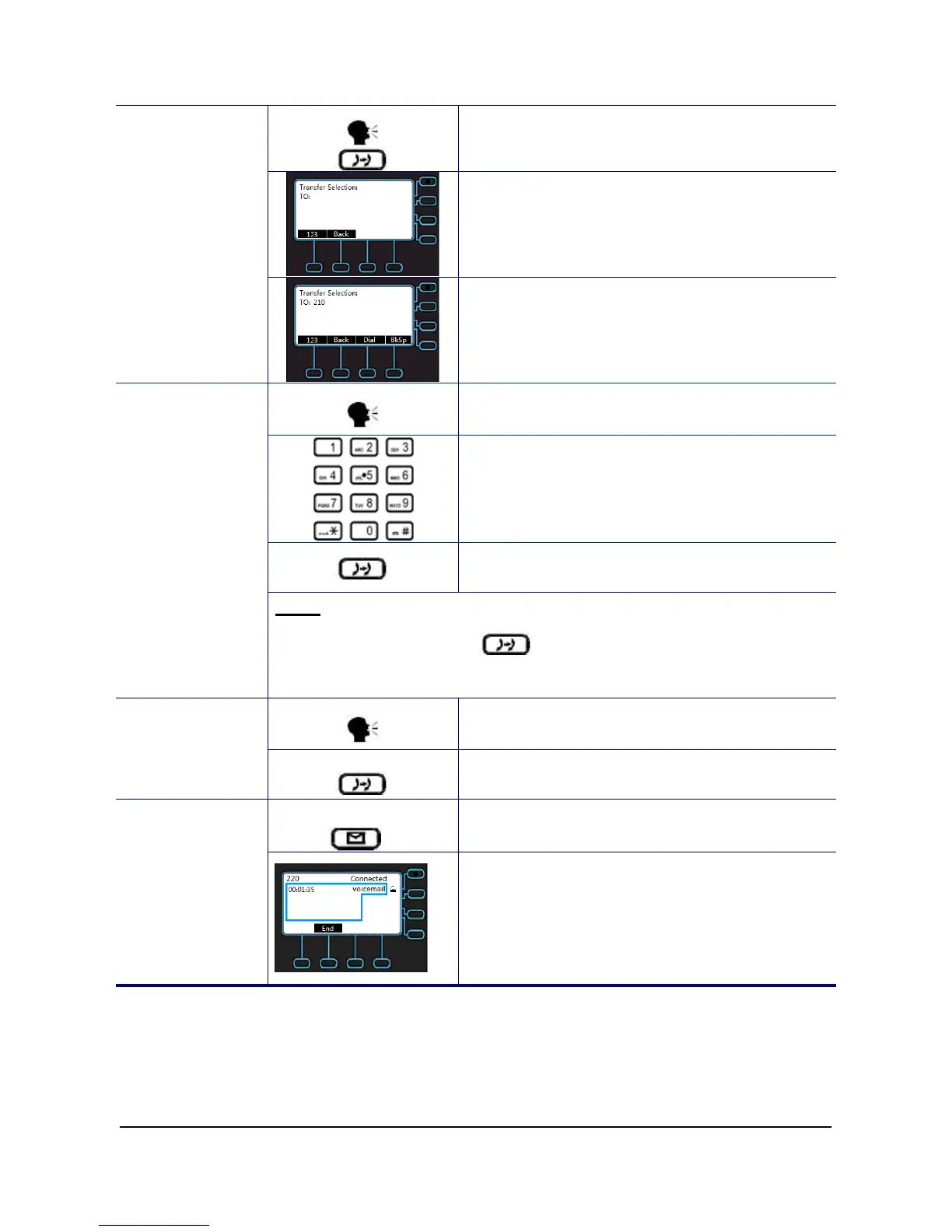
1. During an active call, press the Transfer
hot key.
2. The active call is placed on hold, and an
entry screen is displayed for the number
you want to transfer to.
Call Transfer
(Blind Transfer)
3. Press “Dial” soft key to complete the
transfer. If you want to cancel transfer
operation, just press the “Back” soft key.
1. During an active call, press “NewCl” soft
key to call another party.
2. Wait for the other party to answer the call.
3. Press the Transfer hot key.
Call Transfer
(Attended
Transfer)
Note: sometimes, you may place more than 2 calls on your phone,
when you press Transfer ( ) hot key, phone will show a call list to
let you select a call to finish the transfer operation.
1. During an active call, press “NewCl” soft
key to call another party
Call Transfer
(Semi-Attended
Transfer)
2. When you hear the ring-back tone, press
the Transfer hot key.
1. Press the Message key.
Voice Mail
2. Input the voicemail password. Follow the
interactive voice response (IVR)
instructions to retrieve and listen, forward
or delete your messages.



 To Next Page