- 62 -
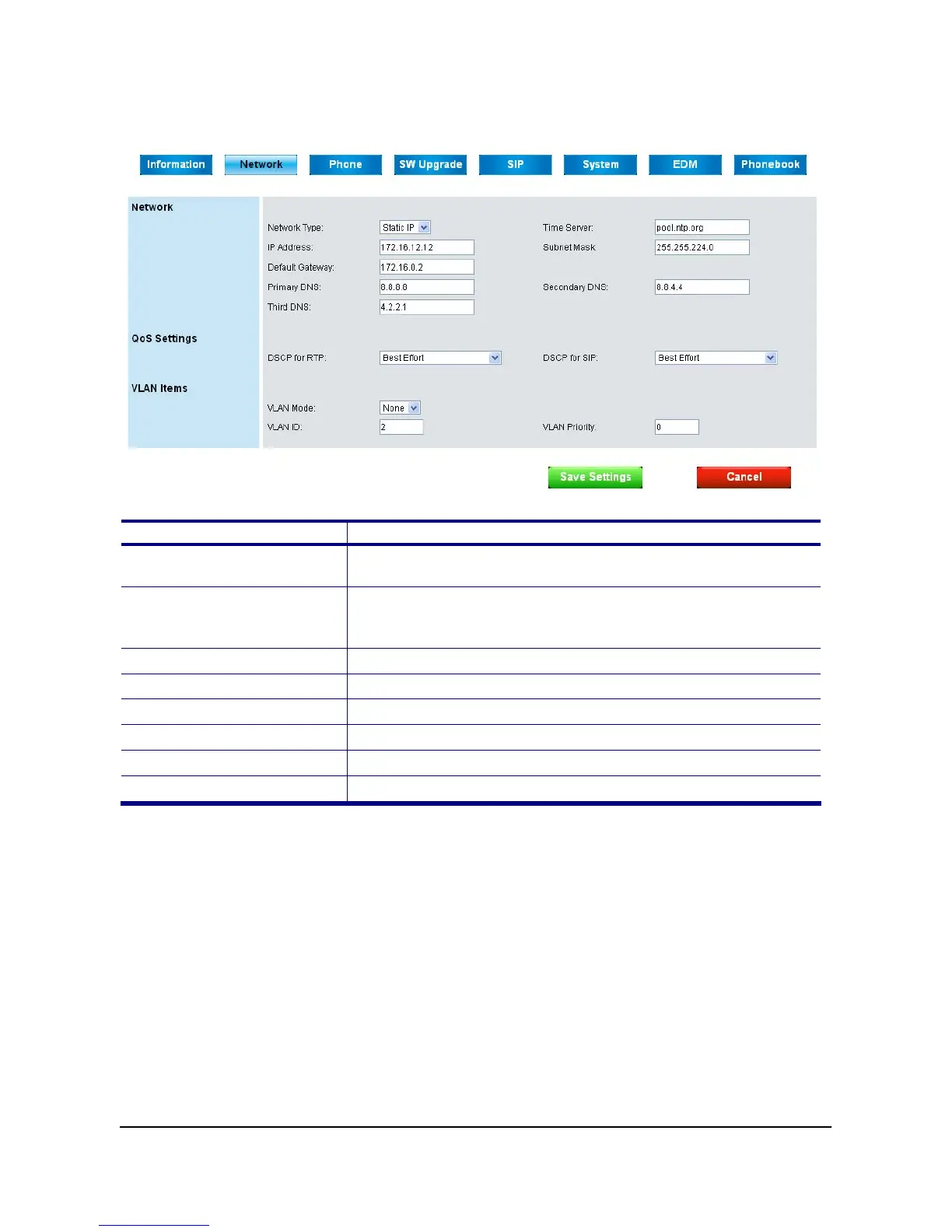
Network Page
Network:
Field Name Function
Network Type
Select the network type. There are two types: DHCP, Static
IP.
Time Server
SNTP (Simple Network Time Protocol) server. Phone will
sync correct time from the server according to phone’s time
zone setting (In “System” page).
IP Address
Set IP address when network type is Static IP.
Subnet Mask
Set subnet mask when network type is Static IP.
Default Gateway
Set gateway address when network type is Static IP.
Primary DNS
Set first DNS server when network type is Static IP.
Secondary DNS
Set second DNS server when network type is Static IP.
Third DNS
Set third DNS server when network type is Static IP
It is necessary to reboot the phone after you change the above network related items.
Press “Save Settings” button first, then go to “Information” page and press “Reboot” button
to restart the phone.



 To Next Page