M62 Professional IP Deskphone Administrator’s Manual
- 64 -
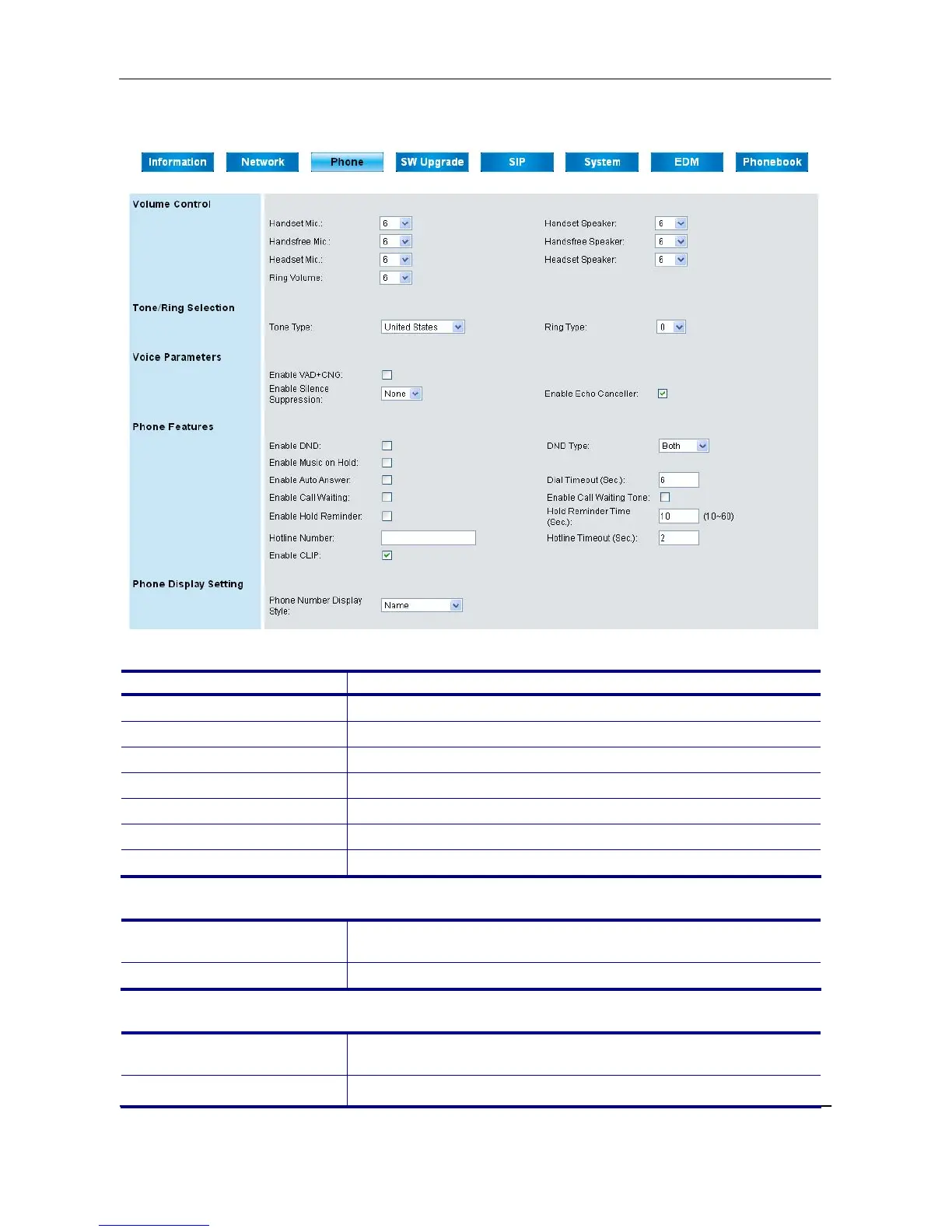
Phone Page
Volume Control:
Field Name Function
Handset Mic
Select the volume level of handset microphone.
Handset Speaker
Select the volume level of handset speaker.
Handsfree Mic
Select the volume level of hands-free microphone.
Handsfree Speaker
Select the volume level of hands-free speaker.
Headset Mic
Set the volume level of headset microphone.
Headset Speaker
Set the volume level of headset speaker.
Ring Volume
Select the volume level of ring.
Tone/Ring Selection:
Tone Type
Select the tone type for country. There are 11 tone types for
selection.
Ring Type
Select the ring type. There are11 ring types for selection.
Voice Parameters:
Enable VAD+CNG
Turn on VAD (Voice Activity Detection) and CNG
(Comfortable Noise Generation) function.
Enable Silence
Turn on the Silence Suppression function.



 To Next Page