M62 Professional IP Deskphone Administrator’s Manual
- 17 -
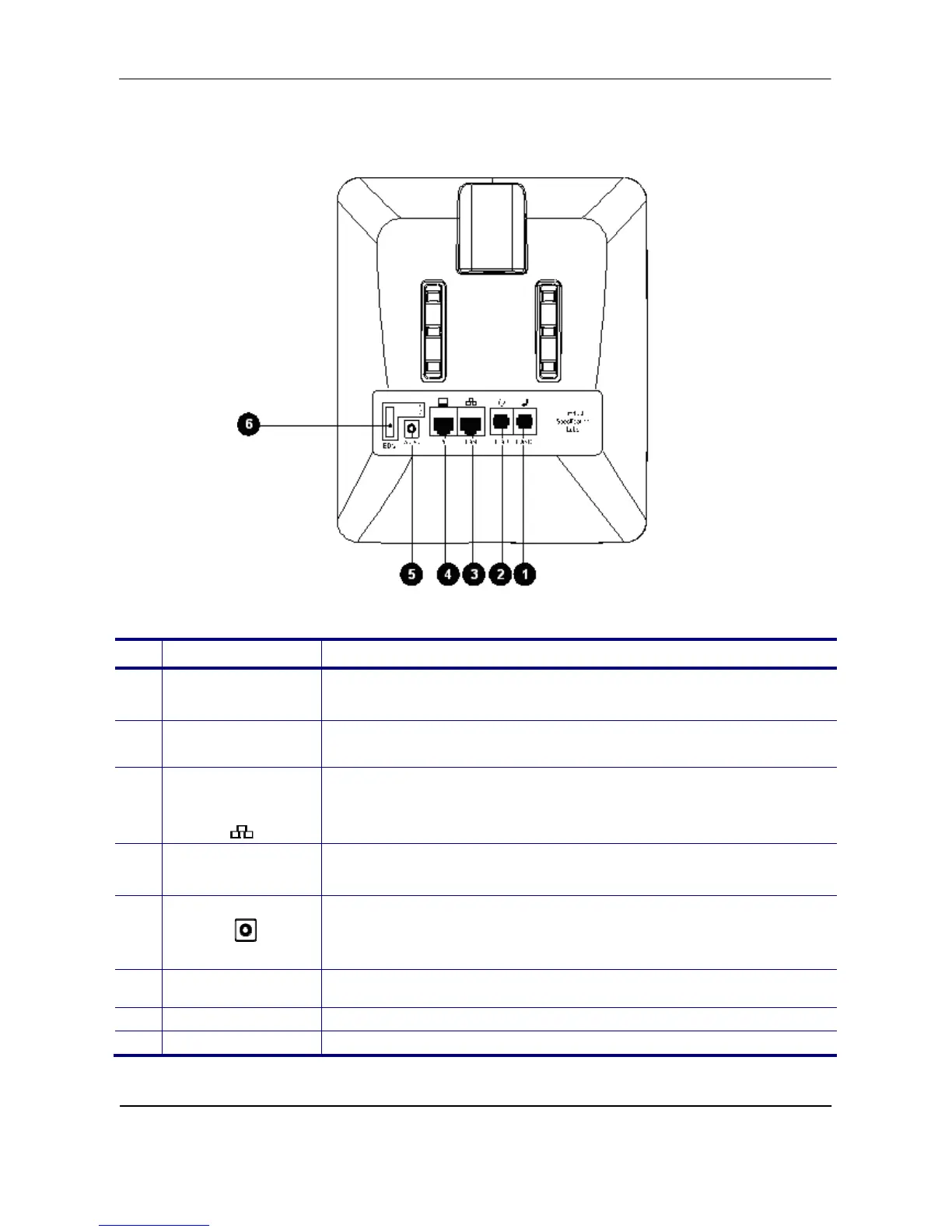
The Connectors of the M62
Their locations are shown in the figure below:
The back side view and the connectors of the M62 are as follows:
No Part Name Description of function
1
Handset
connector
RJ-9 jack for connecting the handset cord.
2
Headset
Connector
RJ-9 jack for connecting headset cord.
3
LAN port
RJ-45 Jack 100/10Mbps Ethernet port for connecting to the local area
network (LAN). This port can support power over Ethernet (PoE) if the
LAN switch provides it.
Note: PoE means Power over Ethernet. (IEEE802.3af standard)
4 PC Port
RJ-45 Jack 100/10Mbps Ethernet port for connecting to a
computer.
5
Power Jack
If an external power source is required, the adaptor is plugged in
here. Please use the power adaptor (optional) supplied in the
package.
6 EDM Port
SATA interface for attaching the Extended Dial Module (EDM)
accessory. Up to two EDM units can be supported on the M62.



 To Next Page