M62 Professional IP Deskphone Administrator’s Manual
- 79 -
Phonebook
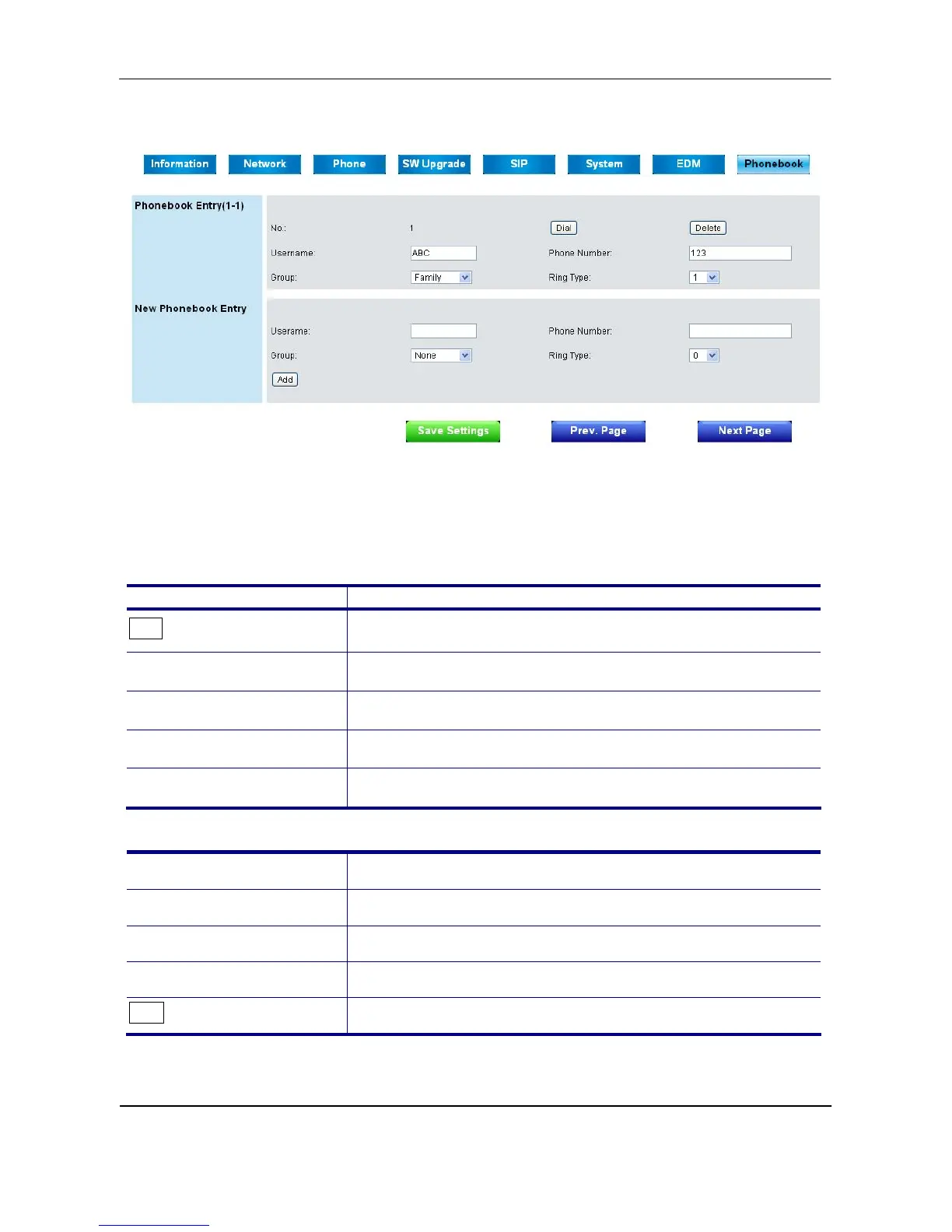
This page lets you configure phonebook data of your phone. You may:
Edit up to 200 entries. Each page will just show 20 entries.
Dial a phone number directly from this webpage.
Phonebook Entry:
Field Name Function
Dial
Dial the phone number which your want to dial.
Username
Name of your contact.
Phone Number
Phone number or SIP URI of your contact.
Group
Select group type for each entry.
Ring Type
Select particular ring type for each entry.
New Phonebook Entry:
Username
Set name of new contact.
Phone Number
Set number of SIP URI of new contact.
Group
Select group type for new contact.
Ring Type
Select particular ring type for new contact.
Add
Save the new contact.
Button:



 To Next Page