3-10 Packet Reference Manual
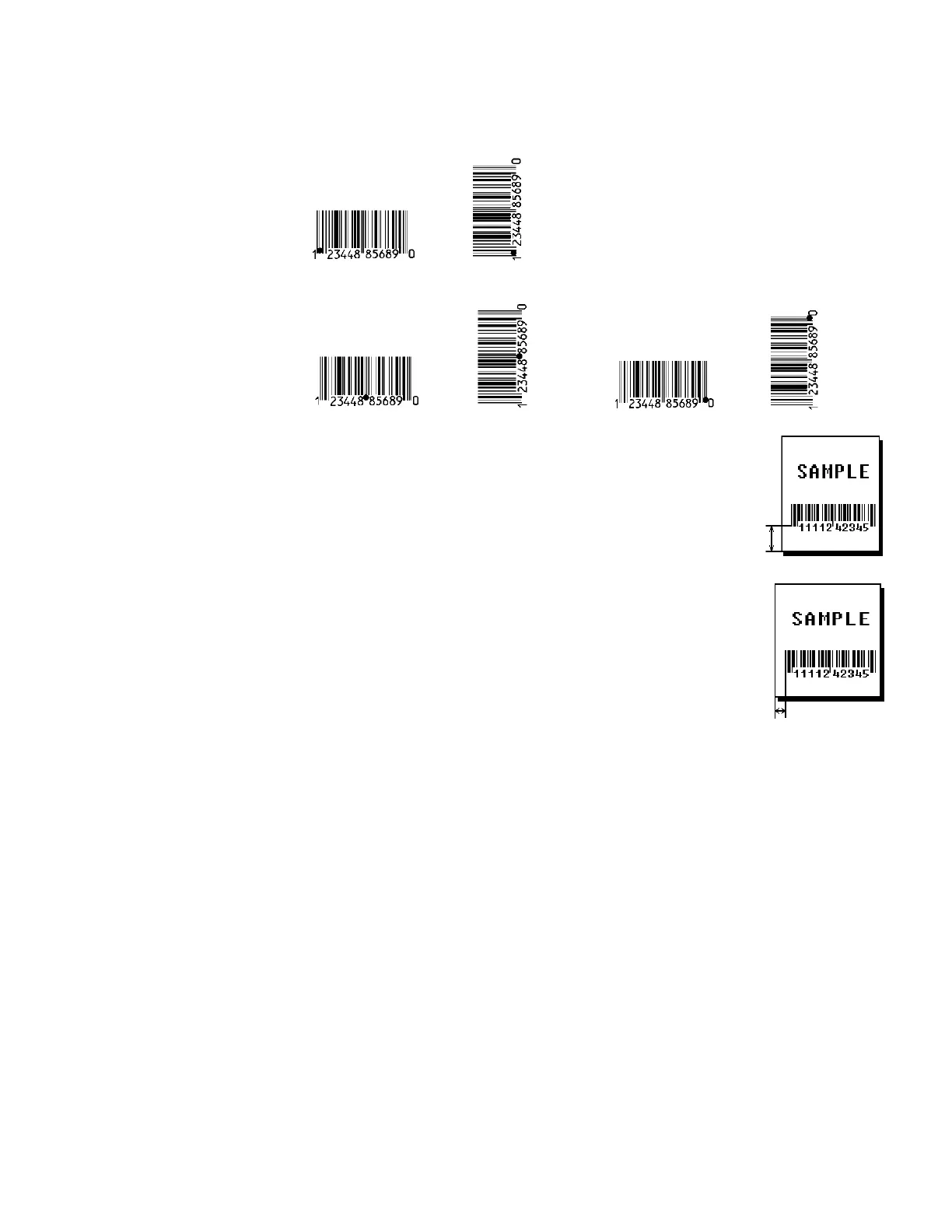
B5. row Row location -distance from bottom of the print area to the pivot point
of the field. The pivot point varies, depending on how the field is
justified. 10 is the default. Pivot points:
Remember to include text or numbers that may appear with the bar
code for the row measurement.
English 0 – 1599
Metric 0 – 4061
203 Dots 0 – 3246
300 Dots 0 – 3597
B6. column Column location - distance from the lower left edge
of the print area to the pivot point. 10 is the default.
English 0 – 409
Metric 0 – 1040
203 Dots 0 – 830
300 Dots 0 – 1227
Allow a minimum of 1/10 inch between the scan
edge of bar code and label edges or other data. See
“Determining the Print Area” in Chapter 1 for more
information.
B7. font Bar code. 4 is the default. Options:
1 UPCA 22 POSTNET
2 UPCE 23 Code 93
3 Interleaved 2 of 5 24 Intelligent Mail
4 Code 39 (no cd) 31 Code 16K
5 Codabar 32 PDF417
6 EAN8 37 Aztec
7 EAN13 38 GS1 DataBar
8 Code 128 40 Code 39 (MOD 43 cd)
9 MSI 36 Quick Response
10 UPCA +2 33 MaxiCode
11 UPCA +5 35 Data Matrix (ECC-200)
12 UPCE +2 41 UPCA & Price CD
13 UPCE +5 44 EAN13 & Price CD
14 EAN8 +2 50 Interleaved 2 of 5 with Barrier Bar
15 EAN8 +5
16 EAN13 +2
17 EAN13 +5
B8. density Bar code density. Use the following tables.
Left/Center/Right-Justified Fields



 To Next Page