Moneris Core® Move/5000: Using Your Terminal 7
Start up
When the terminal starts up (after your initial setup), it will go directly to the Purchase screen. However, there
may be one or more security prompts (refer to page 9) that appear before you see the Purchase screen.
Getting to the Main menu
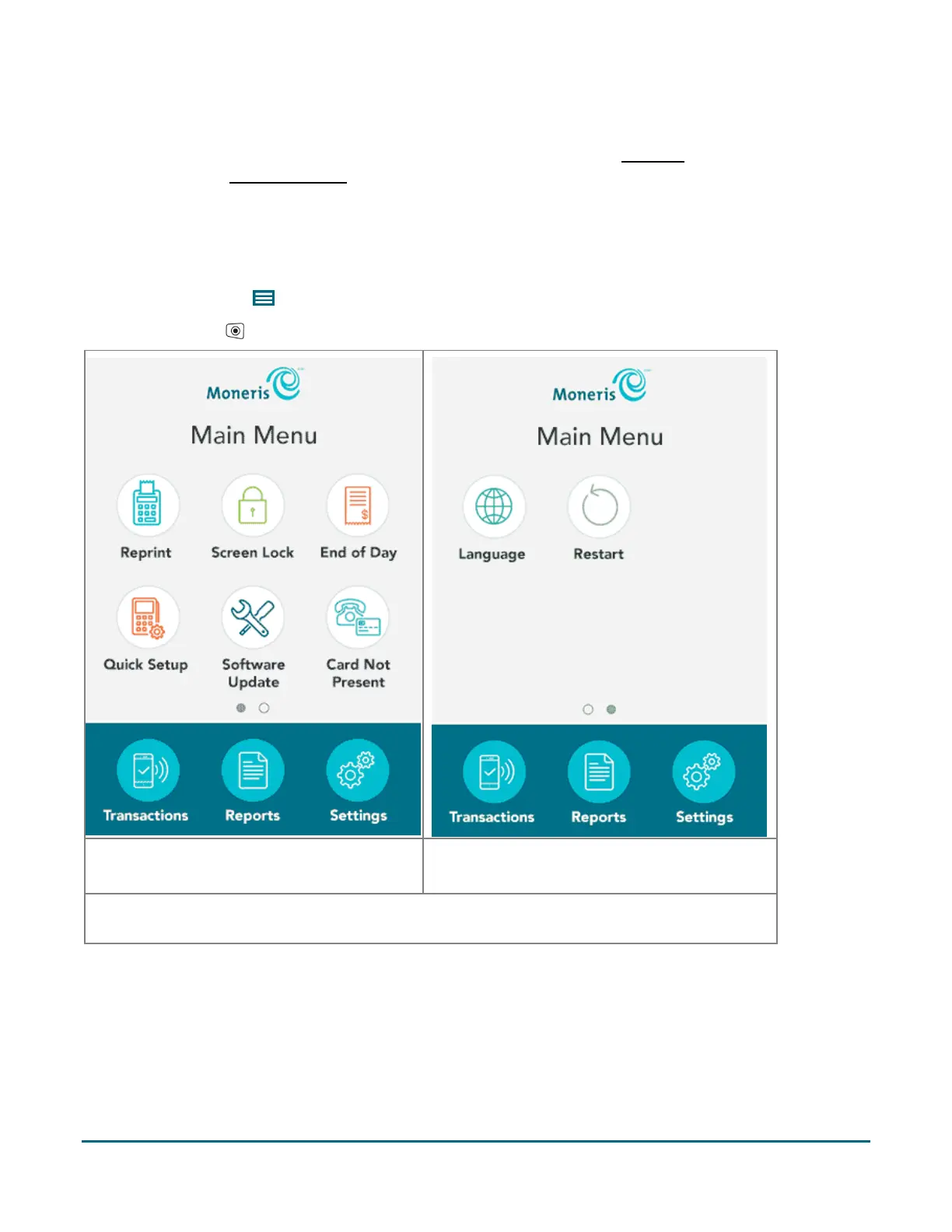
You can access all of the terminal functions from the Main menu. To get to the Main menu, use one of these
methods:
Tap the Main Menu icon on the screen (if it is available).
Press the Menu key on the keypad.
Main menu screen 1
Swipe left to view screen 2.
Main menu screen 2
Swipe right to return to screen 1.
If the “Card Not Present” function is disabled, the icon for “Card Not Present” will not appear on the
Main menu. You will see the Language icon instead.



 To Next Page