19
ع Installing & removing the rotary blade
■ How to install
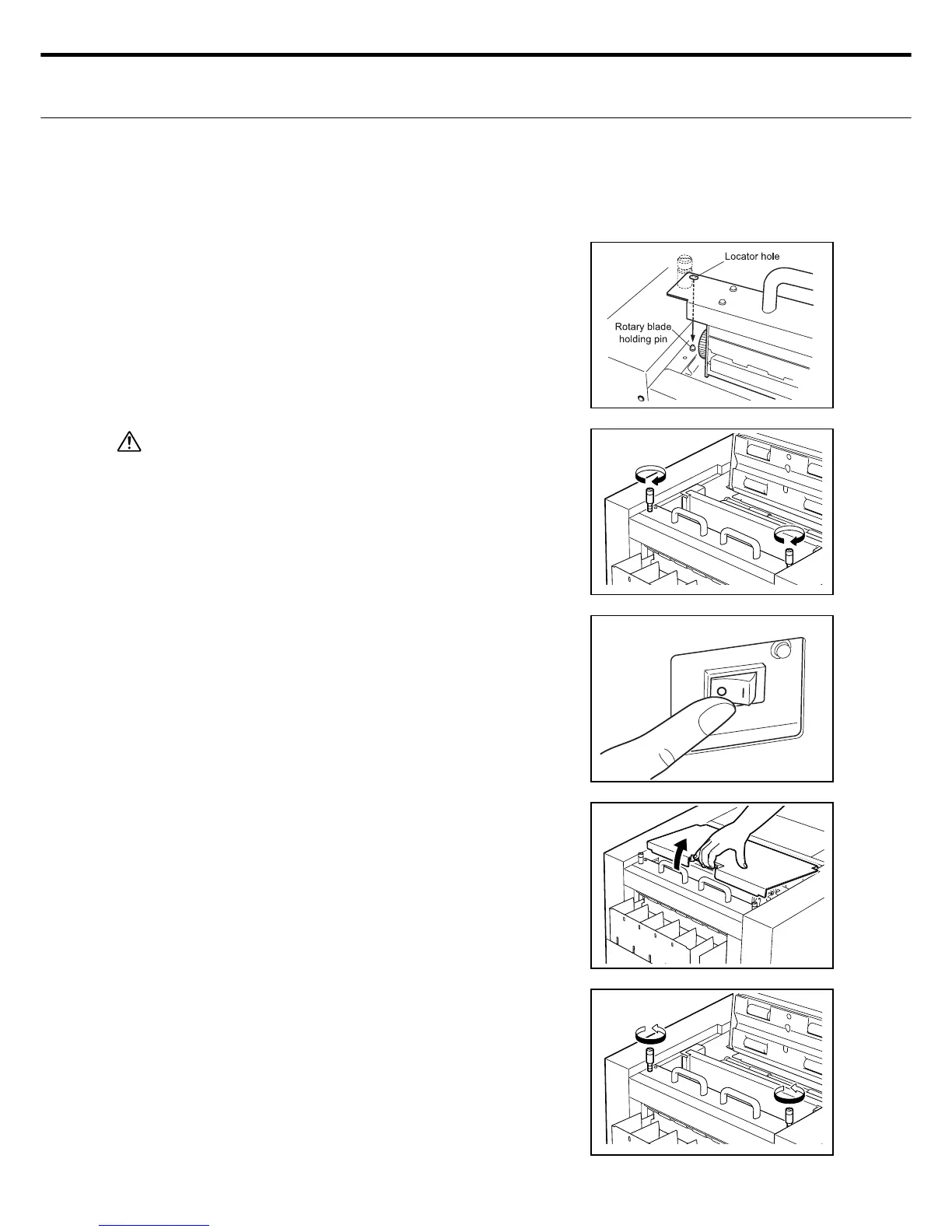
Set the rotary holding pin (2 locations) into the
rotary blade unit locator hole.
Securely tighten the 2 clamping pins (2 loca-
tions) to clamp the rotary blade unit.
Caution
If the rotary blade 2 clamping pins (2 locations) are not
securely tightened, paper jams and cutting defects might
occur.
Close the top cover.
■ How to remove
Turn the power switch off (O side).
Raise the top cover release bar and open the
top cover.
1.
2.
3.
1.
2.
3.
Loosen the clamping screws (2 locations).



 To Next Page