25
[Please!]
Dispose of waste cutting paper in the hopper below the main unit are regular intervals at least
once a day. (See P.27 for more information.)
Warning
Do not touch the feed section or put hands or fi ngers in the paper feed section while the feed tray
is rising. Hands or fi ngers may become entangled in the machine causing injury.
Warning
Do not touch the paper feed section during cutting operation. Hands or fi ngers may become en-
tangled in the machine causing injury.
ع
Paper jams and how to handle them
When paper jams occur during cutting a red LED error lamp lights up on the control panel. A error
code “Jxx” also appears on the LCD panel to indicate a jam error.
Warning
Always turn the power on the machine off when servicing paper jams.
Warning
Never touch the cutting blade inside the machine while servicing paper jams.
1.
[PAPER JAM ERROR CODE TABLE]
Error No. Jam Location-Description What to do
J11
Paper is jammed between the feed section
and in the section before the long blade.
Remove the paper in the paper conveying di-
rection.
J12 Cannot feed paper.
Remove the paper from the paper feed side.
Check whether the paper thickness setting is
correct or not.
J21
Paper is jammed between the feed section
and prior to long blade.
Remove the paper in the paper conveying di-
rection.
J22
Paper is jammed between the feed section
and prior to long blade.
Remove the paper in the paper conveying di-
rection.
J31
Paper is jammed between the feed section
and prior to long blade.
Remove the paper.
J32
Paper is jammed between the feed section
and prior to long blade.
Remove the paper.
J51 Paper is jammed at rotary blade. Remove the paper.
J52 Paper is jammed at the long blade. Remove the paper.
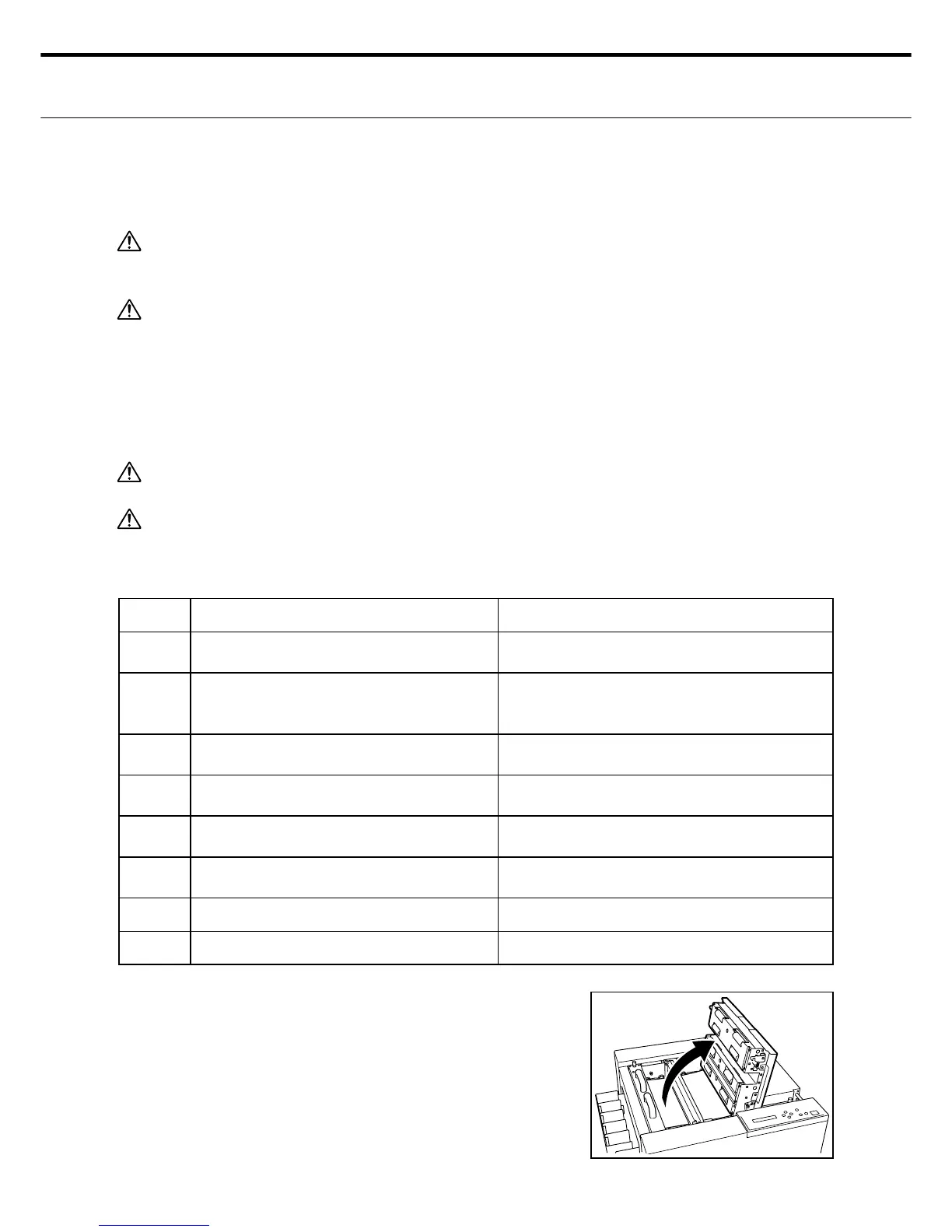
When a paper jam occurs, check the error
code and the number of cut sheet during the
error and then turn off the power to the unit.
Raise the top cover release lever and open
the top cover.
2.



 To Next Page