24
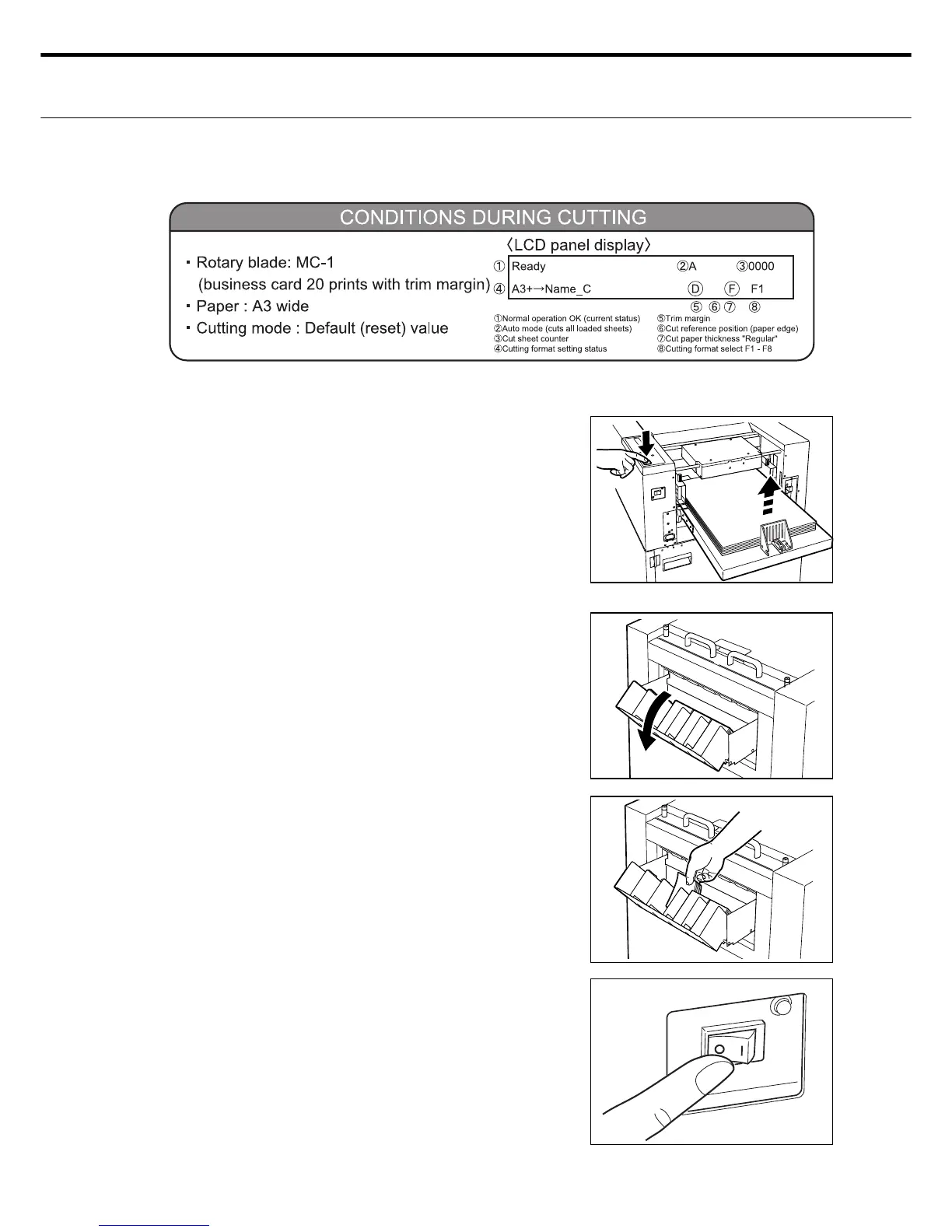
Start cutting using the following sequence.
ع Starting the cutting
Press the START/STOP switch on the con-
trol panel. Pressing this switch automatically
raises the paper to the paper feed position
and cutting of the paper set in the feed tray
can start. The cut paper is stacked in the eject
tray.
Note: To pause the cutting, press the Start/
Stop switch again.
Slide the eject tray business card stack out-
wards (towards you).
Take the business cards out of the tray.
Note: Inspect the waste paper hopper below
the main unit at regular intervals (each
time you cut a stack of paper). See P.27
for more information on handling cut-
ting waste paper.
Turn off the power switch when fi nished with
the cutting job.
1.
2.
3.
4.
[Reference] When cutting paper you can set “SHEET CUT
COUNT” that lets you specify the number of
sheets you want to cut or you can set “CUT ALL”
that cuts all the loaded paper. This is handy for
separating cutting according to the jobs you are
doing. (See P.34)



 To Next Page