51
ع
Troubleshooting (Problems & Solutions)
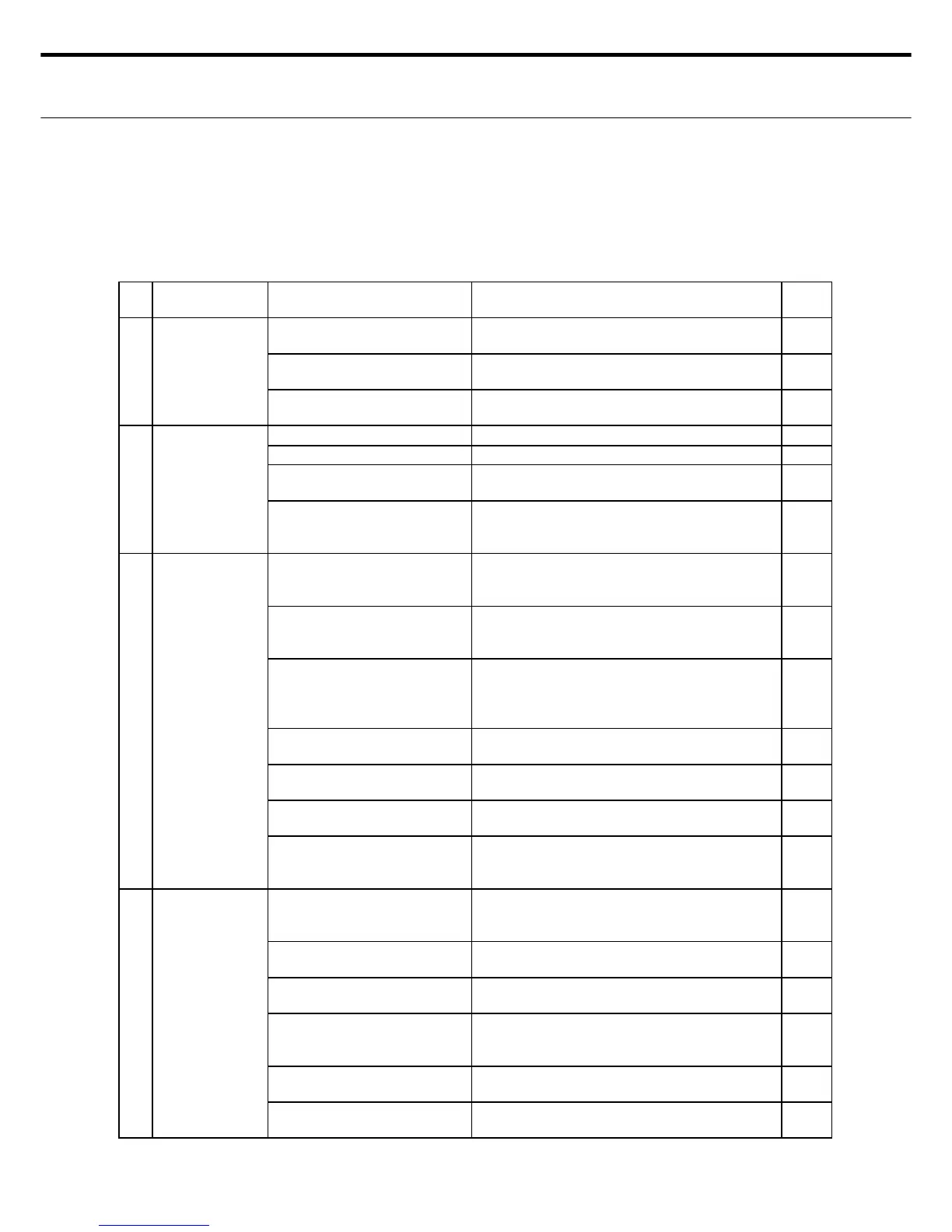
This section describes what to do when machine operation is incorrect or cutter quality is poor.
When a possible problem occurs, fi rst check the items listed here. If checking the following
points still does not fi x the problem then ask for help at the dealer where you purchased this
machine or a service shop.
No. PROBLEM CHECKPOINT ACTION
SEE
PAGE
1 Power won't turn
on
Is power cord inserted into
electrical outlet?
Insert power cord into electrical outlet. -
Is the power turned on? Press the power switch to "|" to turn on the
power.
-
Is power connected to the
outlet (socket)?
Stick the cord into other outlets. If the machine
operates then that outlet has power.
-
2 Machine won't
set to standby
(ready)
Is rotary blade set in machine? Set rotary blade in machine. P19
Is the cover closed? Close the top cover. Close the front cover. P19
Is there still paper in the
machine?
Turn off the power and check if any paper is
inside the machine.
P25
Is an error code displayed on
the control panel?
Check if an error code is displayed. If it is, then
turn off the power, troubleshoot the error and
then cancel (reset) the error.
P28
3 Can't feed paper. How is the quality of the paper
you are using?
Check if the paper size and thickness is correct.
Set another type of paper in the machine and
check that the paper now feeds correctly.
-
Is there a curl in the paper you
are using?
Correct so there is no curl in the paper.
Set another type of paper in the machine and
check that the paper now feeds correctly.
-
Is the paper guide too tighten? Lightly tap on the paper guides. (If too narrow
the paper is hard to feed and if too wide the
paper bends when fed. Set a correct width for
the paper you want to feed.)
P20
Is the feed roller or roller dirty
with paper residue?
Turn off the power and clean the machine. P29
Does the paper thickness you
set match the paper being fed?
Check the cutting format information (paper
thickness).
P45
Is there too much of a paper
load on the paper feeder?
Reduce the paper load on the paper feeder. P20
Is there an error code on the
control panel?
Correct (cancel) the error by reading "Error
message list & Troubleshooting" according to
the error code shown on the display.
P28
4 Is paper being
fed several
sheets at a time?
How is the quality of the paper
you are using?
Check if the paper size and thickness is correct.
Set another type of paper in the machine and
check that the paper now feeds correctly.
P10
Does the paper have an
electrostatic charge?
See, "Paper electrostatic charges", and take
electrostatic countermeasures.
P53
Does the feed tray lower when
paper is being fed?
When feeding paper, always be sure to lower
the feed tray release bar.
P20
Is there a curl in the paper you
are using?
Correct so there is no curl in the paper. Set
another type of paper in the machine and check
that the paper now feeds correctly.
-
Does the paper thickness you
set match the paper being fed?
Check the cutting format information (paper
thickness).
P45
Is the machine being used
under the right conditions?
Use at the correct temperature (10 to 32
) and
humidity (20 to 80%RH).
P8
4. TROUBLESHOOTING (PROBLEM & SOLUTION



 To Next Page