26
3.
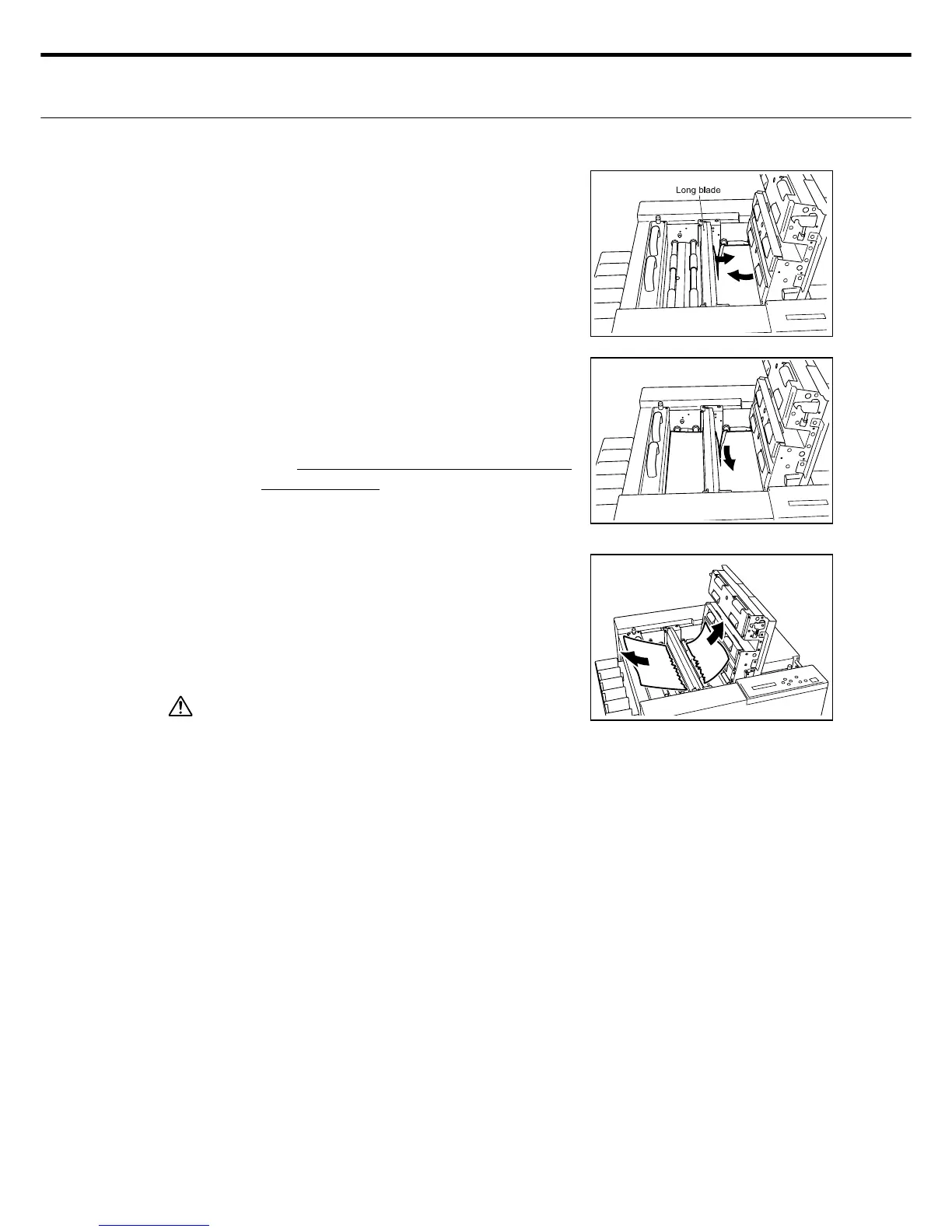
If paper is jammed up on the outer side
(right side of long blade) of the long blade.
Remove the paper on the outer side (long
blade - right side) of the long blade.
If paper jam has progressed beyond the
long blade (left side of long blade)
٨ If a paper jam has occurred during long
blade operation and the paper has stopped
right after (or while) cut by the long blade,
then tear the paper from the long blade sec-
tion to remove it.
٨ Pull out the paper in the direction of the ar-
rows from the near side and far sides of the
long blade as shown, and also remove any
remaining paper.
In conditions demand it, you may have to
remove the rotary blade cutter in order to
extract the paper. (See P. 19)
4.
Caution
When a paper jam occurs, several sheets of paper
might sometimes be remaining inside the machine.
Remove all these sheets of paper from inside the
machine.
Close the top cover.
5.
When an error occurs during cutting operation, and the number of cut sheets when the error oc-
curred appears on the LCD. When using "Sheet Cut Count", fi rst clear the error, and after turning
power on again, enter the remaining number of sheets you have cut on the control panel.



 To Next Page