5 - 14 MC75A Enterprise Digital Assistant Integrator Guide
Changing Networks Manually
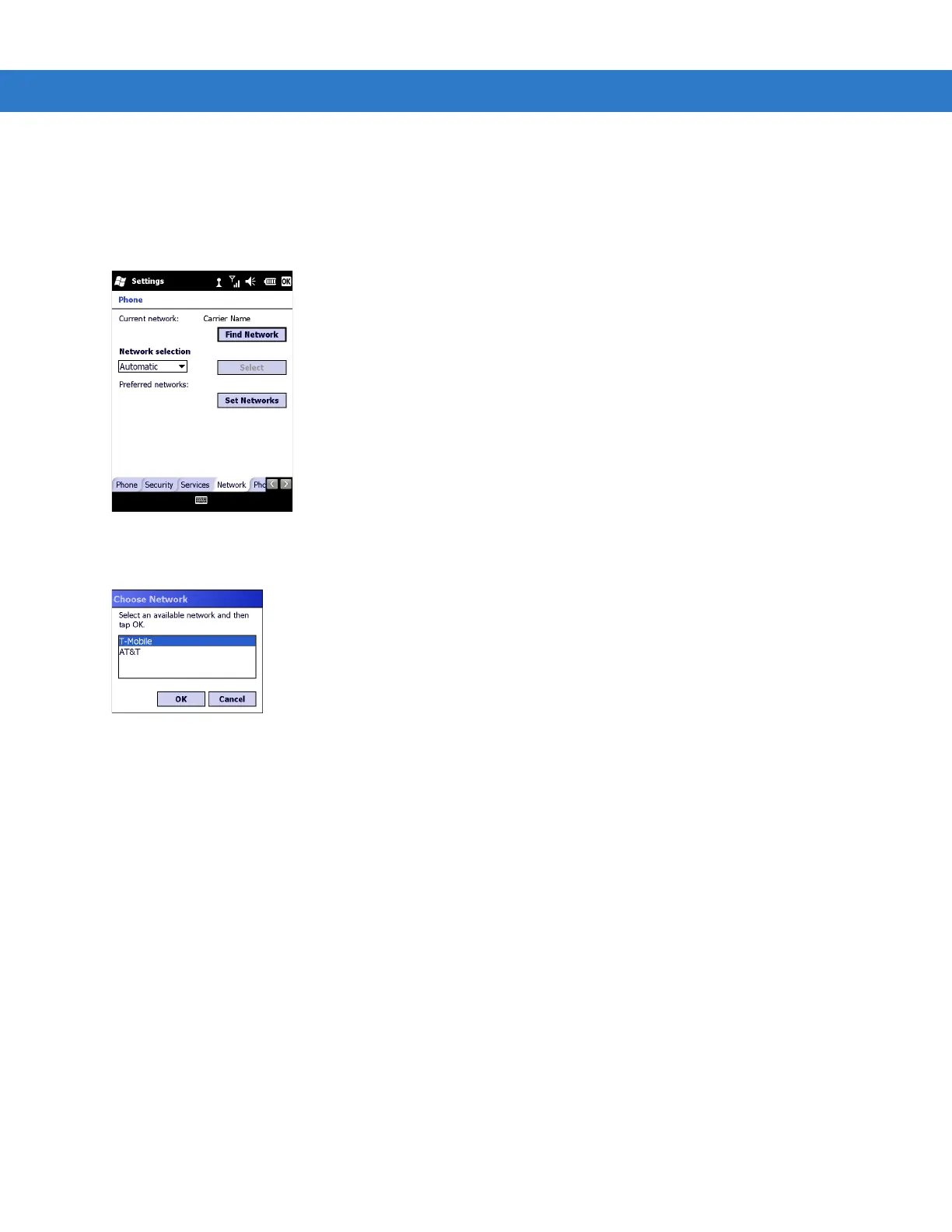
1. Tap Start > Settings > Personal folder > Phone icon > Network tab
or
Start > Phone > Menu > Options > Network tab.
Figure 5-22
MC75A Phone Window - Network Tab
2. From the Network selection drop-down list, select Manual.
Figure 5-23
Choose Network
3. From the Choose Network window, select the network to use.
4. Tap OK.
Viewing Available Networks
To view all wireless networks available:
1. Tap Start > Settings > Personal folder > Phone icon > Network tab.
or
Start > Phone > Options > Network tab.


 To Next Page
 Loading...