Moxa Managed Ethernet Switch (UI_2.0_FW_5.x) User Manual
Event Log Settings
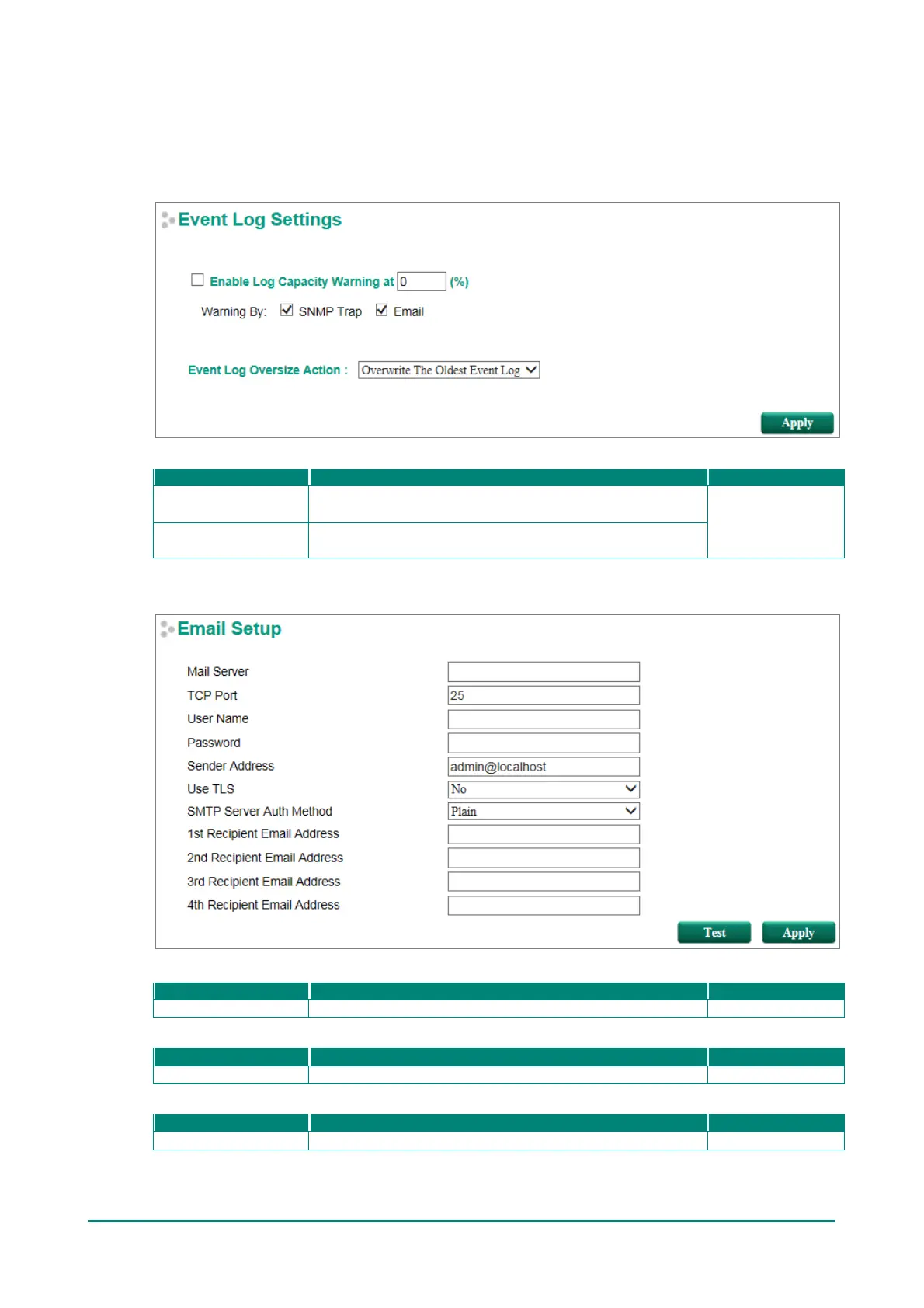
This f unction is used to inform the user what the event log capacity status is and decide what action to take
when an event log is oversized. Select the Enable Log Capacity Warning checkbox to set the threshold
percentage. When the event log capacity is over the percentage, the switch will send a warning message by
SNMP Trap or Email.
Event Log Oversize Action
Event Log
The oldest event log will be overwritten when the event log
exceeds 1000 records.
Event Log
Additional events will not be recorded when the event log
exceeds 1000 records.
Email Settings
Mail Server
The IP Address or url of the email server.
TCP Port
The TCP port number of your email server.
User Name


 To Next Page
 Loading...








