Moxa Managed Ethernet Switch (UI_2.0_FW_5.x) User Manual
Password Setting
The email account password.
Email Address
Max. of 30 characters
You can set up to 4 email addresses to receive alarm emails
f rom the Moxa switch.
None
Sender Address
User TLS
Yes/No Enables TLS(Transport Layer Security) No
SMTP Server Auth Method
Plain/Login/ CRAM-MD5
choose an authentication mechanism, PLAIN, LOGIN, and
CRAM-MD5, to login SMTP Server
Plain
Sending a Test Email
After you complete the email settings, you should f irst click Apply to activate those settings, and then press
the Test button to verify that the settings are correct.
NOTE
Auto warning e-mail messages will be sent through an authentication protected SMTP server that supports
the CRAM-MD5, LOGIN, and PAIN methods of SASL (Simple Authentication and Security Layer)
authentication mechanism.
We strongly recommend not entering your Account Name and Account Password if auto warning e-mail
messages can be delivered without using an authentication mechanism.
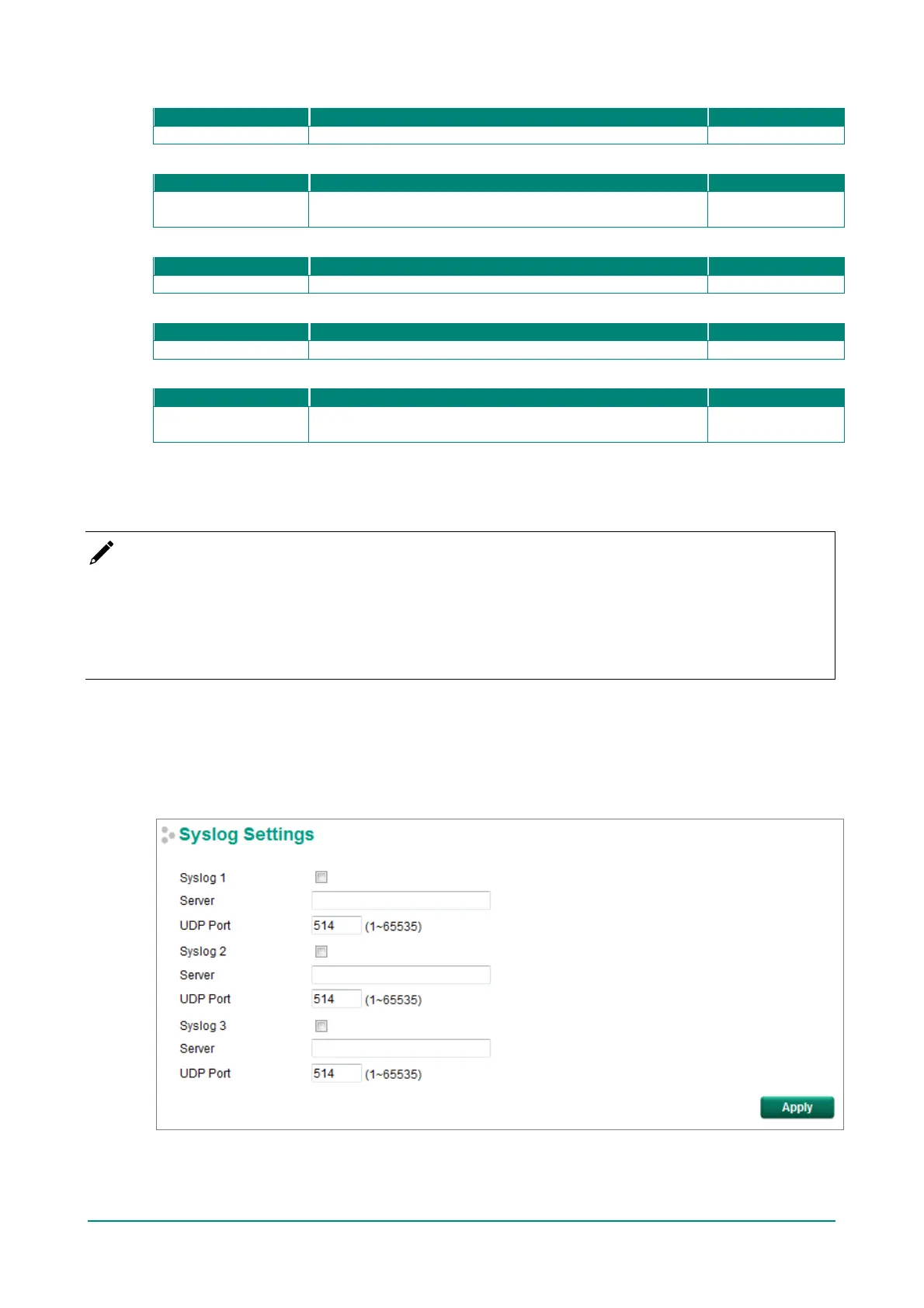
Syslog Server Settings
The Syslog f unction provides the event logs f or the syslog server. The f unction supports 3 conf igurable
syslog servers and syslog server UDP port numbers. When an event occurs, the event will be sent as a
syslog UDP packet to the specified syslog servers. Each Syslog server can be activated separately by
checking the appropriate checkbox to enable it.


 To Next Page
 Loading...








