ioLogik E1200 Series Activation Process for the EtherNet/IP Function
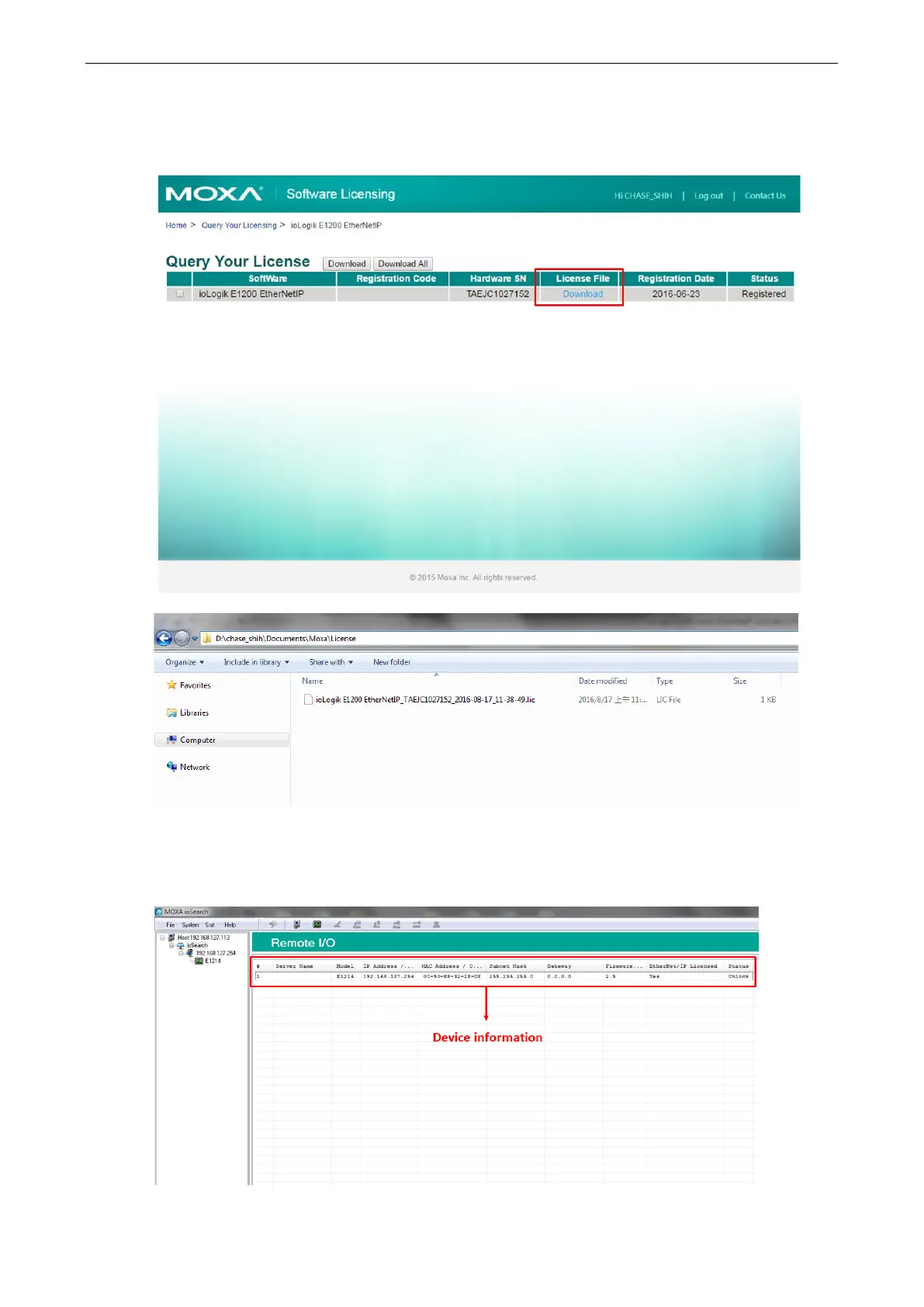
Step 5: Download the license file and put it in the designated folder
After inputting the serial number, click the Submit button. The system will provide a link that you can click to
download the license file. Save the downloaded file in the folder that was assigned in step 1, and unzip the file.
Step 6: Use ioSearch to scan the devices on the network
Connect the ioLogik E1200 devices to the computer and use ioSearch to search for the correct device. Device
information will be displayed in the window.







 To Next Page