MiiNePort E2/E3 Choosing the Proper Operation Mode
Overview
The MiiNePort acts as a bridge for connecting serial devices to Ethernet networks. After choosing the best
operation mode for your application, you can use your computer to access, manage, and configure your serial
devices from anywhere in the world over the Internet.
Traditional SCADA and data collection systems rely on serial ports (RS-232/422/485) to collect data from
various kinds of instruments. Since MiiNePort modules convert between serial and Ethernet signals, you will be
able to access your SCADA and data collection system from hosts connected to a standard TCP/IP network,
regardless of whether the devices are used locally or at a remote site.
The MiiNePort modules support Real COM mode and six different socket modes—TCP Server, TCP Client,
Ethernet Modem, RFC2217, UDP, and MCSC. The main difference between the TCP and UDP protocols is that
TCP guarantees delivery of data by requiring the recipient to send an acknowledgement to the sender. UDP
does not require this kind of verification, and consequently UDP is faster than TCP. UDP also allows multicasting
of data to groups of IP addresses.
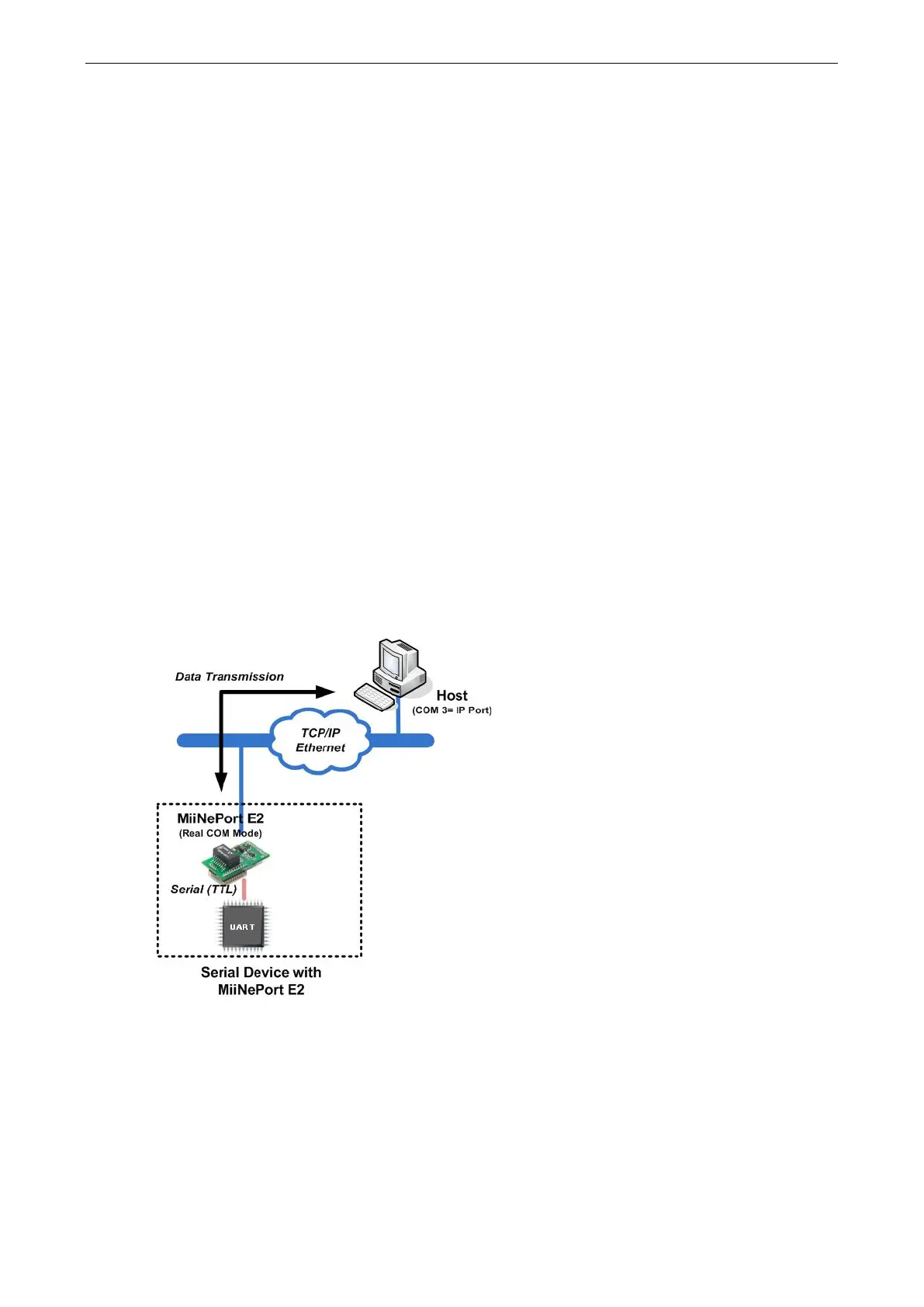
Real COM Mode
Real COM mode allows users to continue using software that was written for pure serial communications
applications. Each module comes equipped with COM drivers for Windows systems (95 and above). The
module’s serial port is mapped by the driver to an IP address and port number. The driver intercepts data sent
to the host’s COM port, packs it into a TCP/IP packet, and then redirects it through the host’s Ethernet card. At
the other end of the connection, the module accepts the Ethernet frame, unpacks the TCP/IP packet, and then
transparently sends the data to the attached serial device. In other words, a PC host can treat networked
devices as though the devices were connected directly to the PC.
TCP Server Mode
In TCP Server mode, the module is assigned a unique IP address and port number on the TCP/IP network. The
module waits passively to be contacted by the host computer, allowing the host computer to establish a
connection with and obtain data from the serial device. TCP Server mode supports up to four simultaneous
connections so that multiple hosts can collect data from the same serial device—at the same time. Data
transmission proceeds as follows:



 To Next Page