MiiNePort E2/E3 Web Console Configuration
Community string
Setting Factory Default Necessity
1 to 39 characters
(E.g., support,
886-89191230 #300)
Public Optional
A community name is a plain-text password mechanism that is used to authenticate queries to agents of
managed network devices.
Contact Name
Setting Factory Default Necessity
1 to 39 characters
(E.g., support,
886-89191230 #300)
None Optional
The SNMP contact information usually includes an emergency contact name and telephone or pager number.
Location
Setting Factory Default Necessity
1 to 39 characters
(E.g., floor 1, office 2)
None Optional
Enter a location string for SNMP agents. This string is usually set to the street address where the module is
physically located.
DIO Settings
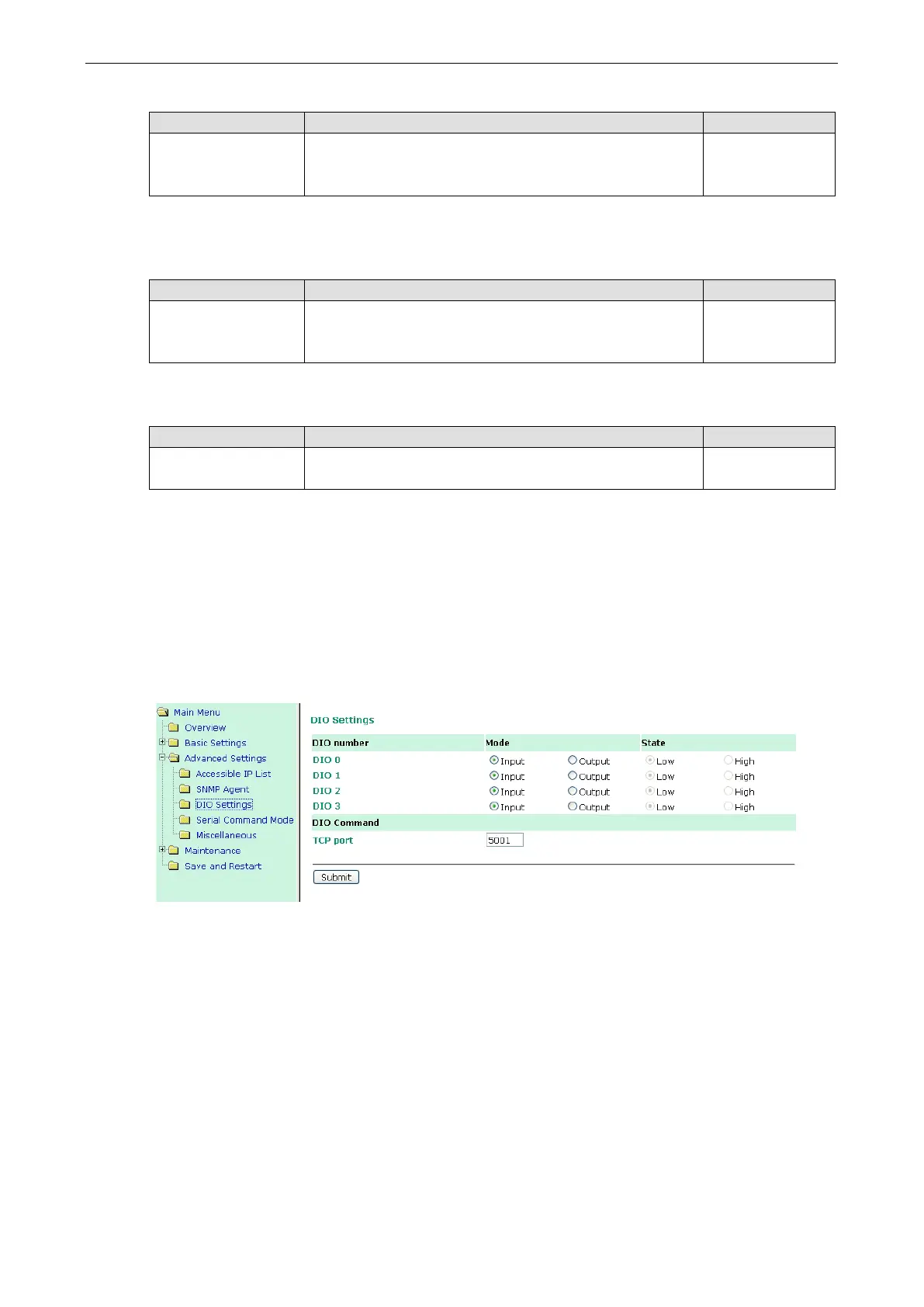
The DIO channel is configured on the DIO Settings page. DIO commands can be used to control and obtain data
from the module’s DIO channels. When digital input operation is selected, the channel’s status is controlled by
an external digital switch. When digital output operation is selected, the channel transmits a high or low signal.
Refer to Appendix D: DIO Commands for additional information.
DIO number
Mode
Select Input or Output under Mode to specify digital input or digital output operation.
DIO number
State
Select Low or High under State to specify a high or low state for digital output channels. Note that when Mode
is set to Input (as shown in the above screenshot), the State option is deactivated.
DIO Command
TCP port
Select an appropriate TCP port under DIO Command to indicate the port number that will be reserved for DIO
commands.



 To Next Page