MiiNePort E2/E3 Web Console Configuration
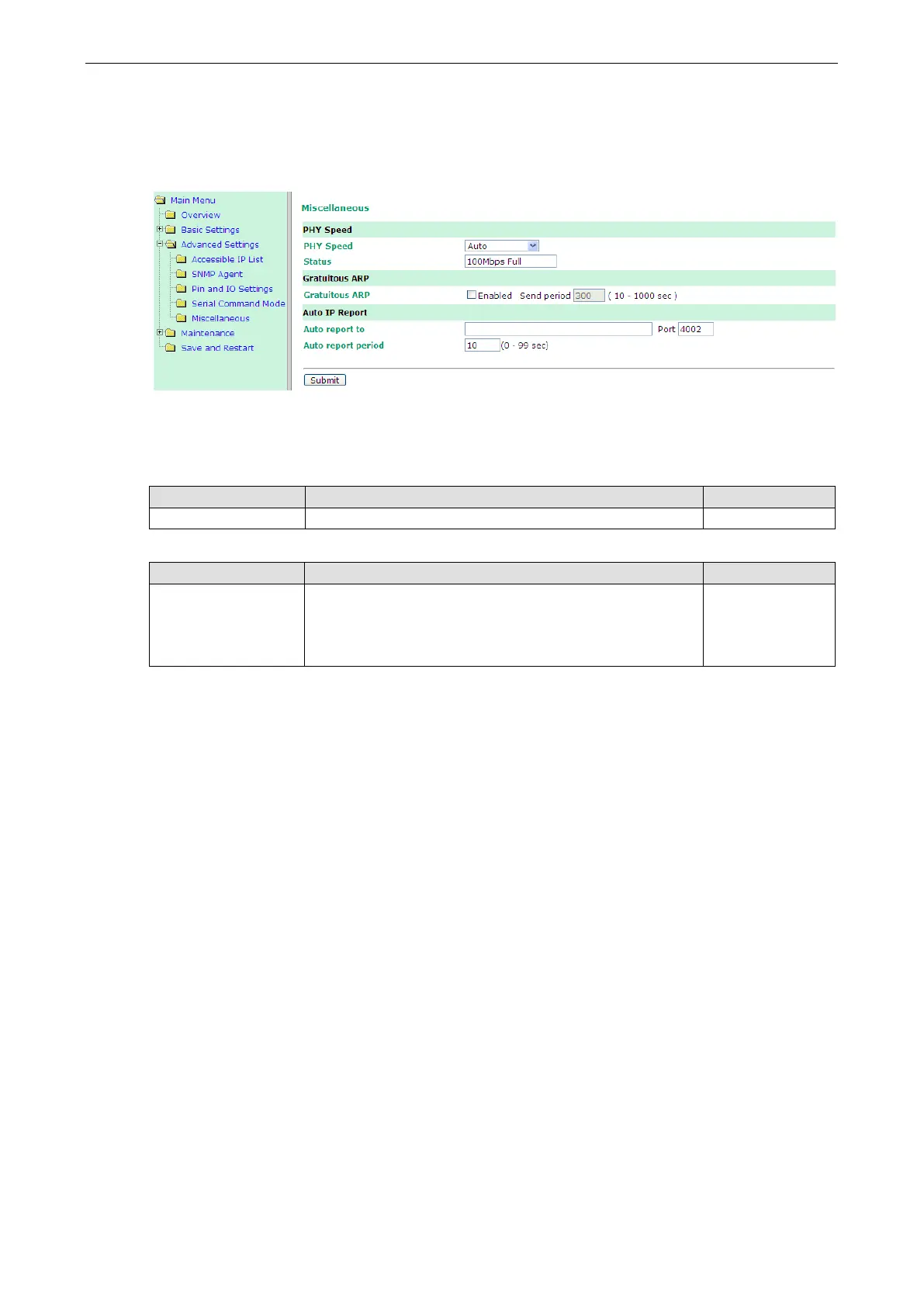
Miscellaneous
PHY Speed, Gratuitous ARP, and Auto IP Report are configured in the Miscellaneous section under
Advanced Settings.
PHY Speed
PHY Speed
Setting Factory Default Necessity
Auto Auto Required
Status
Setting Factory Default Necessity
100 Mbps Full Duplex,
100 Mbps Half Duplex,
10 Mbps. Full Duplex,
10 Mbps Half Duplex
Required
You can set PHY speed to Auto, 100 Mbps Full Duplex, 100 Mbps Half Duplex, 10 Mbps Full Duplex, or 10 Mbps
Half Duplex.
Gratuitous ARP
For some applications, you may want the MiiNePort to send broadcast packets to update the ARP table on the
server. If you enable this function, the MiiNePort will send broadcast packets periodically based on the specified
time interval.
Auto IP Report
When the MiiNePort is used in a dynamic IP environment, additional time must be spent on IP management
tasks. For example, when a module is operating as a server (TCP Server or UDP operation modes), a PC
operating as a client will need to know the module’s IP address. If the DHCP server assigns a new IP address
to the module, the PC must have some way of obtaining the module’s new IP address. The IP Address report
fields are used to set up periodic reporting of the module’s IP address when the module’s IP address is assigned
by a server. The IP address report is sent automatically at regular intervals to the IP address and TCP port
number that you specify. Auto IP Report allows you to view the module’s IP address report on a PC:
To develop software that parses the IP address report data, see Appendix C: Auto IP Report Protocol for
details.



 To Next Page