MiiNePort E2/E3 Choosing the Proper Operation Mode
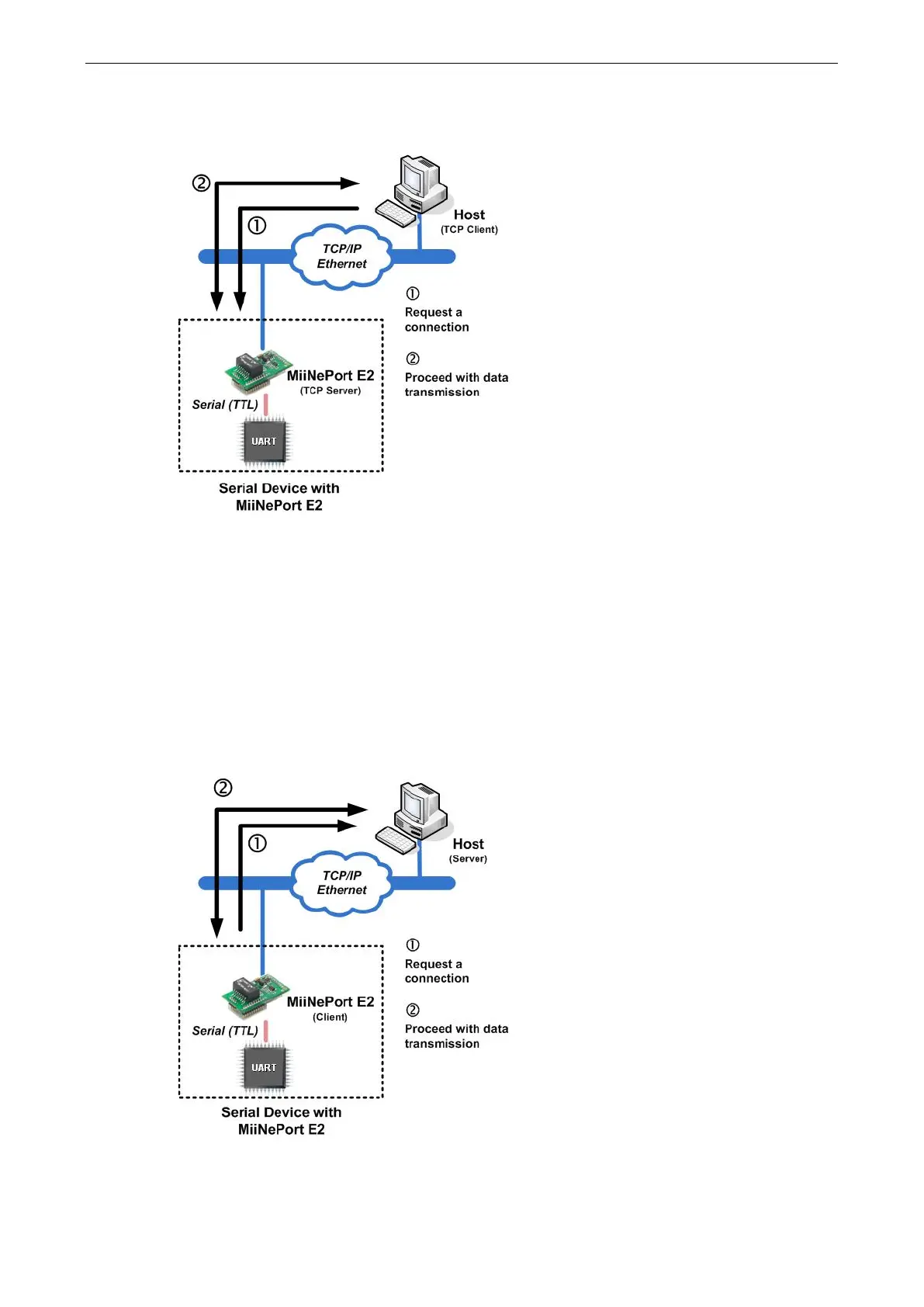
1. The host connects to the module configured for TCP Server mode.
2. Once the connection is established, data can be transmitted in both directions—from the host to the module,
and from the module to the host.
TCP Client Mode
In TCP Client mode, the module can actively establish a TCP connection to a predefined host computer when
serial data arrives. After the data has been transferred, the module can be automatically disconnected from the
host computer by using the TCP alive check time or Inactivity time settings. Refer to subsequent chapters
for details. Data transmission proceeds as follows:
1. The module actively establishes a connection based on the conditions set in the firmware. You may let the
module connect to a remote host on startup, or connect later when data from the serial device arrives.
2. Once the connection is established, data can be transmitted in both directions—from the host to the module,
and from the module to the host.



 To Next Page