MiiNePort E2/E3 Utility Console and Driver Installation
Command Line Installation/Removal
The NPort Windows Driver Manager v1.19 and above comes with a command-line script tool – npcli.exe for
installation, removal of the driver, and configuring NPort driver functions.
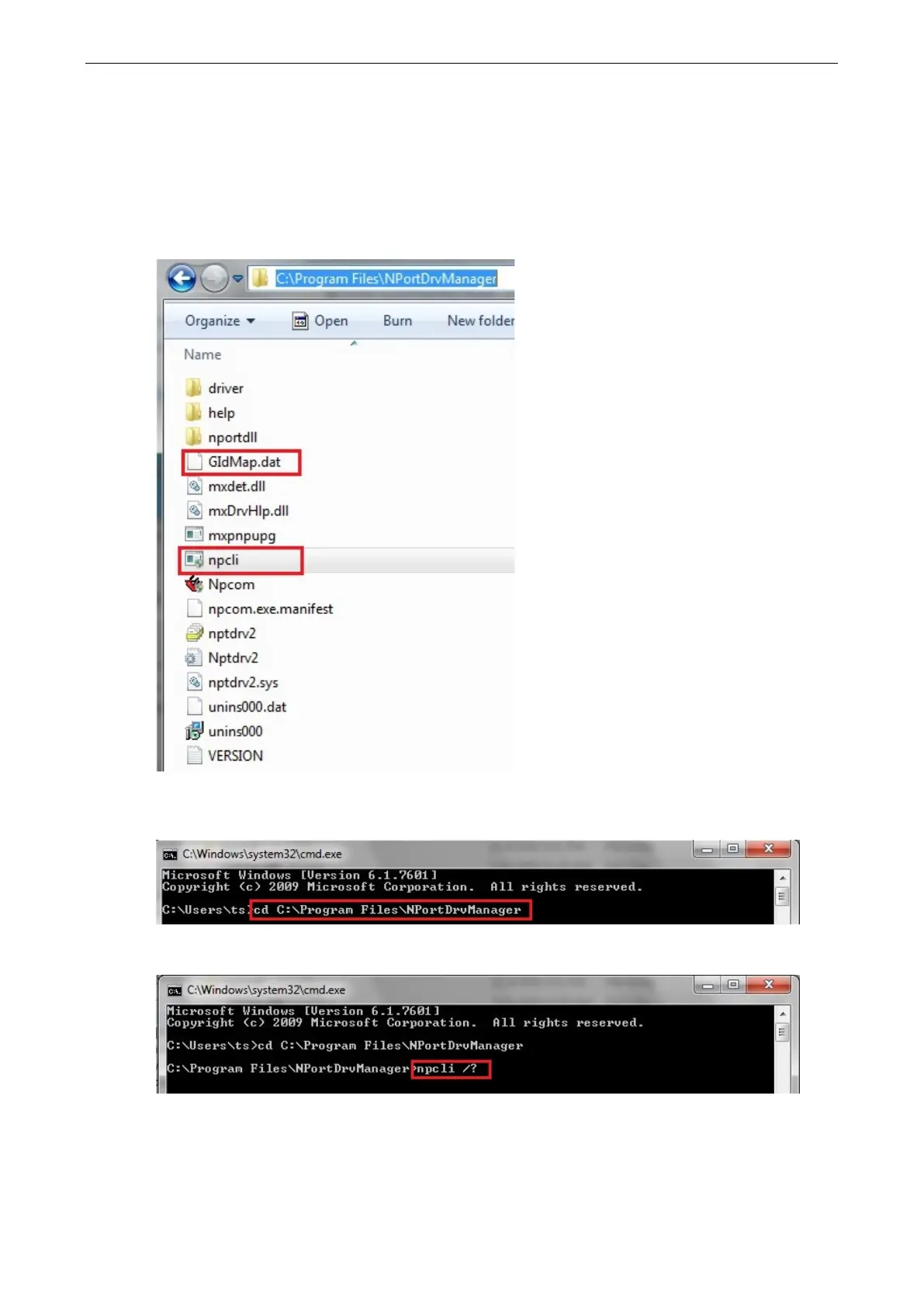
After successfully installing the NPort Windows Driver Manager v1.19 (or above), the default file path is
C:\Program Files\NPortDrvManager as shown below. The main files that support the NPort command-line
tool are npcli.exe and GIdMap.dat. You may move these two files to your preferred location.
Once the NPort Windows Driver Manager v1.19 (or above) is installed, call up the cmd screen on your
computer. Change the directory to the drive where you place the above two files.
Type npcli /? to get detailed information of what command lines are supported and the function descriptions.



 To Next Page