MiiNePort E2/E3 Web Console Configuration
Advanced Settings
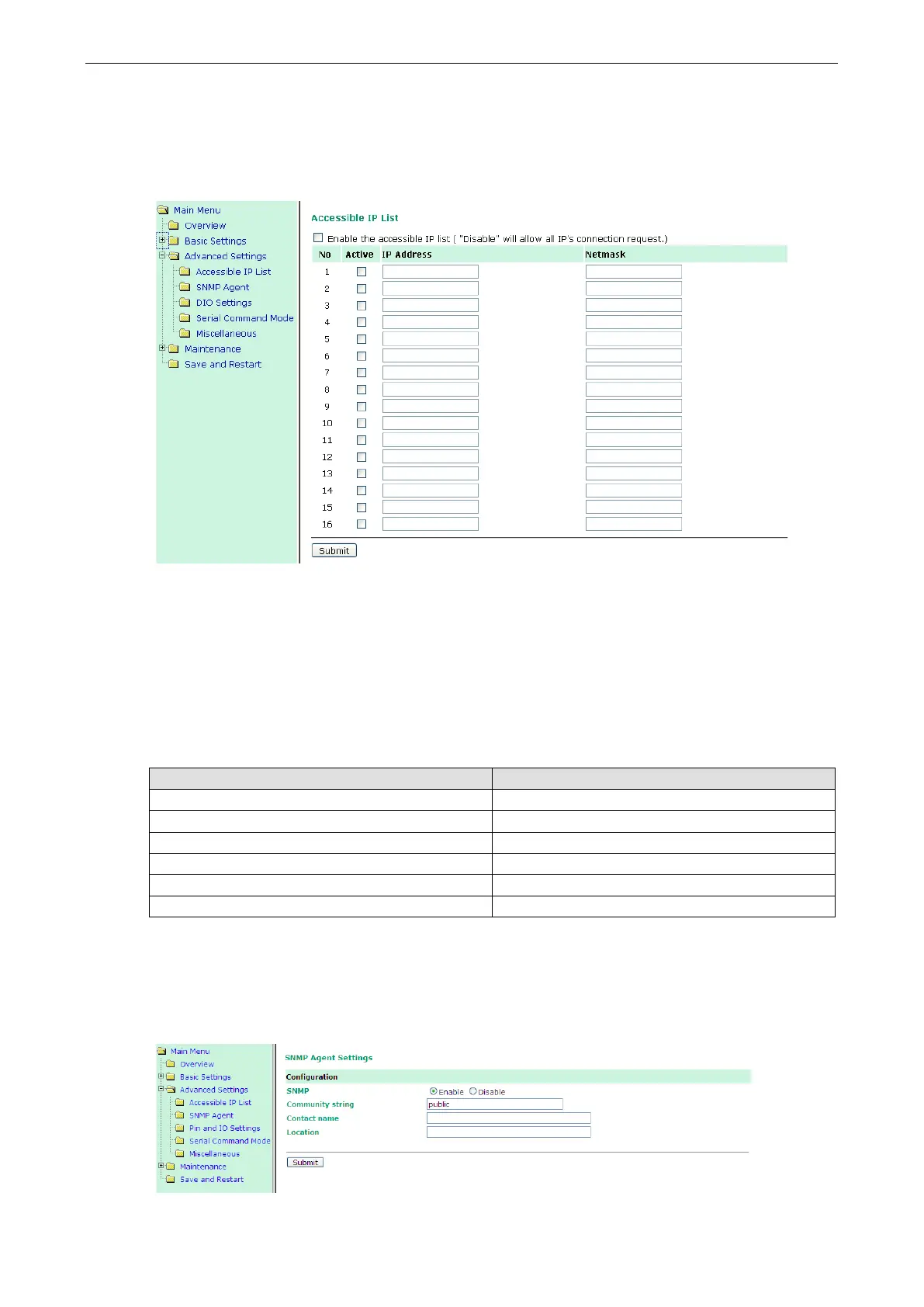
Accessible IP List
The Accessible IP List allows you to configure the following types of accessibility:
• To allow access to a specific IP address
Enter the IP address in the corresponding field; enter 255.255.255.255 for the netmask.
• To allow access to hosts on a specific subnet
For both the IP address and netmask, use 0 for the last digit (e.g., 192.168.1.0 and 255.255.255.0).
• To allow unrestricted access
Deselect the Enable the accessible IP list option.
Refer to the following table for more configuration examples.
Allowed Hosts Entered IP address/Netmask
Any host Disable
192.168.1.120 192.168.1.120 / 255.255.255.255
192.168.1.1 to 192.168.1.254 192.168.1.0 / 255.255.255.0
192.168.0.1 to 192.168.255.254 192.168.0.0 / 255.255.0.0
192.168.1.1 to 192.168.1.126 192.168.1.0 / 255.255.255.128
192.168.1.129 to 192.168.1.254 192.168.1.128 / 255.255.255.128
SNMP Agent
To enable the SNMP agent function, click the Enable option located to the right of SNMP under
Configuration.



 To Next Page