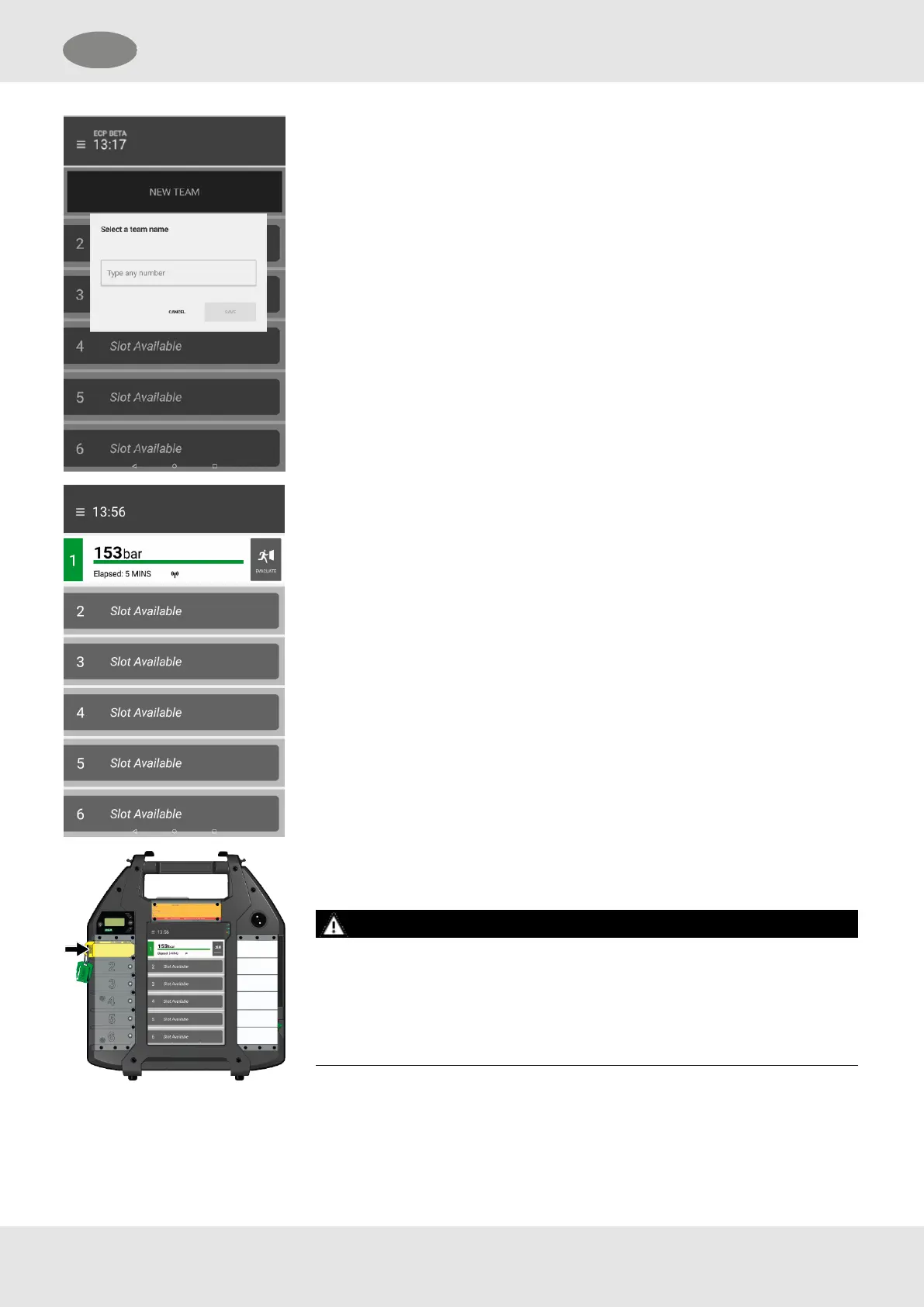
A window pops up.
6. Enter a team name, e.g. “1”.
NOTE: Only numbers from 1 to 99 can be entered.
The BA wearer is assigned to the team.
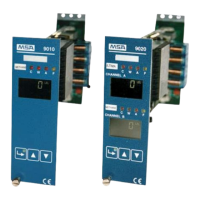
When the BA wearer opens the pressure cylinder, the first bar on the ECB
display changes into a display of the current operating data:
l The cylinder pressure that is automatically transmitted via long range
radio after successful login
l The displayed time (TTW/TOW/Elapsed time)
l The radio connection status
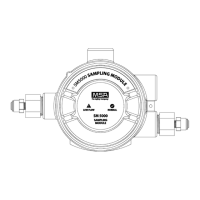
7. Place the tally into the first tally slot.
WARNING!
Tallies must be placed into tally slots from top to bottom in the same order in
which they are scanned into the tally reader. Placing tallies into the tally slots out
of order will result in a mismatch between the tallies and the BA data shown on
the ECB.
Failure to follow this warning can result in serious personal injury or
death.
8. If needed, write further information on the inscription field.
The first BA wearer is logged on.
32
GB 4 Use


 To Next Page