NS50 wireless network switch
User Manual
Revision C
Chapter 3: Installation
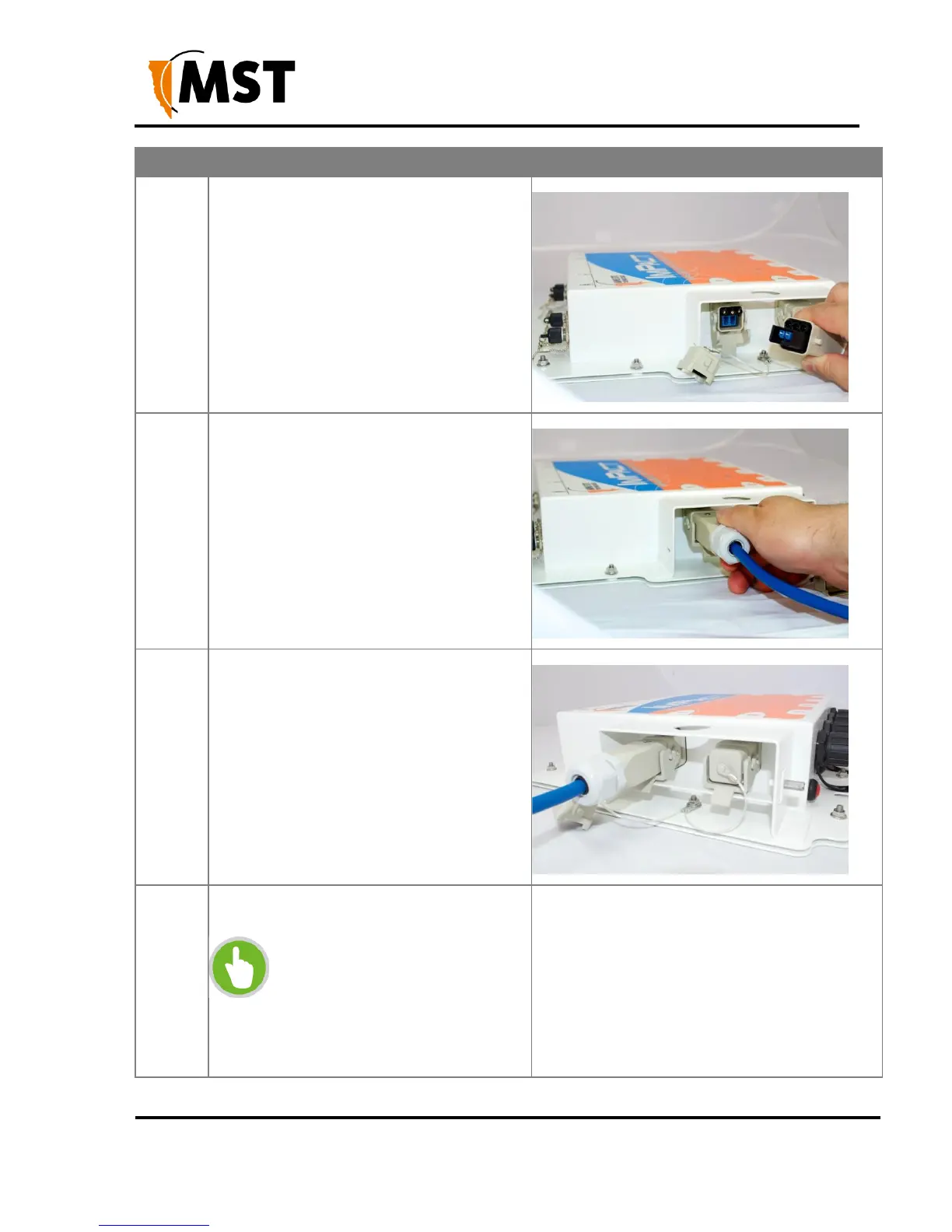
Align the pins on the connector to the
composite fibre port.
Insert the cable into the composite fibre port,
and push the locking catch to the connector.
The power LED will turn on, and
corresponding fibre port link LED will light up
green. The port activity LED will flash with
network activity.
Slide the retention arm back into the unit and
screw the locking nut tight.
Repeat steps 3 to 5 for connecting
downstream cables from this unit.
NOTE: If a NS50 is installed at
the other end of the downstream
cable, the fibre link LED will light
up green. The fibre activity LED
will flash with network activity.


 To Next Page
 Loading...

