HYDROCAL 1001+ Installation and operation manual Page 62/76
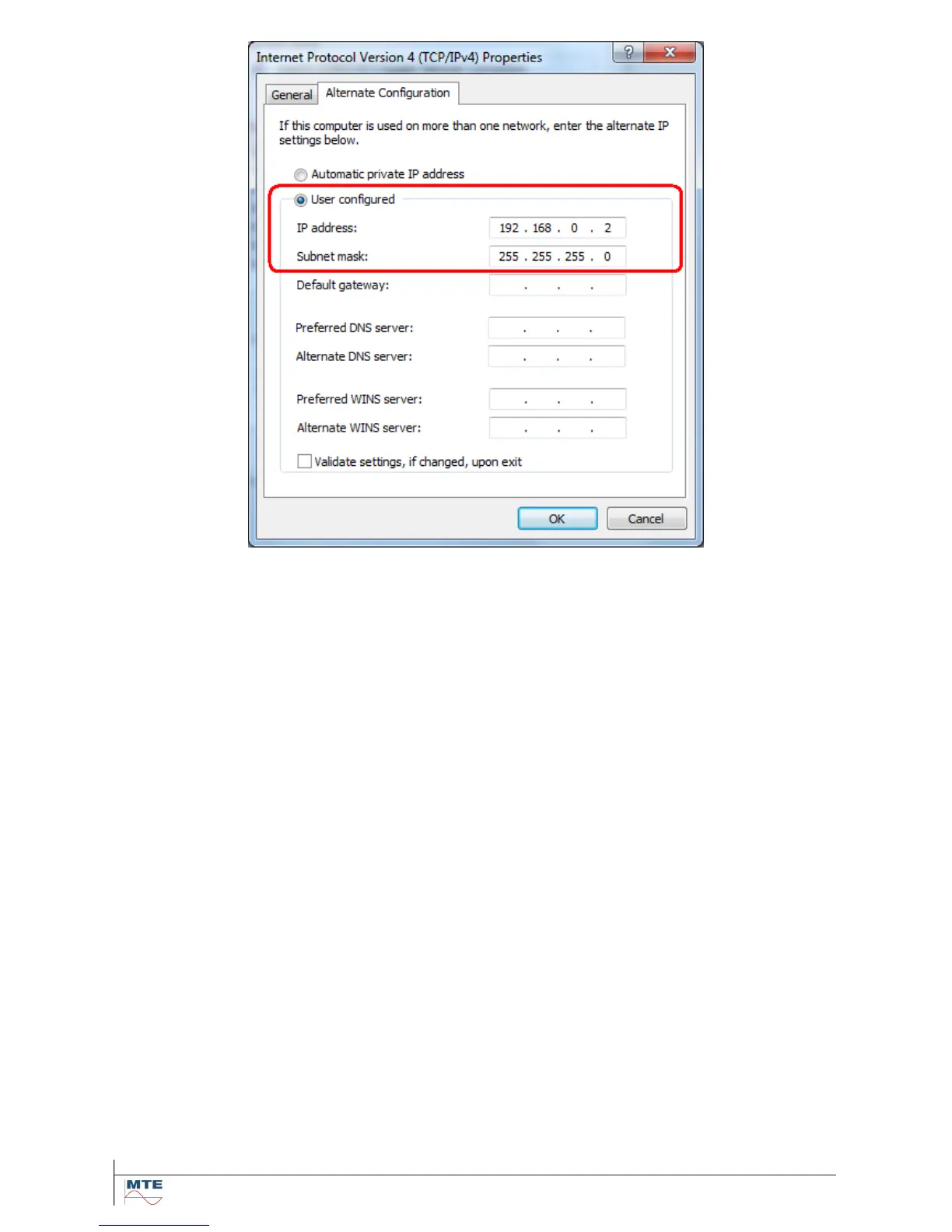
Activate the radio button User configured and enter the IP address and the Subnet mask (the other
fields are not required for HYDROCAL and can remain empty). Remember that the IP address must
be different to the one used in the HYDROCAL device.
Commit the changes by leaving the dialog with the OK button.
Note: A potentially upcoming Windows Network Diagnostics dialog can be closed.
4.5.3. Test of Communication with Hydrosoft
To test the communication the HYDROCAL unit and the PC are connected via an Ethernet cable.
Next Hydrosoft is launched. If needed a new transformer node is created in Hydrosoft. Next the set-
tings of the Communication are changed to Network. Using the data of this example the fields are
filled in as shown in the screen shot.
IP Address: 192.169.0.1
TCP Port: 49152
Note: The Access via field must remain empty
(only used in dial-up networks).



 To Next Page