HYDROCAL 1001+ Installation and operation manual Page 56/76
4.3.3. Communication Interface Reset
Because the HYDROCAL 1001+ unit has no display and no alphanumeric keypad, the only way to
configure the unit is via its communication interfaces. If, for whatever reasons, both interfaces are
configured in a way that communication is not possible, an activation sequence can force the Ether-
net communication interface to a defined setup.
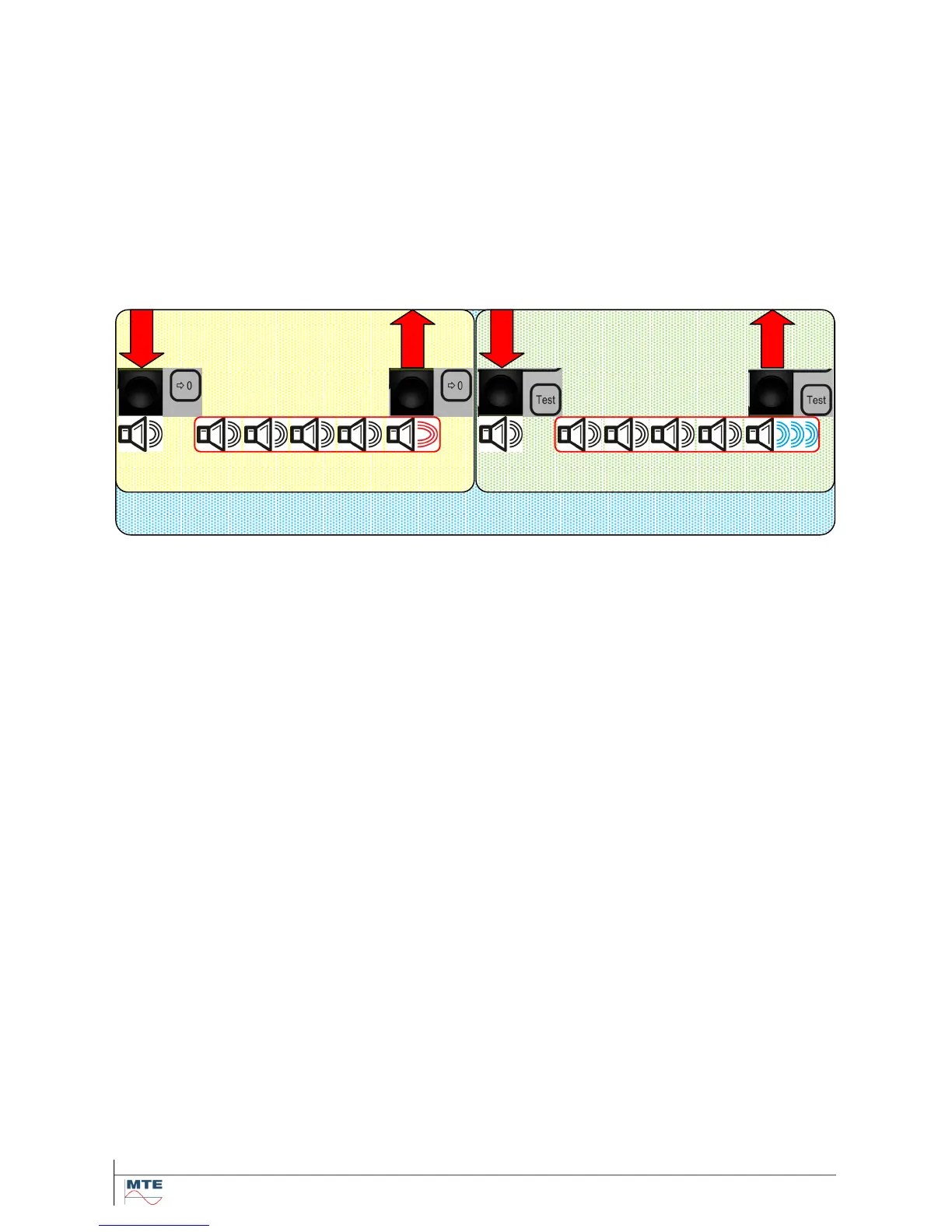
To invoke the communication interface reset press and hold the reset button until 1+5 beeps have
occurred (the 1
st
short beep is committing the pressed button, pause, then 4 short beeps and the last
beep is longer to inform of commitment). Immediately after the long commitment beep press and hold
the test button until 1+5 beeps have occurred (the 1
st
short beep is committing the pressed button,
pause, then 4 short beeps and the last beep is longer and oscillating to inform of commitment).
PRESS & HOLD RELEASE PRESS & HOLD RELEASE
Now the communication interface settings are forced to:
RS485
Settings: 19200 Baud, 8 Bit, No Parity, 1 Stop
Answer delay: 50 ms
MODBUS: off
Bus Mode: point-to-point
Ethernet
DHCP deactivated (Static IP)
Port No. 49152
IP 192.168.0.1
Mask 255.255.255.0
Note: The setup is only changed temporarily. In order to make permanent changes to the communi-
cation interface setup, a connection has to be established and the requested setup has to be sent to
the unit. To return to normal operation a reset of the unit is required.



 To Next Page