HYDROCAL 1001+ Installation and operation manual Page 69/76
4.6.2. ETHERNET setup
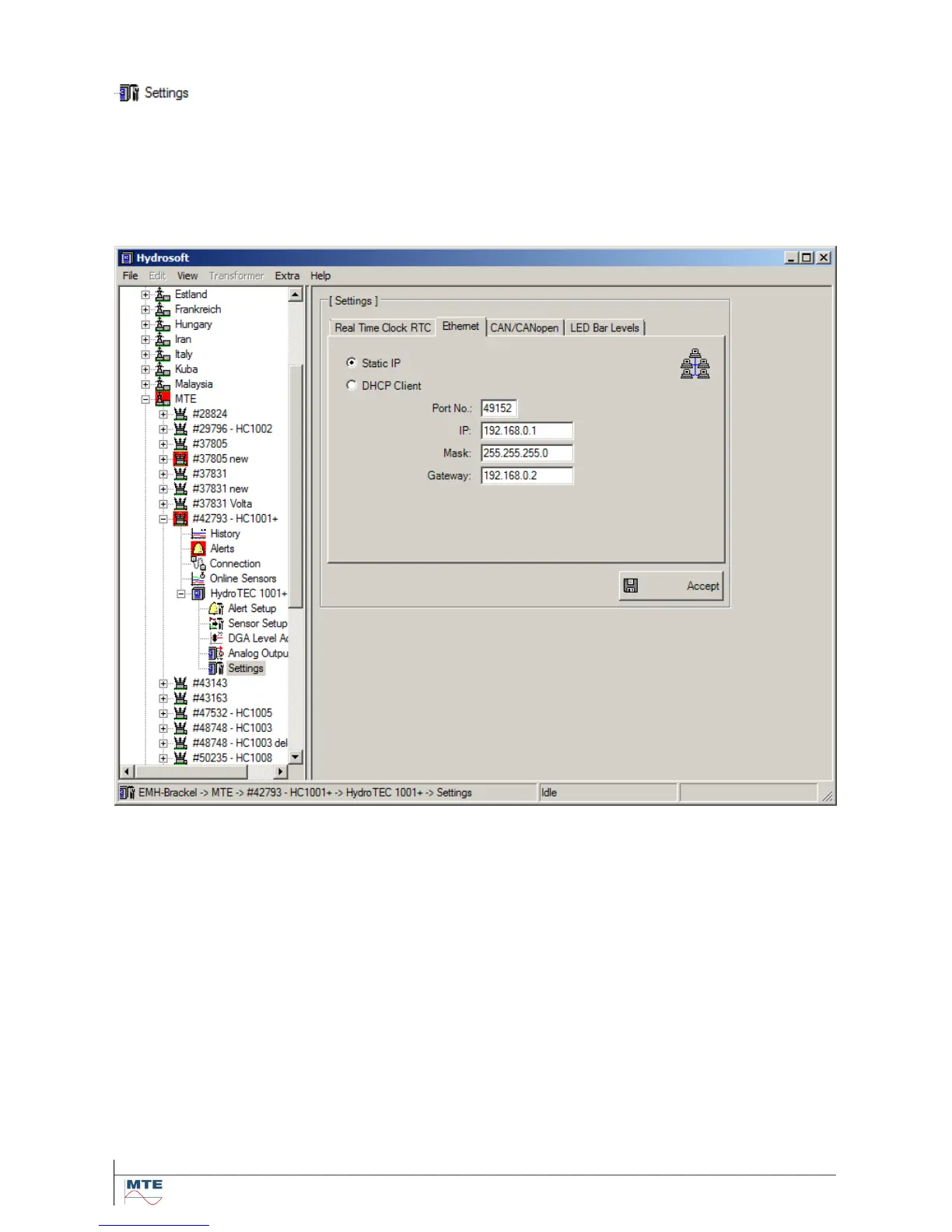
Ethernet related settings can be done for each HYDROCAL unit in the tab „Ethernet” of the
menu (see Hydrosoft manual).
It can be chosen out of the following two variants:
Static IP (4.6.2.1)
DHCP Client (4.6.2.2)
4.6.2.1. Static IP
The network settings can be obtained from your corresponding system administrator!
IP Address
Mask (The setting 255.255.255.0 can be used in general)
Gateway (Normally the automatic assigned setting can be used)
TCP Port Number The TCP port number should be determined by the system administrator as
well. The free range for TCP port numbers is: 49152 ... 65535. Theoretically the
unit allows the following settings: 1 ... 65535. However several TCP port num-
bers are reserved for other applications for example HTTP, FTP, Mail, etc.



 To Next Page