© Munters AB, 2020 137
o
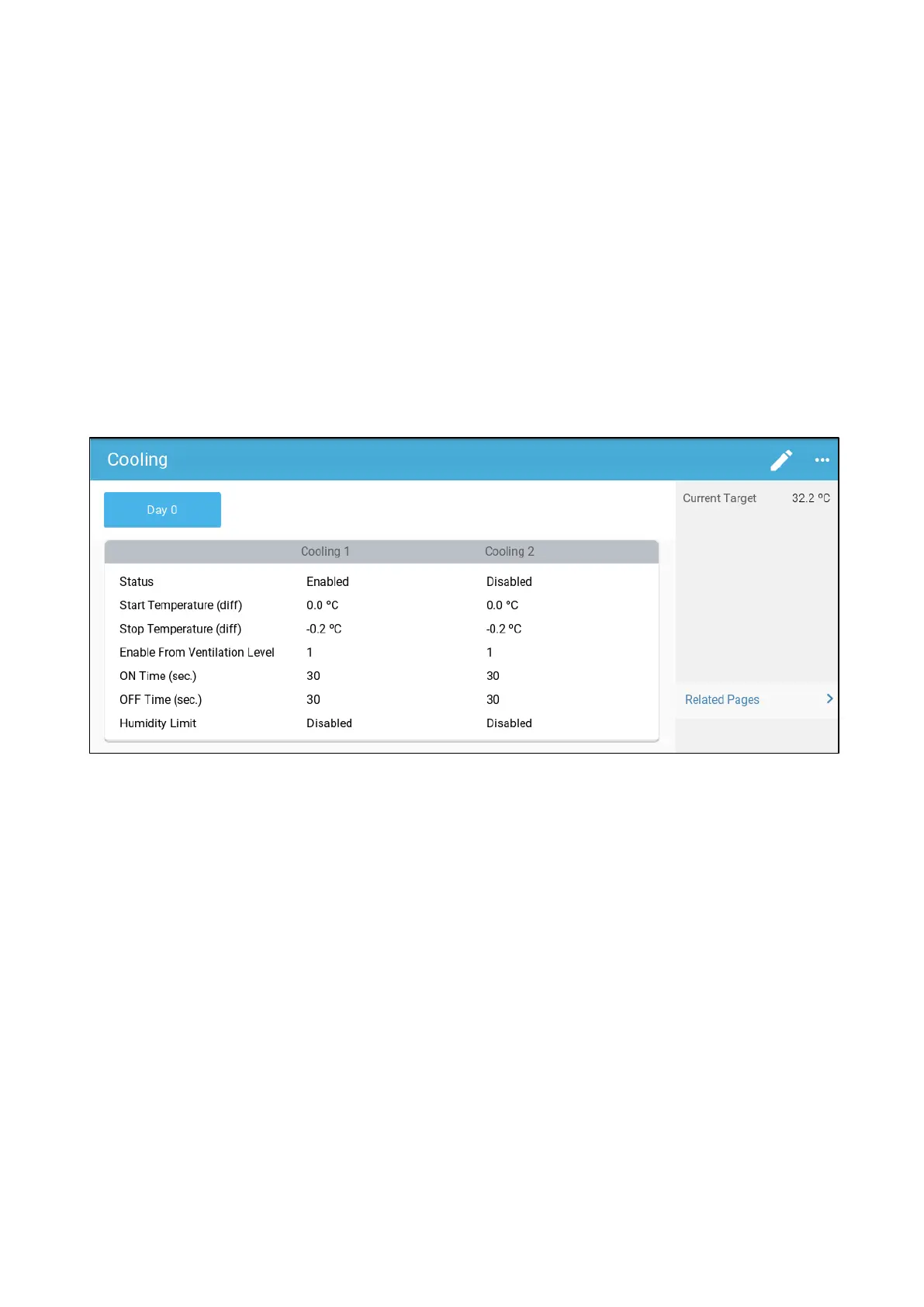
Status: Enable or disable a cooling device.
o
Start temperature (diff): Sets the temperature differential from the cooling temperature
(Temperature Curve) to activate cooling. The calculated temperature to start cooling is
adjusted according to the growth-days.
NOTE
Each cooling device operates according to its own temperature (Temperature Definition).
o
Stop temperature (diff): Sets the temperature differential from the cooling temperature
(Temperature Curve) to stop cooling device.
Stop cooling device temperature = Cooling Target ± Stop temperature
o
Enable from ventilation Level: Select the level (ventilation output) to enable cooling
operation. (Default 1).
o
Humidity Limit: Enable stopping cooling at a certain humidity level.
13.2.2 C
YCLE
C
OOLING
•
Define:
o
Growth days at which the settings change.
o
Status: Enable or disable a cooling device.
o
Start temperature (diff): Sets the temperature differential from the cooling temperature
(Temperature Curve) to activate cooling. The calculated temperature to start cooling is
adjusted according to the growth-days.
NOTE
Each cooling device operates according to its own temperature (Temperature Definition).
o
Stop temperature (diff): Sets the temperature differential from the cooling temperature
(Temperature Curve) to stop cooling device.
Stop cooling device temperature = Cooling Target ± Stop temperature
o
Enable from ventilation Level: Select the level (ventilation output) to enable cooling
operation. (Default 1).
o
ON/OFF Time: Define the amount of time the cycle is ON and OFF, respectively.
o
Humidity Limit: Enable stopping cooling at a certain humidity level.



 To Next Page