© Munters AB, 2020 52
•
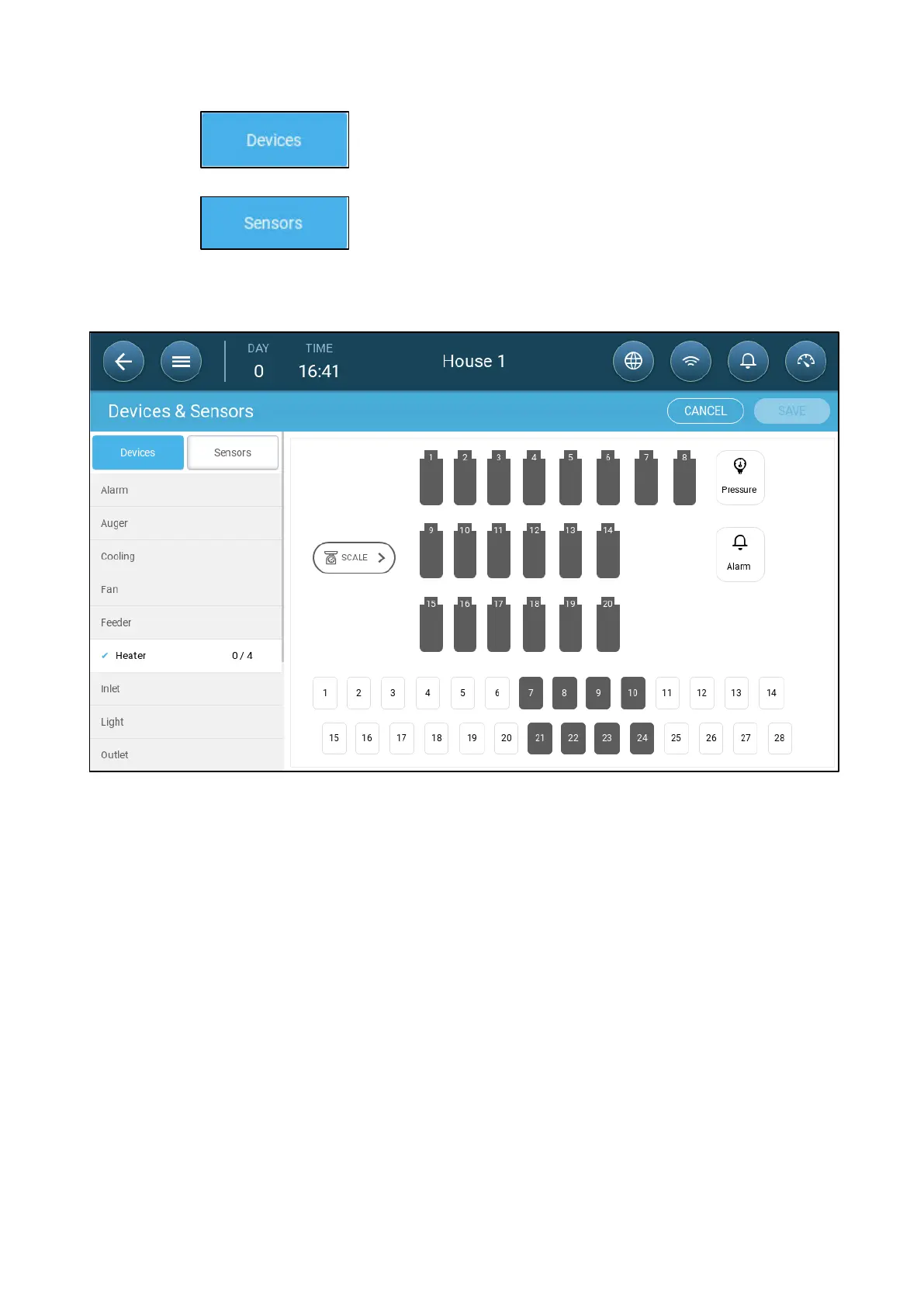
Click to map cooling devices, heaters, inlets, fans, stir fans, timers, tunnel
doors, outlets, or the alarm relay.
•
Click to map auxiliary inputs, sensors (humidity, pressure, temperature,
CO2, ammonia), water meter, and potentiometers.
3. Under Devices or Sensors, click the type of device that you want to map. In the following
example, Heater is selected. The displays the relays and ports that can be defined as heaters.
4. Click on the relays and/or ports that you wired to heaters.
•
TRIO automatically numbers the devices.
•
TRIO enables selecting up to the maximum number of each device.
•
Devices having opening and closing relays require mapping both relays.
5. Repeat steps 3 and 4 four all the connected devices.



 To Next Page