Configuration/settings
User manual 55170_hdb_en_13 111 / 145
IRT communication:
Setting up the Sync
master
NOTE
This procedure describes the configuration of the not isochronous IRT com-
munication. How to set up an isochronous IRT communication can be found
in the software manual of your engineering software.
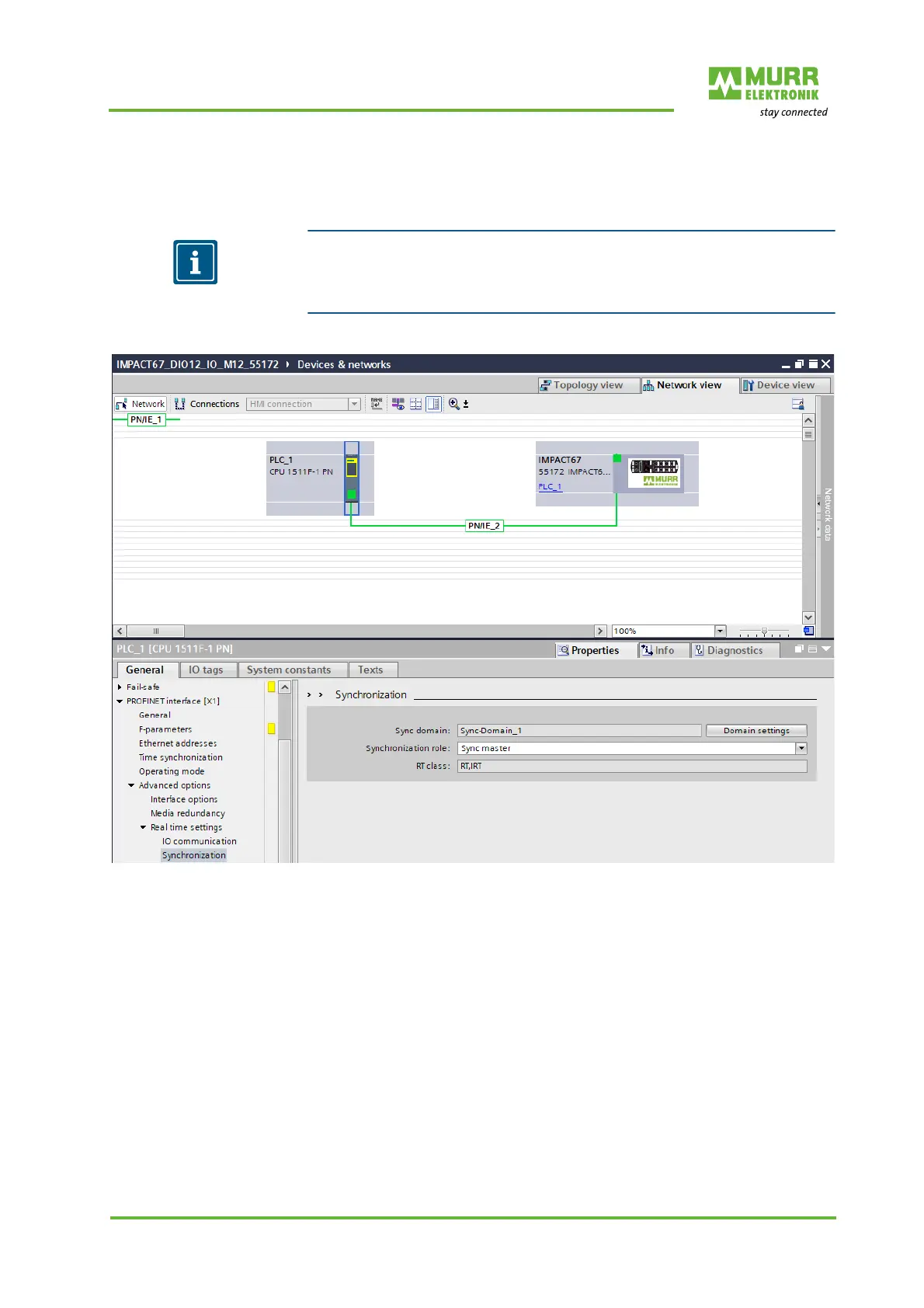
Fig. 8-40: IRT communication: Setting up the Sync master
1 | Double-click the PLC_1 controller.
2 | Navigate to the menu item Advanced options | Real-time setting |
Synchronization.
3 | For “Synchronization role”, set the Sync master.


 To Next Page
 Loading...