Installation ValueCut USER MANUAL
22
VC2E-A-00
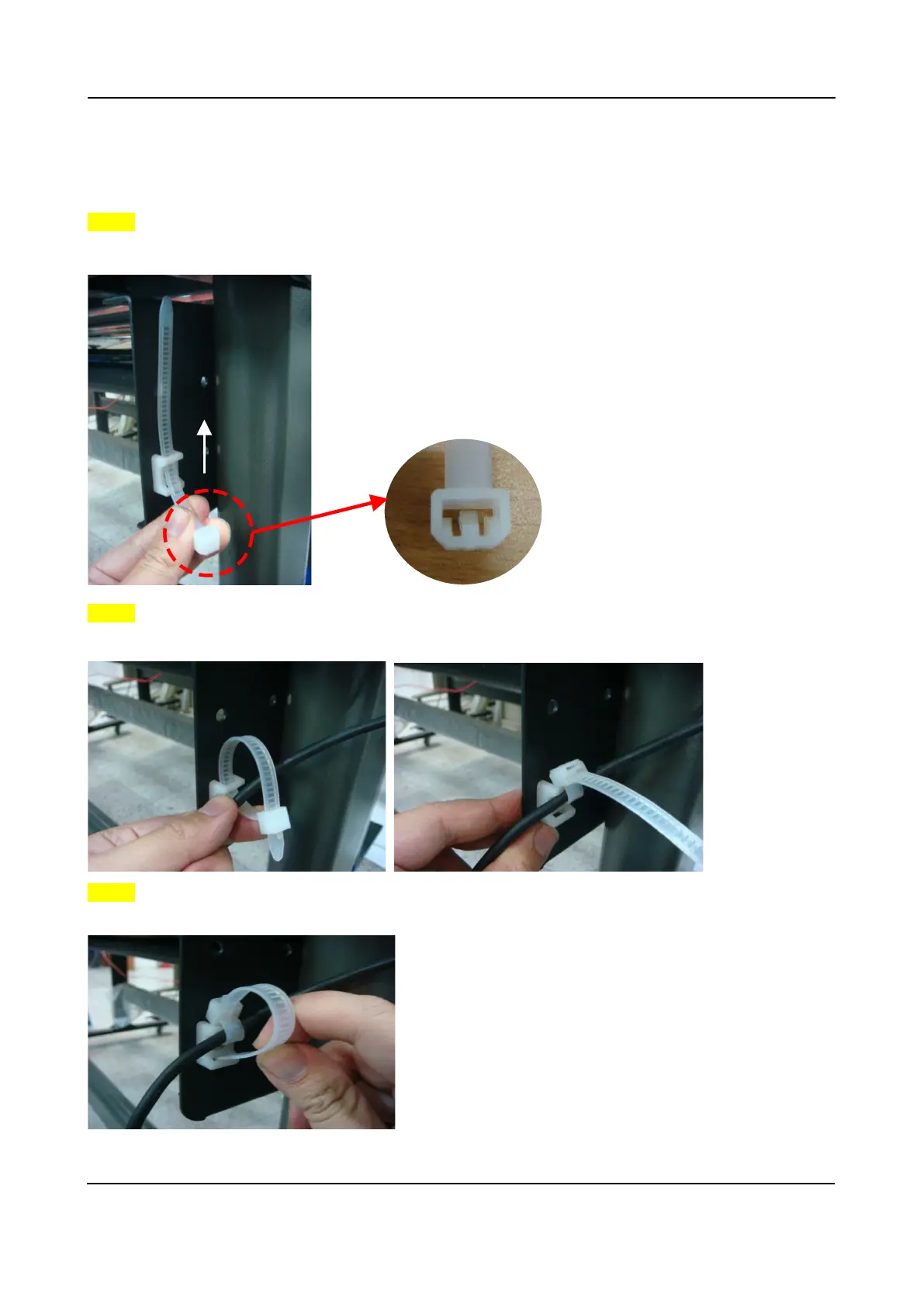
2.3 USB Cable Tie and Saddle
The USB cable tie and saddle assembly for the stands with Flexible Media Support System only.
Step 1
Insert the cable tie into the upper hole of cable saddle from bottom to top.
This side up
Step 2
Place the USB cable into the cable tie and tighten the cable tie.
Step 3
Insert the cable tie end into the lower hole of cable saddle to finish the job.











 To Next Page