FlexiSTARTER Quick Start Guide ValueCut USER MANUAL
86
VC2E-A-00
8.6 Basic Settings
8.6.1 Overview of the FlexiSTARTER screen
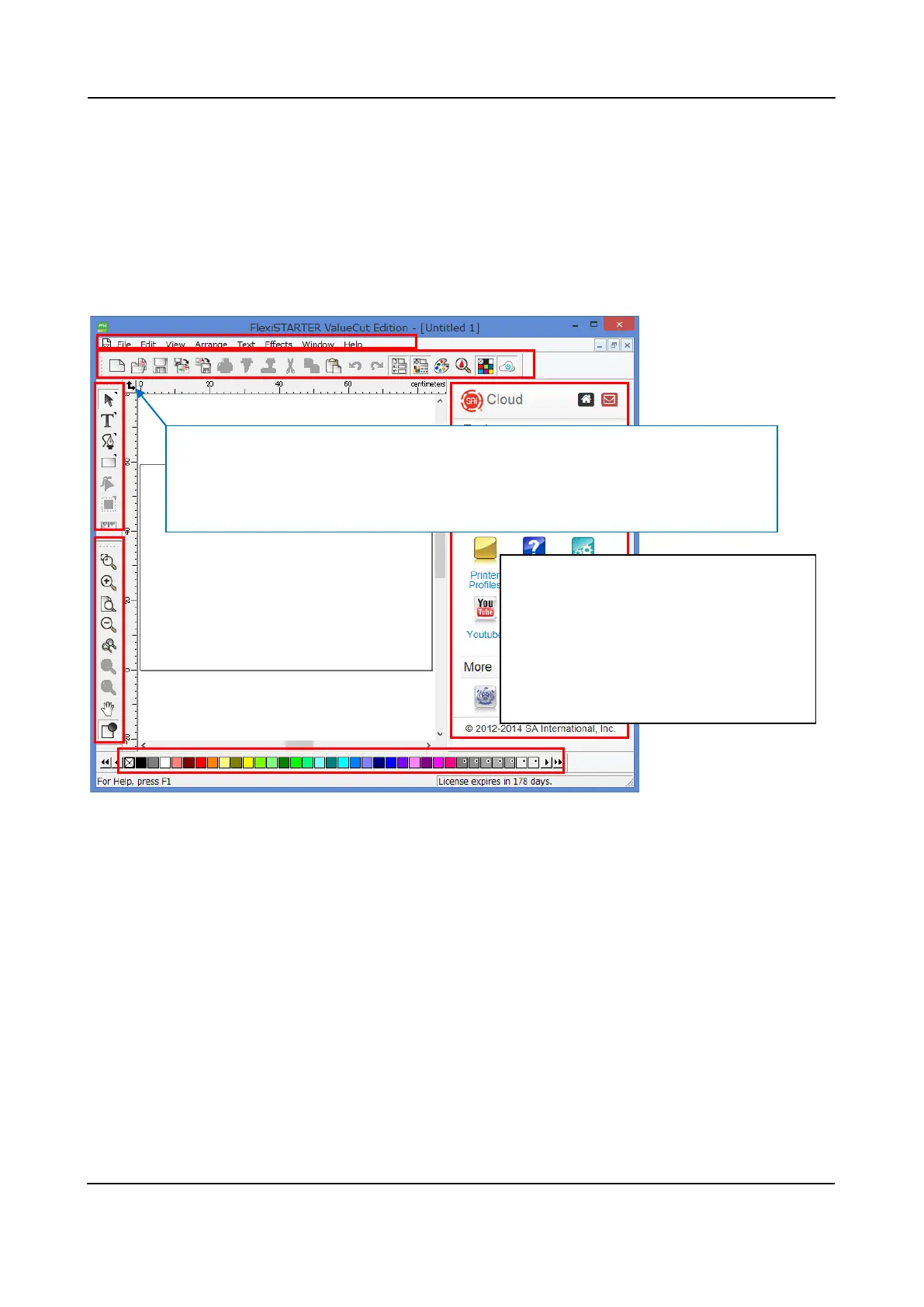
After the FlexiSTARTER starts up, the screen is as follows.
Change a setting of length following the instruction written in blue.
4
5
3
Names of the each part in this screen:
1 Main Menu
2 Standard Toolbar
3 Design Area
4 Main Toolbar
5 View Toolbar
6 Swatch Table
7 Cloud page
Origin: Clicking and dragging makes it possible to change the original point of the
scale. In addition, you can set up unit of measures in the FlexiSTARTER by
clicking on it with the right mouse button. "Millimeters" should be applied.
7











 To Next Page