ValueCut USER MANUAL FlexiSTARTER Quick Start Guide
89
VC2E-A-00
8.7 Create the Character
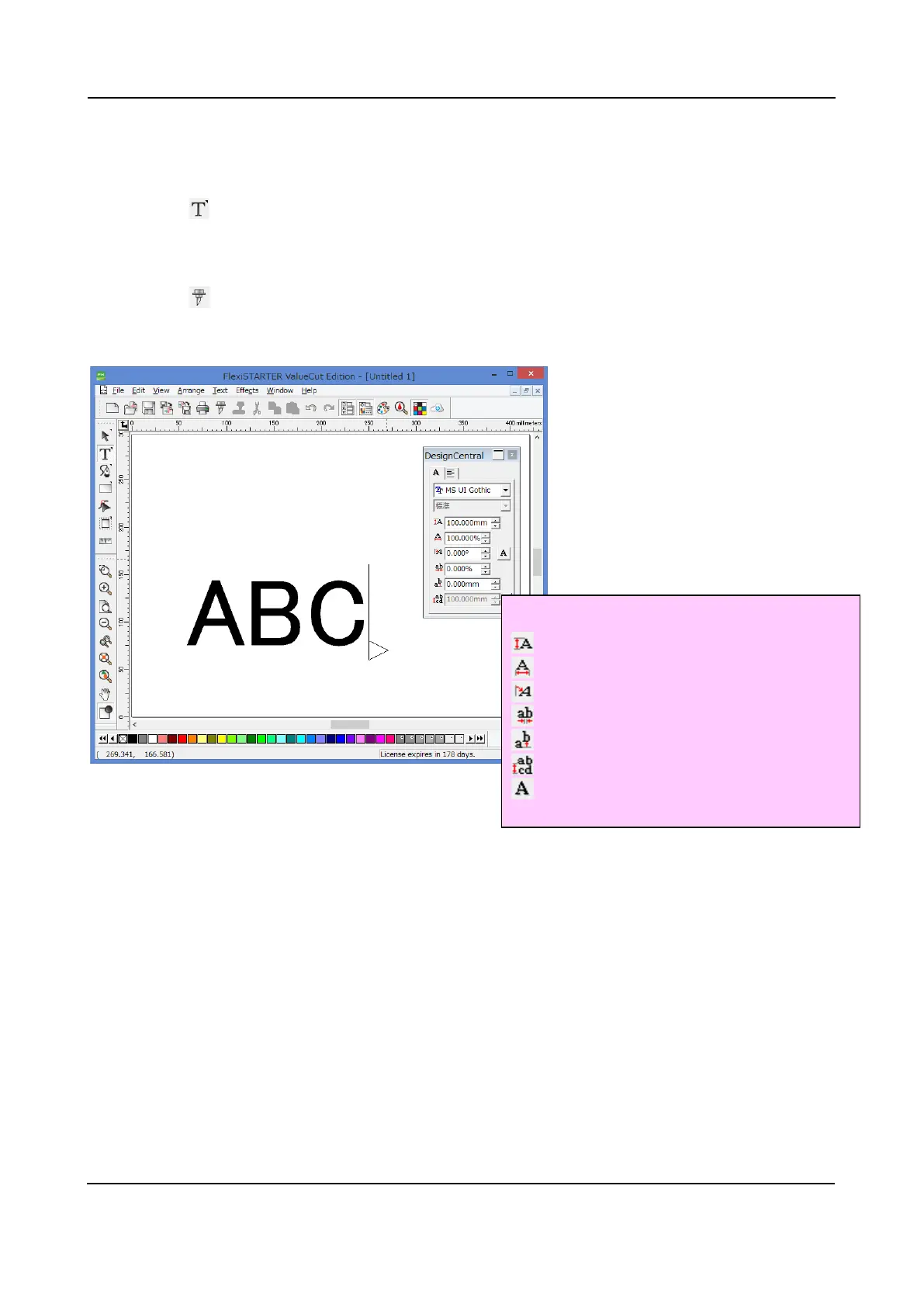
For an instance, construct characters: "ABC" 100 millimeters height.
1. Click on in the main toolbar and click in the design area discretionally.
2. Assign 100millimeters in height in the Design Central window.
3. Then, enter "ABC" from the keyboard.
4. Click on in the standard toolbar, then the Cut/Plot window may open.
At the same time the Production Manager starts up.
a : Character Font
: Font Size
: Character Width Scale
: Character Slant
: Tracking
: Vertical Offset
: Line Spacing
: Character Orientation
1
2
3
a
4











 To Next Page