ValueCut USER MANUAL FlexiSTARTER Quick Start Guide
95
VC2E-A-00
8.9.4 Cut contour mark
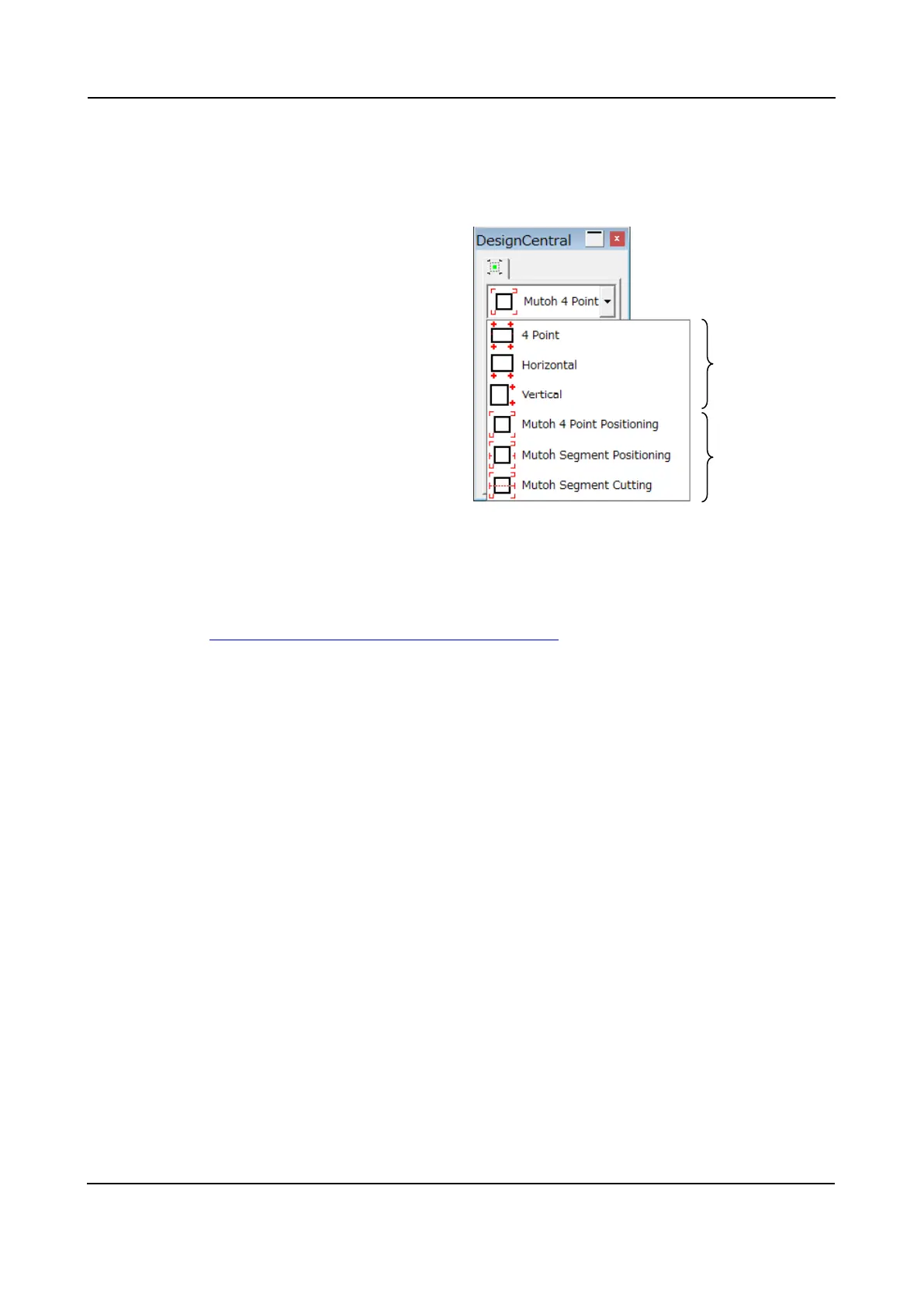
The FlexiSTARTER ValueCut Edition enables to add the cut contour
mark for the ValueCut use to cutting data. There are three kinds of the
cut mark for the ValueCut use.
・4 Point
・Horizontal
・Vertical
・Mutoh 4 Point Positioning
・Mutoh Segment Positioning
・Mutoh Segment Cutting
Three cut marks overview:
4 Point, Horizontal, Vertical
Each of them will perform the position adjustment manually. This will be useful when Registration mark
detection from the AAS sensor is unable. (e.g. reflective sheet...)
* Please refer to 8.10.4 Manual Alignment Procedure (Reference)
for the manual adjustment procedure.
Mutoh 4 Point Positioning
Select it in the case of the standard cut. The ValueCut detects four reg. mark and makes the alignment.
Mutoh Segment Positioning
For the purpose of a long length plot cut, this Mutoh segment positioning prints the reg. marks at
50-centimeter intervals toward the same direction of the media feed. When the ValueCut cuts, detects all
the marks and makes the alignment. In concord with data, cutting job is executed. Because a media
moves back and forth to length of cutting data, the media sometimes happens to slip or jam.
Mutoh Segment Cutting
The ValueCut prints the same reg. marks as the Mutoh Segment Positioning and makes the alignment
between the marks. When cutting job starts, the ValueCut feeds the media by 50 centimeters, then cuts
it in sequence in the range of the media fed. It helps reduce a slip. Although it takes a while to cut a long
length plot data, the Mutoh Segment Cutting is highly recommended when the accuracy is required.
Manual
Auto











 To Next Page