FlexiSTARTER Quick Start Guide ValueCut USER MANUAL
84
VC2E-A-00
8.5 Initial Settings of the Production Manager
8.5.1 Change to the setting of leaving job that finishes running
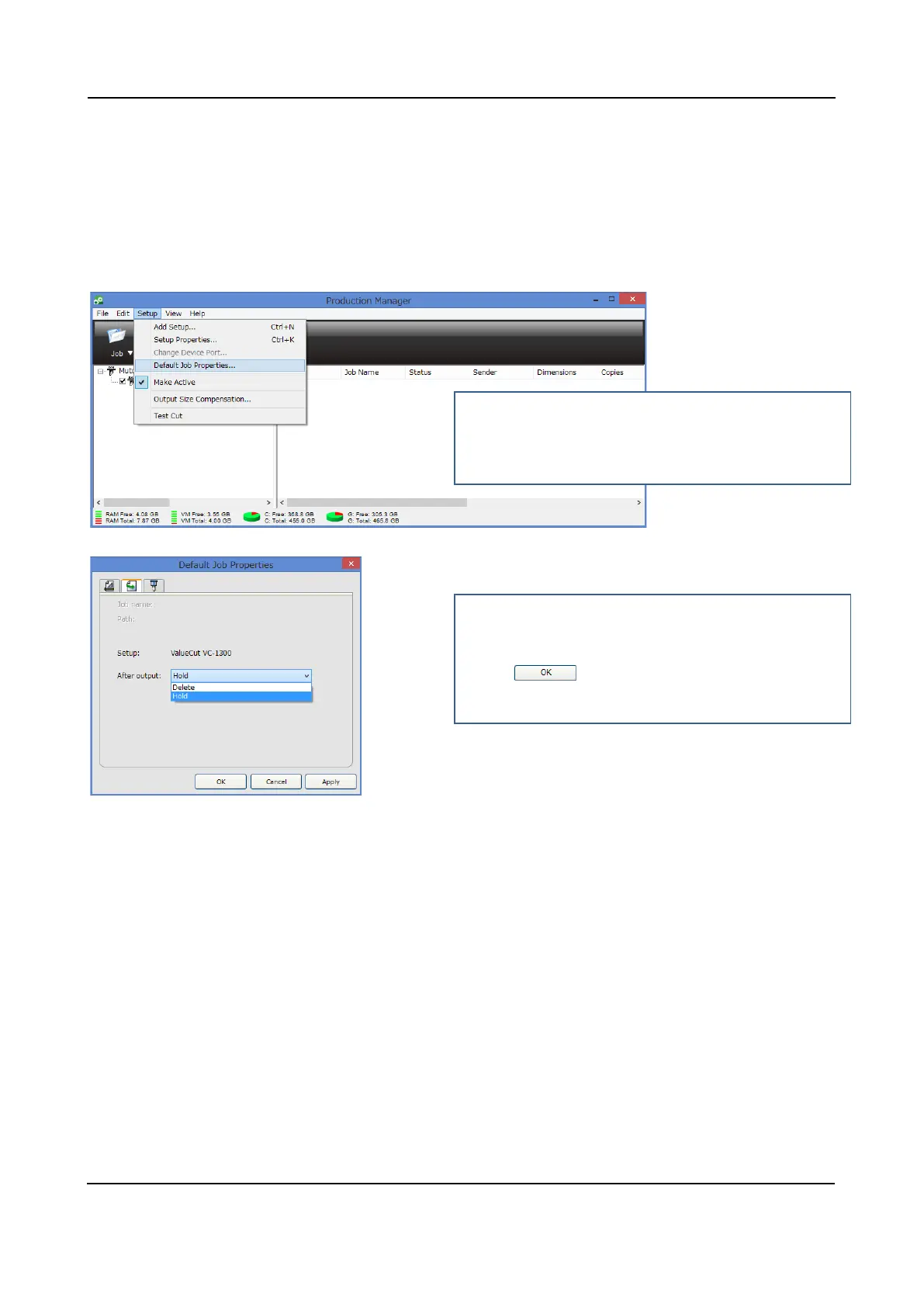
The Production Manager window can hold a job following the figure below. This is how to leave cutting
job in the screen after the cut.
1
2
Select a model
2 Select "Default Job Properties" from the Setup
menu.
3
4
3 Then, the Default Job Properties window may
open.
4 Select "Hold" in the After output blank, then you
press .











 To Next Page