ValueCut USER MANUAL Automatic Aligning System
65
VC2E-A-00
Step 2
Print the Graphics
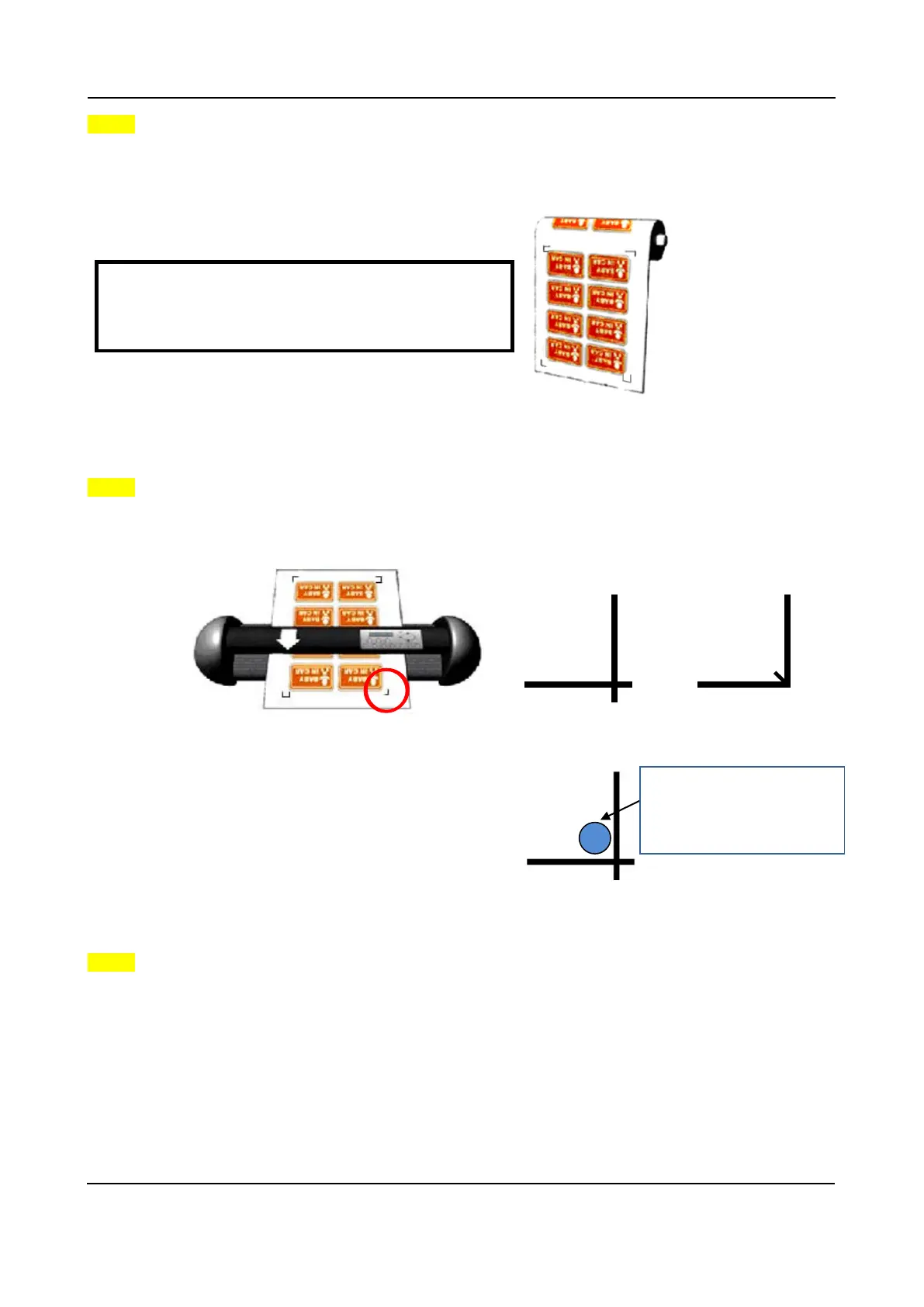
Print the graphic and the marks with your printer.
When printing on a roll media, make sure the orientation as following:
Step 3
The Origin Mark is different from the rest registration marks. Please make sure the media is
fed with correct direction.
Use the JOG key to move the cursor, and then adjust the location of the cutter holder to the
inside corner of the origin mark.
Switch to online mode from the control panel.
Step 4
Cut the Contour
Send out the command from software to perform the contour cutting job.
Important:
Print the graphic at 100% scale (actual size).
Do not change the scale to print your graphic.
The cutter holder should
be located the inside of
the corner.











 To Next Page