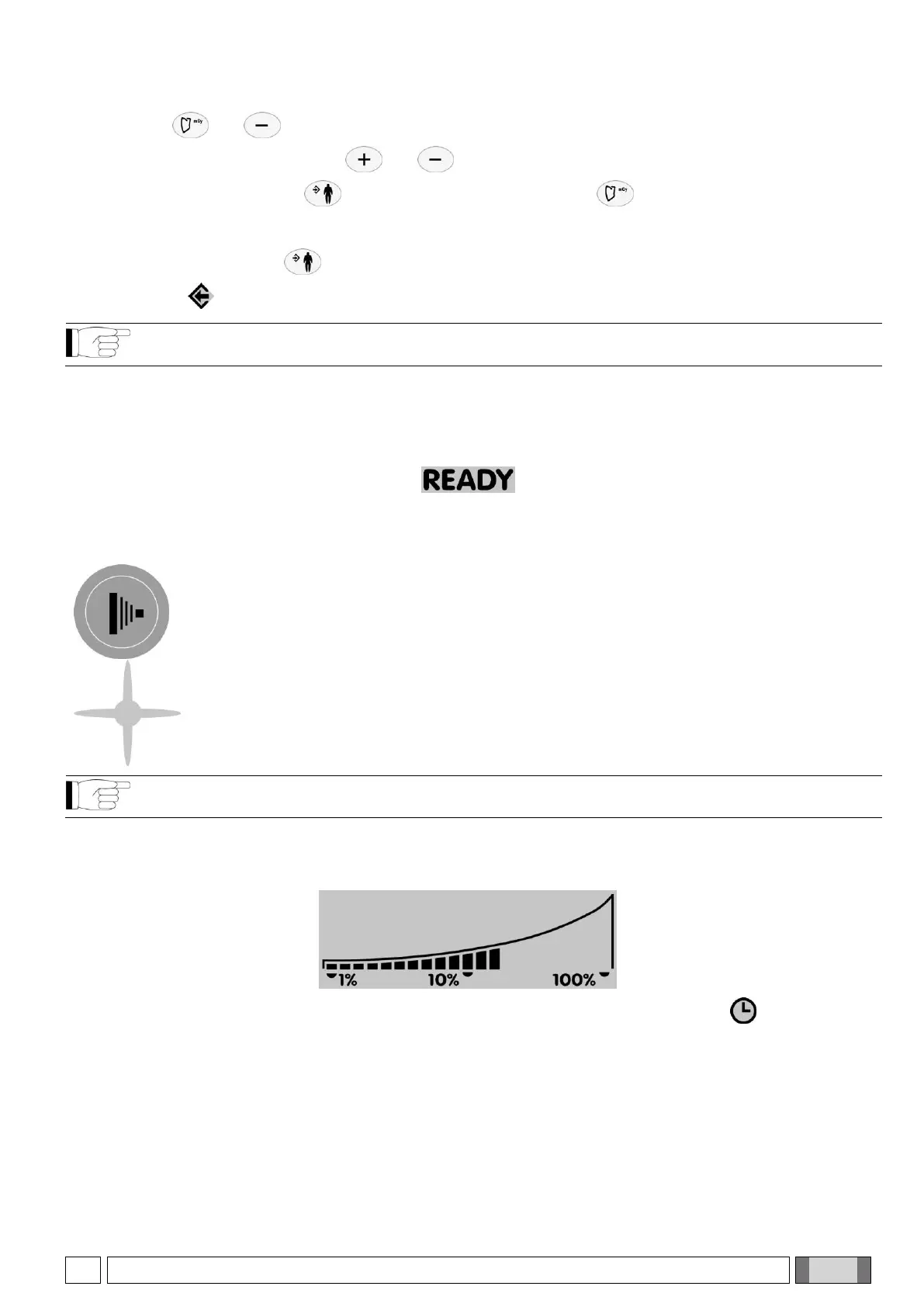
4) Press keys and simultaneously to open the menu used to select the operating mode.
5) Select the operating mode with keys and .
6) Quit the menu and press key to make the entry operative (if key is pressed, the menu will be quit
without changing the previous setting).
7) Press and hold down key for approximately two seconds to confirm the entry and disable customized
settings (icon goes out).
NOTE: It is possible to set the exposure parameters for several combinations. To do this, repeat steps 2 to
6 before going on to step 7.
4.6. PROCEDURE TO BE FOLLOWED WHEN TAKING THE X-RAY
- Pick up the handheld and move to a safe distance (at least 2 meters) maintaining visual contact with the patient
and x-ray unit during the exposure. Make sure “ready” is indicated.
- Tell the patient to stay still.
- Press and hold down the “Exposure” key on the handheld until the audible warning sound (beep) stops and the
yellow light goes out.
"X-ray emission light" key
Light on control panel illuminated during x-ray emission.
NOTE: If the “EMIT X-RAY” key is released at any time, exposure will be interrupted and error code E01 will
appear on the display.
- Once exposure has been completed, it is possible to proceed with the next exposure unless the x-ray unit has
reached the maximum allowable temperature. The percentage the cone exceeds the maximum allowable
temperature is always shown on the screen (see icon below).
- Once the temperature has been reached, wait the pause time for cooling signaled by symbol .
- At this point the exposure function will be disabled until the screen shows “ready” again
- As soon as “READY” appears on the handheld, another exposure can be taken.


 To Next Page