Page 10 Naxa Electronics
USB
HD MI
IN
VGA
IN
PC
AUDIO
IN
RF
IN OUT
EARPHONE
Y
IN
PrPb
POWER
INPU T
DC 12V
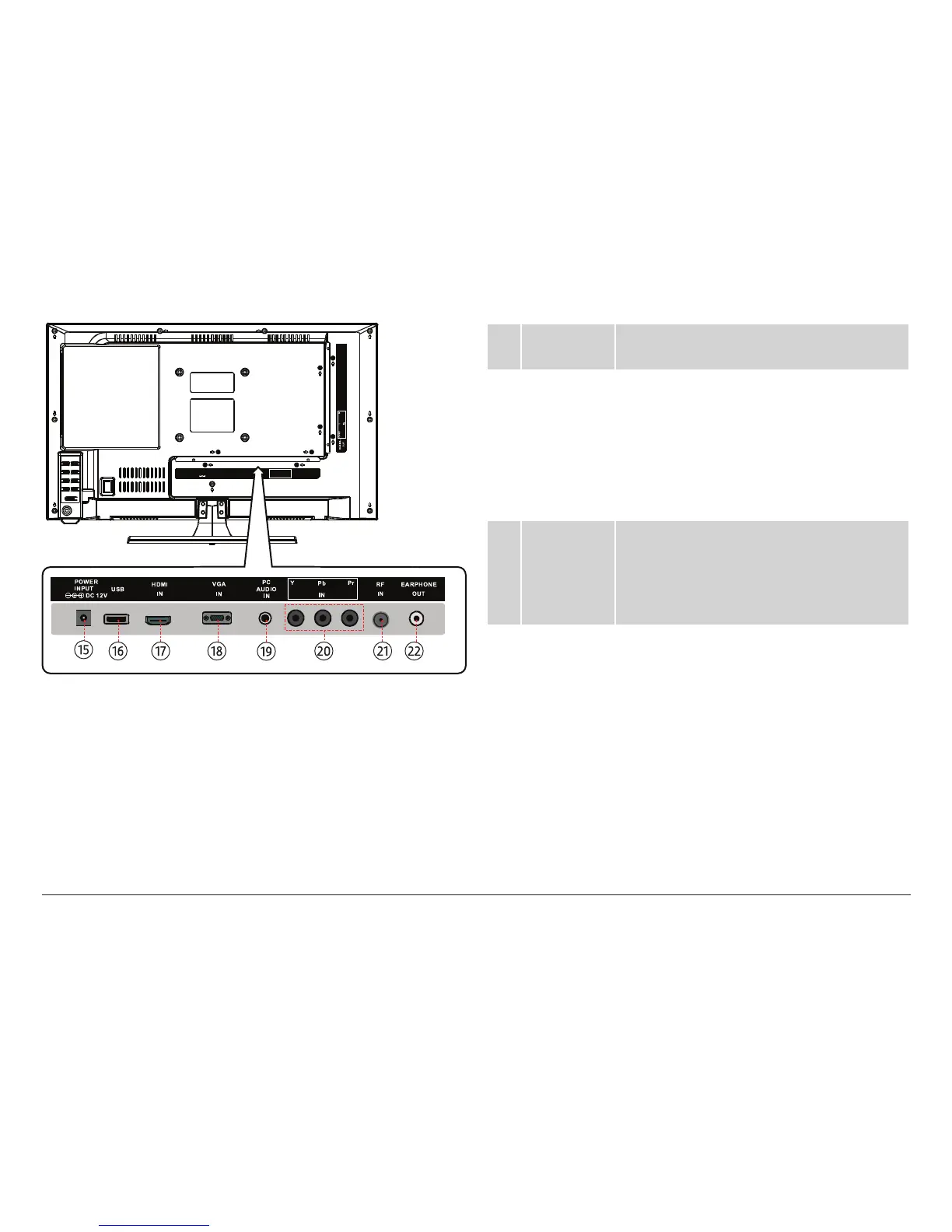
15 Power
socket
Power connection. Use the included power
cable/adapter to connect the TV to power.
16 USB port The USB port is active when the TV is set to
USB mode. Load USB memory sticks here.
⚠L
The USB port is designed for
media playback from ash
memory devices. It is not de-
signed to charge high-power
devices.
17 HDMI In The HDMI input connector is active when
the TV is set to HDMI mode. This connec-
tor allows the TV to receive high-denition
audio/video signals with the use of an
HDMI cable.
18 VGA In The VGA input connector is active when the
TV is set to VGA mode. This connector al-
lows the TV to receive high-denition video
signals with the use of a 15-pin VGA cable.
⚠L
Use this connection in con-
junction with the PC Audio In
connection [19].



 To Next Page