www.naxa.com Page 13
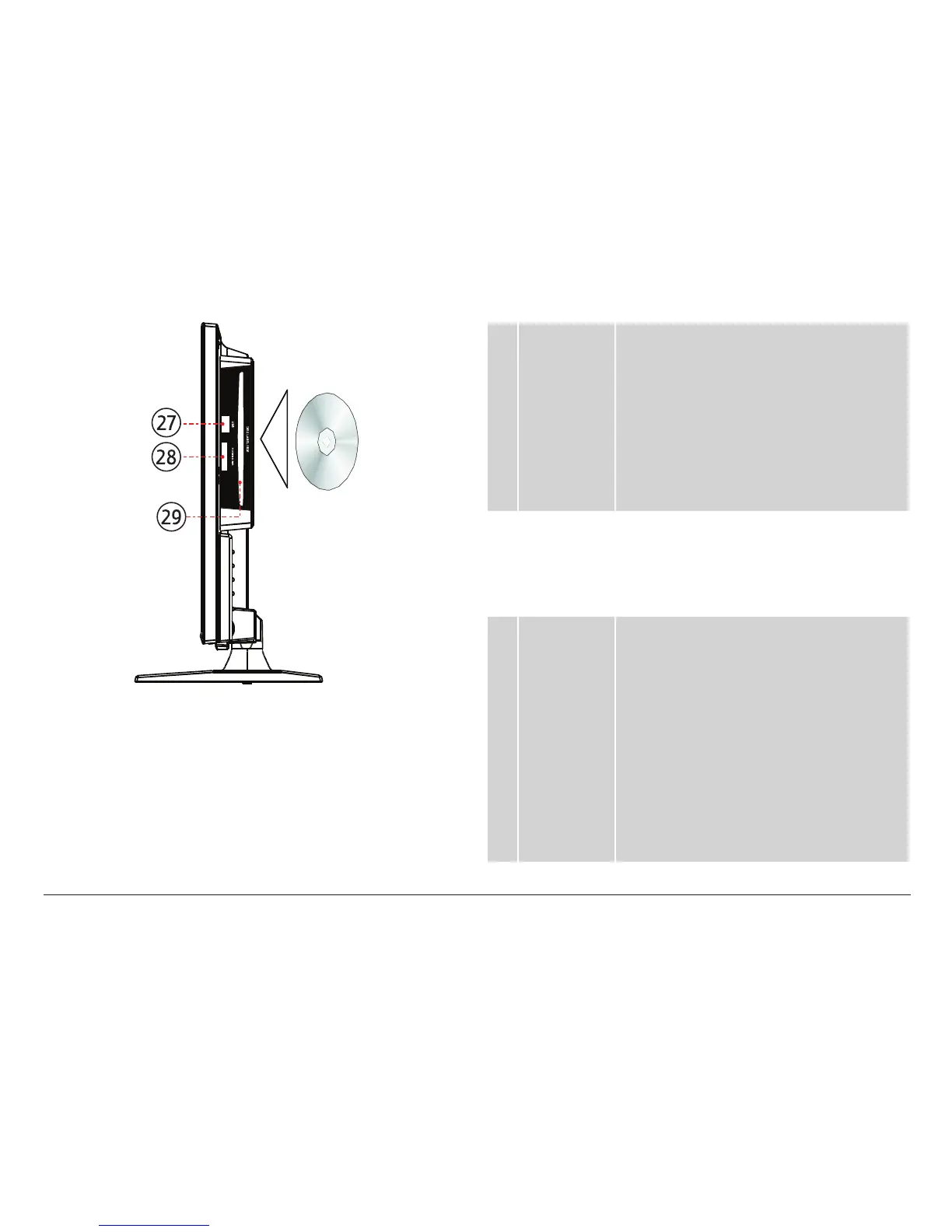
27 USB (DVD) This USB port is active when the TV is set to
DVD mode and USB mode is selected (press
MEDIA on the remote). Load USB memory
sticks here.
⚠L
The USB port is designed for
media playback from ash
memory devices. It is not de-
signed to charge high-power
devices.
28 SD/MMC/MS The SD/MMC/MS player is active when the
TV is set to DVD mode and SD/MMC/MS
is selected (press MEDIA on the remote).
Load compatible SD, MMC, or MS memory
cards here.
29 DVD The DVD player is active when the TV is
set to DVD mode. Load compatible optical
discs here (e.g., DVD, CD). To load a disc,
gently insert the disc into the slot with the
label side facing the back of the TV; the
loading mechanism will grasp the disc and
automatically nish the loading process.
⚠L
Never force a disc into the
slot. If the slot fails to accept
a disc, another disc may be
loaded. Press EJECT to remove
the other disc.



 To Next Page