Page 16 Naxa Electronics
SUBTITLE
FAV
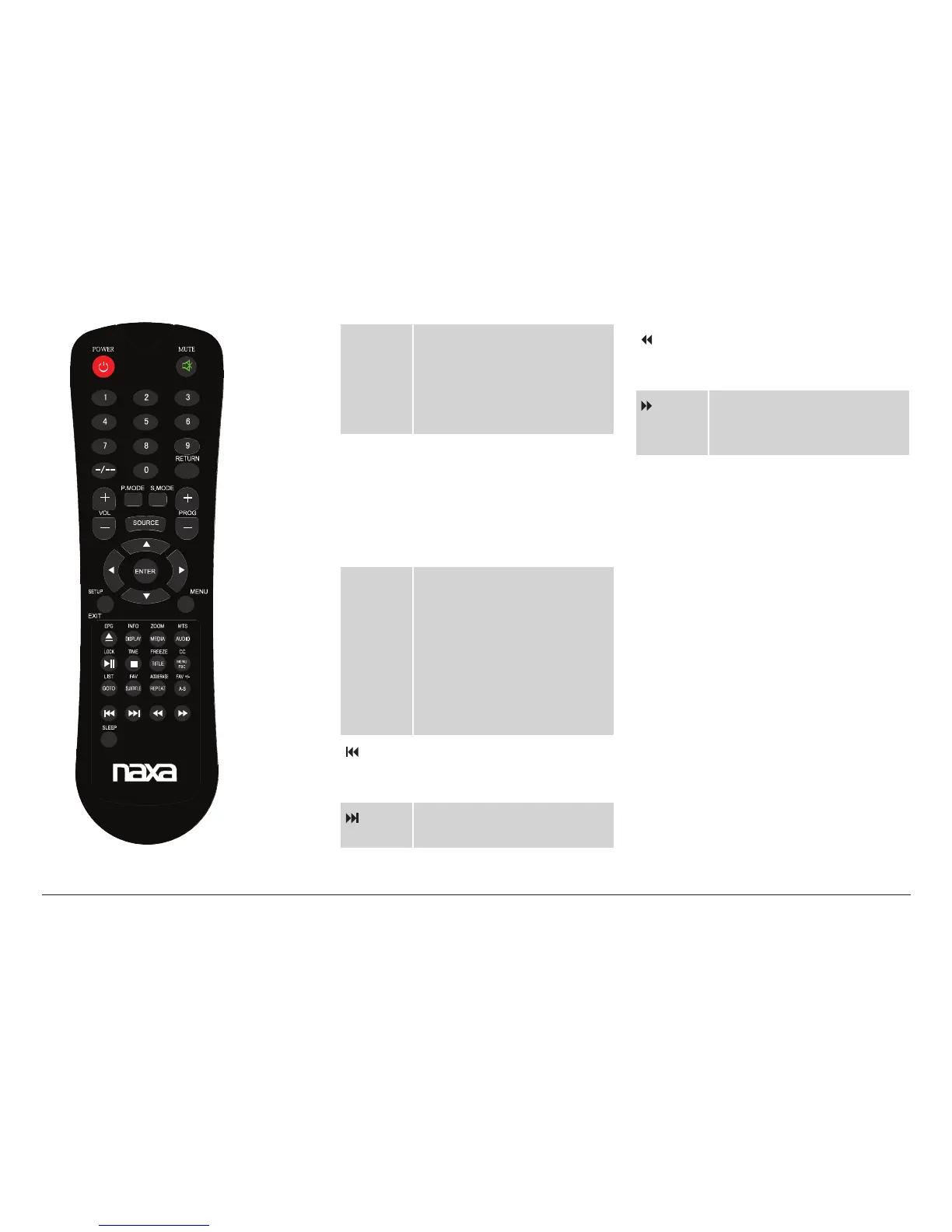
SUBTITLE: When available,
press to change the subtitle
display.
FAV: Press to display the TV
channel Favorites list.
REPEAT
ADD/
ERASE
REPEAT: Press to cycle
through the repeat playback
modes.
ADD/ERASE: Press to add or
remove the current channel
from the TV channel list.
A-B
FAV +/–
A-B: Press once to set point
A; press again to set point B.
Play will repeat from point
A to B. Press once more to
cancel repeat A-B playback.
FAV +/–: Add or remove the
current channel from the TV
channel Favorites list.
PREVIOUS: Press to go to the
previous title, chapter, or
track.
NEXT: Press to go to the next
title, chapter, or track.
REVERSE: Press to change
the speed of reverse
playback.
FORWARD: Press to change
the speed of forward
playback.
SLEEP Press to set the sleep timer.
The TV will turn itself off
automatically at the end of
the timer.



 To Next Page