5-8 BenchMike Pro 2025/2050 & Z-Mike Pro 4025/4050 Instruction Handbook: Advanced Capabilities
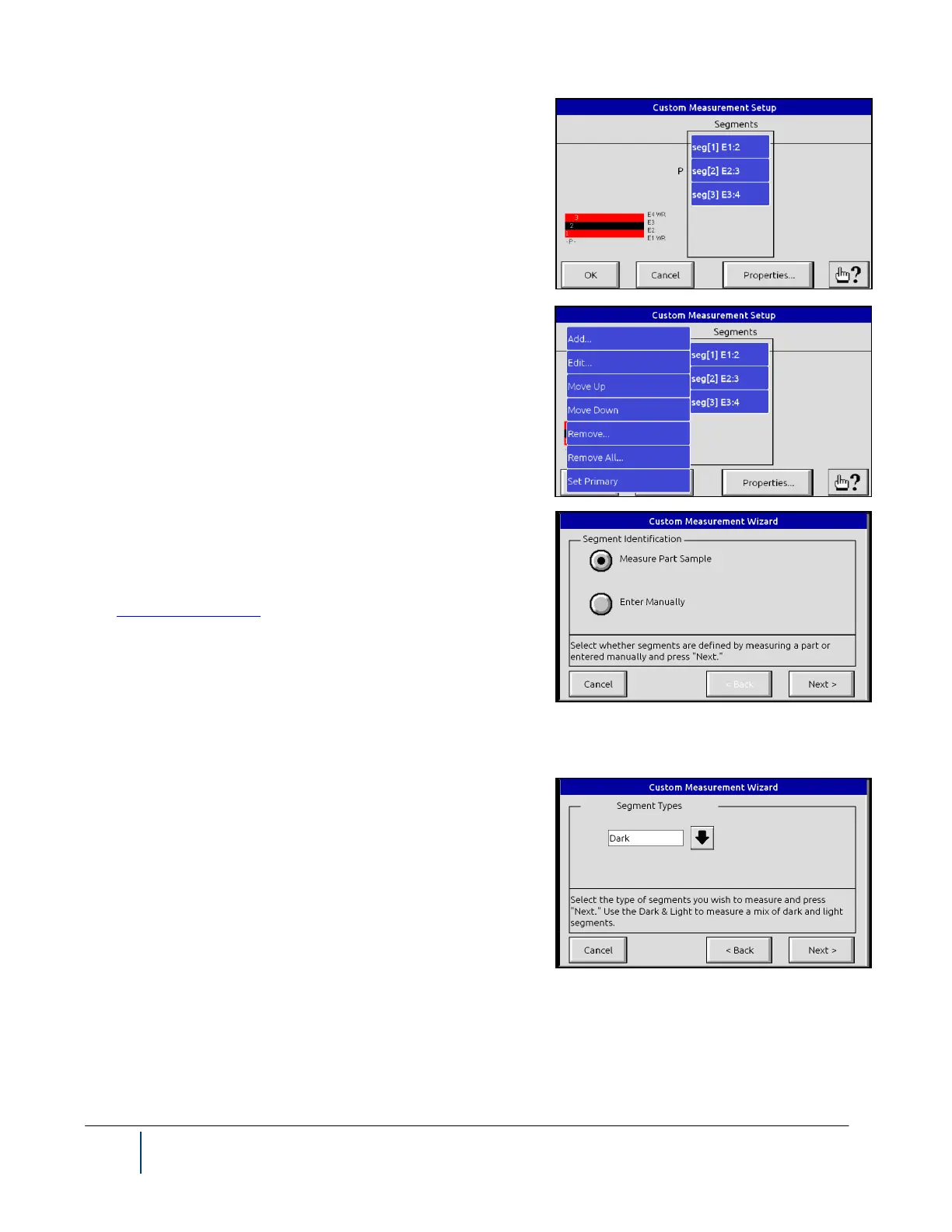
You can access the page shown by selecting the Edit button in-
stead of Wizard from the Custom Measurement Setup screen.
Note that all segments corresponding to your selections on the
previous pages will be identified. Select the desired segment(s),
and use the Properties button if necessary, to customize this
measurement.
If you select the Custom Wizard, several pages will be displayed,
each allowing you to select settings for your measurement. Part
Wizard can be used with products of less than 58 segments. See
also Measuring a Product.
If you wish to create a custom measurement using a sample part,
select Measure Part Sample. The Wizard will step you through
the process of selecting the desired segments based on a sample
which you place in the measurement area of your BenchMike Pro.
If you wish to enter the definition of your Custom measurement
manually, these screens will appear.
With a Custom measurement, you can direct the BenchMike Pro
to measure and display either the dark segments (regions where
laser light did not reach the BenchMike Pro’s receiver), light seg-
ments (regions where laser light did reach the receiver) or both.



 To Next Page