6-2 BenchMike Pro 2025/2050 & Z-Mike Pro 4025/4050 Instruction Handbook: Remote Setup
6.2 Command Format
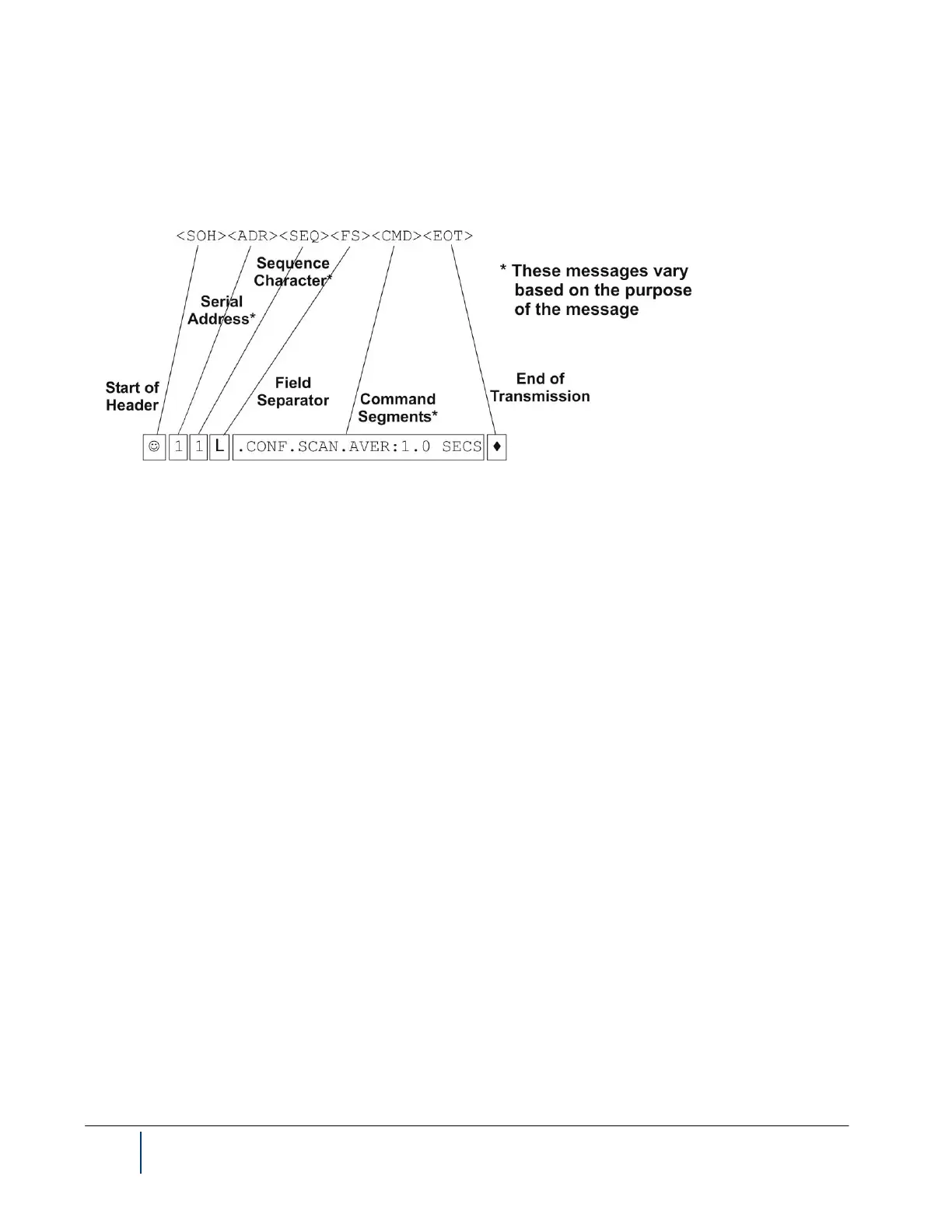
Each command is composed of several phrases, plus a wrapper, forming a statement which looks like the one
below, where the number of phrases varies based on the entire command.
The BenchMike Pro also allows a simplified structure without the wrapper, following the format below.
CMDA.CMDB.CMDC.CMDD:DATA♪
The BenchMike Pro responds to commands in a format that matches the command. If a command has a wrap-
per, then so will the response.
6.2.1 Messages to the BenchMike Pro Without the Wrapper
When you are requesting information from the BenchMike Pro, the command concludes with a question mark. For
example, to learn what baud rate is defined for the serial port, you would use the following command:
CONF.SER.BAUD?♪
When you are issuing a command to the BenchMike Pro, the command includes a colon to separate it from the
desired value. For example, to specify a baud rate of 19200, you would use:
CONF.SER.BAUD:19200♪
If you omit the ? or the : from your command, then ? is assumed.



 To Next Page