4-32 BenchMike Pro 2025/2050 & Z-Mike Pro 4025/4050 Instruction Handbook: Setup
For further information, see the section on Measuring a Product.
Since the BenchMike Pro scanning rate is 100 scans per sec-
ond, a 2.0-second Averaging Rate corresponds to 200 scans.
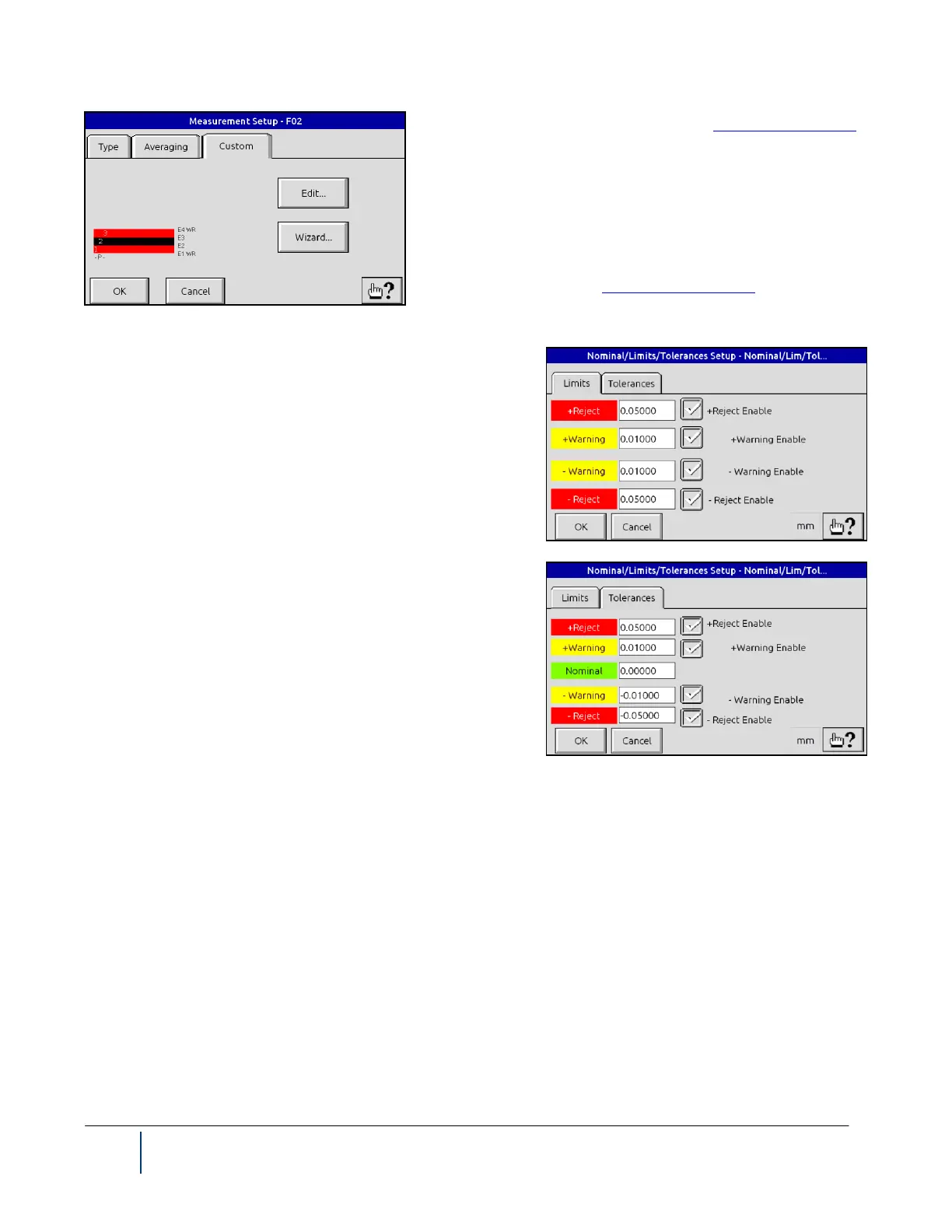
The Custom tab allows you to create your own measurement
definitions. If you do not find a measurement type (see previous
page) which meets your requirements, you can use the Custom
Wizard to create that measurement type or select Edit to perform
simple changes. See also Custom Measurement.
4.10.6 Nominal/Limits/Tolerance Setup
These two pages for Nominal/Limits/Tolerances Setup allow
you to indicate acceptable deviation of the actual product from
the desired product size. When these limits are exceeded, all the
following are triggered: audible alarm, alarm digital output, and
alarm indication on Main Measurement page.
NOTE: Upper or Lower Warning and Reject Limits can be se-
lected to be displayed on the main measurement screen.
On the Tolerances tab, the Nominal is the desired product size.
Limits will be computed from the nominal and tolerances.
The Warning Tolerance value is the difference between the Nominal value and the Warning Limit, and the Reject
Tolerance is the difference between the Nominal and Reject Limit. These relationships are written in equation
form as:
+Reject Tolerance = (+Reject Limit) - Nominal
+Warning Tolerance = (+Warning Limit) - Nominal
-Warning Tolerance = Nominal - (-Warning Limit)
-Reject Tolerance = Nominal - (-Reject Limit)



 To Next Page